actengage/nova-wizard
Laravel Nova Wizard
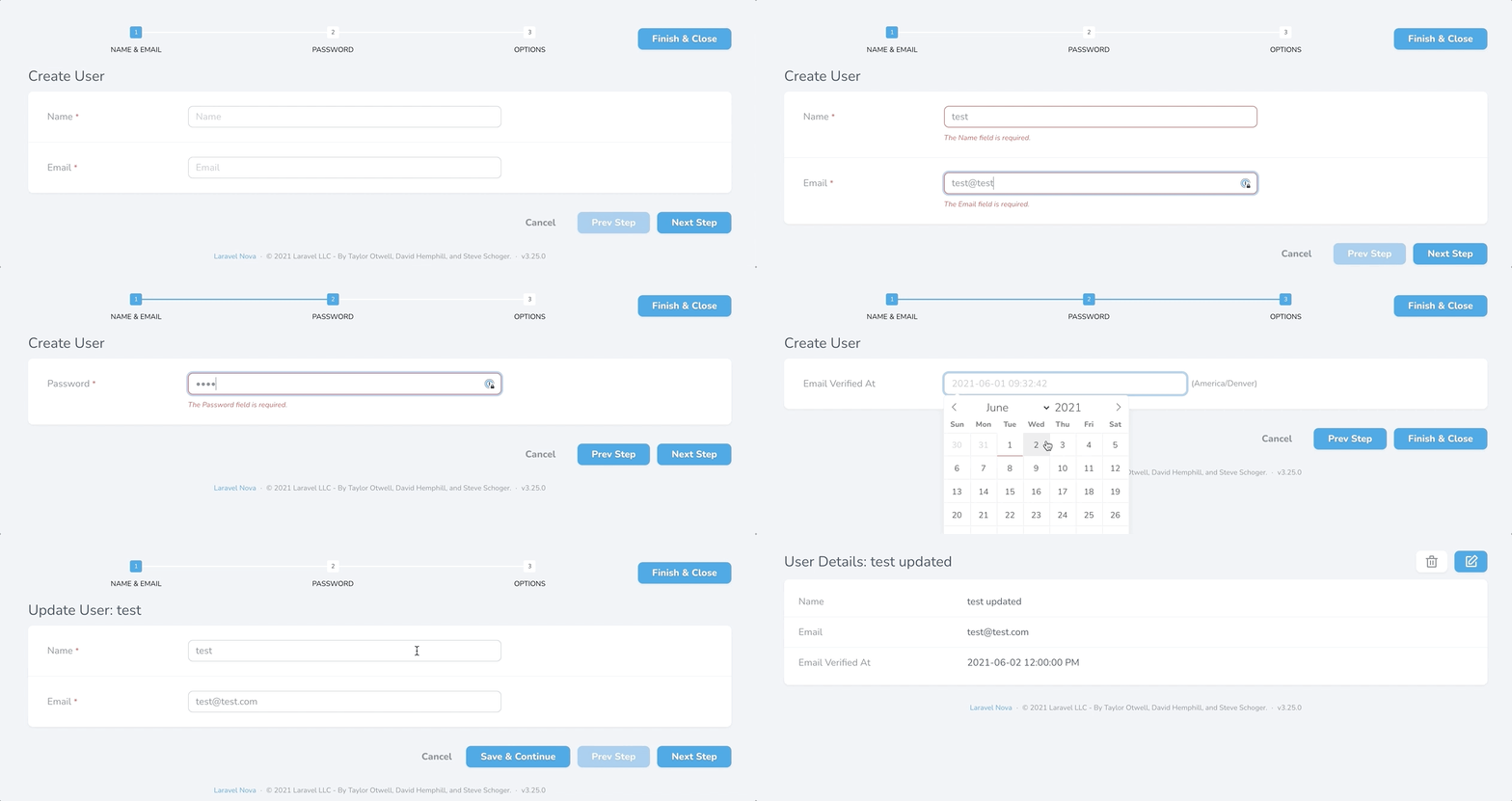
Turn your long and complex resource forms into a simple and clean multi-step process. This package was designed to change as little about Nova as possible. Just implement the trait, define the steps and the plugin does the rest.
Installation
composer install actengage/nova-wizard
Useage
- Use the
Actengage\Wizard\HasMultipleStepstrait. - Make the
Actengage\Wizard\Stepinstances in thefields()method.
namespace App\Nova;

use Actengage\Wizard\HasMultipleSteps;
use Actengage\Wizard\Step;
use Illuminate\Http\Request;
use Laravel\Nova\Fields\DateTime;
use Laravel\Nova\Fields\Text;
use Laravel\Nova\Fields\Password;

class User extends Resource
{
    use HasMultipleSteps;

    /**
     * The model the resource corresponds to.
     *
     * @var string
     */
    public static $model = 'App\\User';

    /**
     * The single value that should be used to represent the resource when being displayed.
     *
     * @var string
     */
    public static $title = 'name';

    /**
     * The columns that should be searched.
     *
     * @var array
     */
    public static $search = [
        'id', 'name', 'email',
    ];

    /**
     * Get the fields displayed by the resource.
     *
     * @param  \Illuminate\Http\Request  $request
     * @return array
     */
    public function fields(Request $request)
    {
        return [
            Step::make('Name & Email', [
                Text::make('Name')
                    ->sortable()
                    ->rules('required', 'max:255'),

                Text::make('Email')
                    ->sortable()
                    ->rules('required', 'email', 'max:254')
            ]),

            Step::make('Password', [
                Password::make('Password')
                    ->onlyOnForms()
                    ->creationRules('required', 'string', 'min:8')
                    ->updateRules('nullable', 'string', 'min:8'),
            ]),

            Step::make('Options', [
                DateTime::make('Email Verified At')
            ]),
        ];
    }
}
Display Steps as Panels
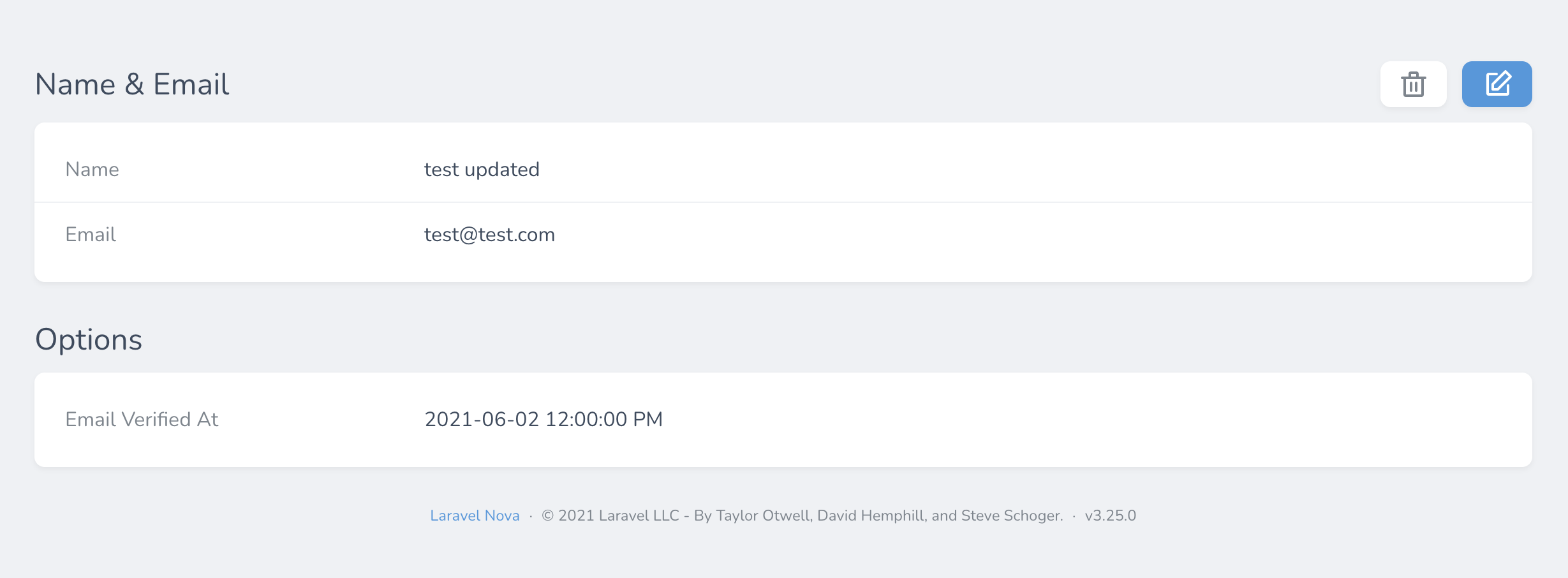
Sometimes you want your steps to be displayed as panels without having to
redundant define a panel inside a step. To do this, just use the
displayasPanel() method. Additionally, if you want to control where the
toolbar is displayed, you can use the withToolbar() method just like a panel.
Step::make('Name & Email', [
    Text::make('Name')
        ->sortable()
        ->rules('required', 'max:255'),

    Text::make('Email')
        ->sortable()
        ->rules('required', 'email', 'max:254')
])->displayAsPanel()->withToolbar(),
Related Packages
epartment/nova-dependency-container
A Laravel Nova field container allowing to depend on other fields values
4,693,752
378
ebess/advanced-nova-media-library
Laravel Nova tools for managing the Spatie media library.
3,857,876
616
kabbouchi/nova-impersonate
A Laravel Nova field allows you to authenticate as your users.
2,268,645
234
Version History
| Version | Released | PHP | Laravel | License |
|---|---|---|---|---|
| v0.9.8 | >=7.1.0 | ^8.0 | MIT | |
| v0.9.7 | >=7.1.0 | ^8.0 | MIT | |
| v0.9.6 | >=7.1.0 | ^8.0 | MIT | |
| v0.9.5 | >=7.1.0 | ^8.0 | MIT | |
| v0.9.4 | >=7.1.0 | ^8.0 | MIT | |
| v0.9.3 | >=7.1.0 | ^8.0 | MIT | |
| v0.9.2 | >=7.1.0 | MIT | ||
| v0.9.1 | >=7.1.0 | MIT | ||
| v0.9.0 | >=7.1.0 | MIT |