agenciafmd/admix-categories
| Install | |
|---|---|
composer require agenciafmd/admix-categories |
|
| Latest Version: | 1.0.0 |
| Laravel: | 5 |
| Last Updated: | Oct 29, 2025 |
| Links: | GitHub · Packagist |
F&MD - Categories
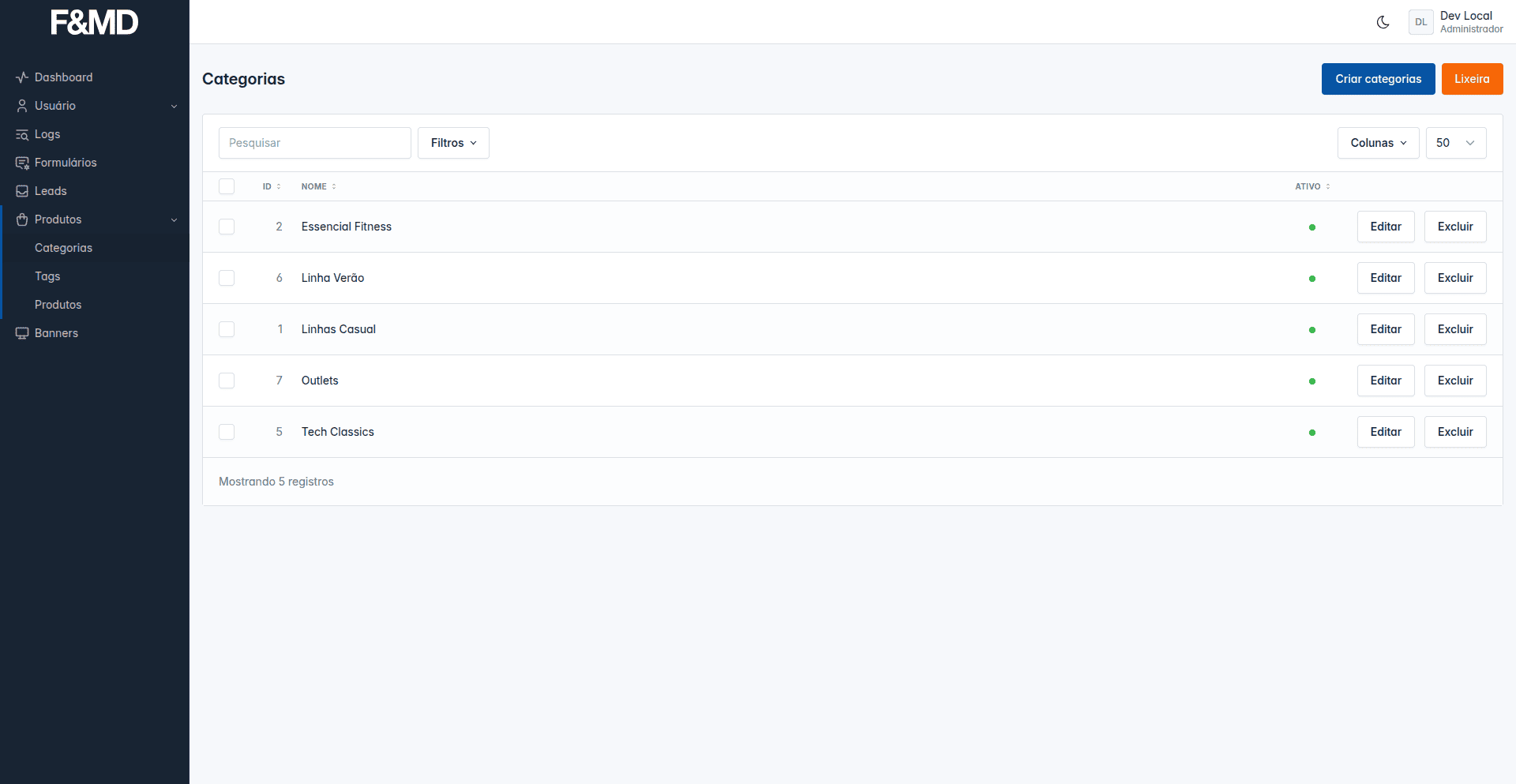


- Categorias em qualquer lugar
Instalação
composer require agenciafmd/admix-categories:v11.x-dev
Configurações
Publique o arquivo de configuração
php artisan vendor:publish --tag="admix-categories:config"
No arquivo config/admix-categories.php adicione as categorias que serão utilizadas.
Os slugs são utilizados para identificar as categorias na rota.
<?php

return [
    'name' => 'Categories',
    'icon' => 'category',
    'sort' => 100,
    'categories' => [
        [
            'model' => \Agenciafmd\Articles\Models\Article::class,
            'name' => 'Artigos',
            'slug' => 'articles',
            'types' => [
                [
                    'name' => 'Categorias',
                    'slug' => 'categories',
                    'is_nested' => false,
                    'has_description' => true,
                    'image' => [
                        'max_size' => '1024', // 1MB
                        'max_width' => '200',
                        'max_height' => '200',
                        'ratio' => 1,
                    ],
                ],
                // adicione quantos tipos forem necessários
            ],
        ],
        // adicione quantas models forem necessários
    ],
];
Incorporando ao seu pacote
Vamos usar o pacote admix-articles como exemplo
Mova o arquivo config/admix-categories.php e para packages/agenciafmd/admix-articles/config/admix-categories.php
Carregue os arquivos em packages/agenciafmd/admix-articles/src/Providers/ArticleServiceProvider.php
protected function registerConfigs()
{
    $this->mergeConfigFrom(__DIR__ . '/../config/admix-categories.php', 'admix-categories');
}
Permissões (TODO)
No arquivo packages/agenciafmd/admix-articles/config/gate.php adicione antes das configurações do pacote
[
    'name' => config('admix-articles.name') . ' » ' . config('admix-categories.articles-categories.name'),
    'policy' => '\Agenciafmd\Articles\Policies\CategoryPolicy',
    'abilities' => [
        [
            'name' => 'visualizar',
            'method' => 'view',
        ],
        [
            'name' => 'criar',
            'method' => 'create',
        ],
        [
            'name' => 'atualizar',
            'method' => 'update',
        ],
        [
            'name' => 'deletar',
            'method' => 'delete',
        ],
        [
            'name' => 'restaurar',
            'method' => 'restore',
        ],
    ],
    'sort' => 10
],
Politicas (TODO)
Crie o arquivo packages/agenciafmd/admix-articles/src/Policies/CategoryPolicy.php
<?php

namespace Agenciafmd\Articles\Policies;

use Agenciafmd\Admix\Policies\AdmixPolicy;

class CategoryPolicy extends AdmixPolicy
{
    //
}
Registrando as politicas (TODO)
No arquivo packages/agenciafmd/admix-articles/src/Providers/AuthServiceProviders.php adicione
use Agenciafmd\Articles\Policies\CategoryPolicy;
use Agenciafmd\Articles\Models\Category;

...
protected $policies = [
    ...
    Category::class => CategoryPolicy::class,
];
...
Menu
No arquivo packages/agenciafmd/admix-articles/src/Http/Components/Aside/Article.php modifique a estrutura para aceitar
as categorias
<?php

namespace Agenciafmd\Articles\Http\Components\Aside;

use Illuminate\Contracts\View\View;
use Illuminate\View\Component;

class Article extends Component
{
    public function __construct(
        public string $icon = '',
        public string $label = '',
        public bool $active = false,
        public bool $visible = false,
        public array $children = [],
    ) {}

    public function render(): View
    {
        $model = 'articles';
        $types = collect(config('admix-categories.categories'))
            ->where('slug', $model)->first()['types'];
        $children = collect($types)->map(function ($item) use ($model) {
            return [
                'label' => __($item['name']),
                'url' => route('admix.categories.index', [
                    'categoryModel' => $model,
                    'categoryType' => $item['slug'],
                ]),
                'active' => request()?->is("*{$model}/{$item['slug']}*"),
                'visible' => true,
            ];
        })->toArray();

        $this->icon = __(config('admix-articles.icon'));
        $this->label = __(config('admix-articles.name'));
        $this->active = request()?->currentRouteNameStartsWith(['admix.articles']) || (request()->categoryModel === $model);
        $this->visible = true;

        $this->children = [
            ...$children,
            [
                'label' => __(config('admix-articles.name')),
                'url' => route('admix.articles.index'),
                'active' => request()?->currentRouteNameStartsWith('admix.articles'),
                'visible' => true,
            ],
        ];

        return view('admix::components.aside.dropdown');
    }
}
Listagem
No arquivo packages/agenciafmd/admix-articles/src/Livewire/Pages/Article/Index.php
Traga o builder da BaseIndex e faça
o Eager Loading da categoria
public function builder(): Builder
{
return $this->model::query()
    ->with(['categories'])
    ->when($this->isTrash, function (Builder $builder) {
        $builder->onlyTrashed();
    })
    ->when(!$this->hasSorts(), function (Builder $builder) {
        $builder->sort();
    });
}
Monte o filters e adicione o filtro da categoria
public function filters(): array
{
    $this->setAdditionalFilters([
        SelectFilter::make(__('admix-articles::fields.category'), 'category')
            ->options(['' => __('-')] + (new Article)->categoriesToSelect())
            ->filter(static function (Builder $builder, string $value) {
                $builder->whereHas('categories', function ($builder) use ($value) {
                    $builder->where($builder->qualifyColumn('model'), Article::class)
                        ->where($builder->qualifyColumn('type'), 'categories')
                        ->where($builder->qualifyColumn('id'), $value);
                });
            }),
        MultiSelectFilter::make(__('admix-articles::fields.tags'), 'tags')
            ->options((new Article)->categoriesToSelect('tags'))
            ->filter(static function (Builder $builder, array $values) {
                $builder->whereHas('categories', function ($builder) use ($values) {
                    $builder->where($builder->qualifyColumn('model'), Article::class)
                        ->where($builder->qualifyColumn('type'), 'tags')
                        ->whereIn($builder->qualifyColumn('id'), $values);
                });
            }),
    ]);

    return parent::filters();
}
Monte o columns e adicione a coluna da categoria
public function columns(): array
{
    $this->setAdditionalColumns([
        Column::make(__('admix-articles::fields.category'))
            ->label(
                fn ($row, Column $column) => $row->categories
                    ->where('type', 'categories')
                    ->first()
                    ?->name
            )
            ->sortable()
            ->searchable(function (Builder $builder, $value) {
                $builder->orWhereHas('categories', function ($builder) use ($value) {
                    $builder->where($builder->qualifyColumn('name'), 'like', '%' . $value . '%');
                });
            }),
        Column::make(__('admix-articles::fields.tags'))
            ->label(
                fn ($row, Column $column) => str($row->categories
                    ->where('type', 'tags')
                    ->pluck('name')?->implode(', '))->limit(40)
            )
            ->sortable()
            ->searchable(function (Builder $builder, $value) {
                $builder->orWhereHas('categories', function ($builder) use ($value) {
                    $builder->where($builder->qualifyColumn('name'), 'like', '%' . $value . '%');
                });
            }),
    ]);

    return parent::columns();
}
Formulário
No arquivo packages/agenciafmd/admix-articles/src/Livewire/Pages/Article/Form.php
Declare o campo, usando o valor que temos no type no singular para "hasOne" e no plural para "hasMany".
Vamos usar category para o hasOne e tags para o hasMany
#[Validate]
public int $category = 0;

#[Validate]
public array $tags = [];
Alimente os campos no método setModel()
public function setModel(Article $article): void
{
    $this->article = $article;
    if ($article->exists) {
        //...
        $this->category = $article
            ->loadCategory()
            ?->id ?? 0;
        $this->tags = $article
            ->loadCategories('tags')
            ->pluck('id')
            ->toArray();
    }
}
Valide os campos no método rules()
'category' => [
    'required',
    'integer',
    Rule::exists('categories', 'id')
        ->where(function (Builder $builder) {
            $builder->where('model', Article::class)
                ->where('type', 'categories');
        }),
],
'tags' => [
    'required',
    'array',
    Rule::exists('categories', 'id')
        ->where(function (Builder $builder) {
        $builder->where('model', Article::class)
            ->where('type', 'tags');
    }),
],
Adicione os campos no método validationAttributes()
'category' => __('admix-articles::fields.category'),
'tags' => __('admix-articles::fields.tags'),
Faça o sync no método save()
if (!$this->article->exists) {
    $this->article->save();
}

$this->article->syncCategory($this->category);
$this->article->syncCategories($this->tags, 'tags');

return $this->article->save();
No arquivo packages/agenciafmd/admix-articles/resources/views/pages/article/form.blade.php use o componente
<x-categories::form.select .../>
<div class="col-md-6 mb-3">
    <x-categories::form.select
            name="form.category"
            :label="__('admix-categories::fields.category')"
            :model=\Agenciafmd\Articles\Models\Article::class
    />
</div>
<div class="col-md-6 mb-3">
    <x-categories::form.select
            name="form.tags"
            :label="__('admix-categories::fields.tags')"
            :model=\Agenciafmd\Articles\Models\Article::class
            type="tags"
            multiple
    />
</div>
Model
No arquivo packages/agenciafmd/admix-articles/src/Models/Article.php e adicione
<?php

use Agenciafmd\Categories\Traits\WithCategories;

class Article extends Model
{
    use WithCategories;
}
Factory e Seed
Na factory do ArticleFactory adicione o método withTags (note o nome no plural por conta do hasMany) e o método
withCategory (note o nome no singular por conta do hasOne "simulado")
public function withTags(int $total = 10, string $type = 'tags'): Factory
{
    $categories = Category::query()
        ->where('type', $type)
        ->where('model', $this->model)
        ->inRandomOrder()
        ->pluck('id');

    return $this->state(function (array $attributes) {
        return [
            //
        ];
    })->afterMaking(function (Product $product) {
        //
    })->afterCreating(function (Product $product) use ($type, $categories, $total) {
        $product->categories()
            ->where('model', $this->model)
            ->where('type', $type)
            ->sync($categories->random($total)->toArray(), false);
    });
}

public function withCategory(string $type = 'categories'): Factory
{
    return $this->withTags(1, $type);
}
Crie o arquivo packages/agenciafmd/admix-articles/src/database/seeds/ArticleCategoryTableSeeder.php e adicione
<?php

namespace Agenciafmd\Articles\Database\Seeders;

use Agenciafmd\Categories\Models\Category;
use Agenciafmd\Articles\Models\Article;
use Illuminate\Database\Seeder;

class ArticleCategoryTableSeeder extends Seeder
{
    protected int $total = 100;

    protected string $type = 'categories';

    protected string $model = Article::class;

    public function run(): void
    {
        Category::query()
            ->where('type', $this->type)
            ->where('model', $this->model)
            ->get()
            ->each
            ->delete();

        collect(range(1, $this->total))
            ->each(function () {
                Category::factory()
                    ->create([
                        'type' => $this->type,
                        'model' => $this->model,
                    ]);
            });
    }
}
Faça o mesmo para a
tags, mudando o nome do arquivo e otype
No arquivo packages/agenciafmd/admix-articles/src/database/seeds/ArticleTableSeeder.php adicione o método
withCategory e o método withTags
collect(range(1, $this->total))
    ->each(function () {
        Product::factory()
            ->withCategory()
            ->withTags(random_int(1, 3))
            ->create();
    });
Related Packages
Powerful PHP database abstraction layer (DBAL) with many features for database s...
Laravel Serializable Closure provides an easy and secure way to serialize closur...
Cli error handling for console/command-line PHP applications.
Version History
| Version | Released | Laravel | License |
|---|---|---|---|
| 1.0.0 | 5.8.* |