ctf0/package-changelog
PackageChangeLog


usually when a package gets updated, the package owner could possibly add/change/remove something from the configuration file, or could add a new feature that he/she didn't have time to add to the read me yet, or for whatever reason that could potentially effect how the user consume the package.
Therefor PackageChangeLog was made, to help developers keep their packages as user friendly as possible and keep the users up-to-date with new changes as releases gets published.
Installation
-
composer require ctf0/package-changelog -
after installation, package will auto-register the below to
composer.json- check composer docs for more info
"scripts": {
    "post-install-cmd": [
        "@php artisan pcl:post-install"
    ],
    "post-update-cmd": [
        "@php artisan pcl:post-update"
    ]
}
Upgrading to v2
-
remove
'App\\Providers\\EventServiceProvider::postAutoloadDump'fromcomposer.json -
remove
/**
* "ctf0/package-changelog".
*/
public static function postAutoloadDump(\Composer\Script\Event $event)
{
   if (class_exists('ctf0\PackageChangeLog\Ops')) {
       return \ctf0\PackageChangeLog\Ops::postAutoloadDump($event);
   }
}
from
app\Providers\EventServiceProvider -
clear the cache
php artisan cache:clear
Usage
-
inside your "package" composer.json
- add the package as a dependency
- add
"changeLog": "log_folder_name"to extra
"require": { // ... "ctf0/package-changelog": "^2.0" }, "extra": { // ... "changeLog": "logs" } -
inside that folder add the log files
- install
post-install-cmd
if you want to show a log on installation only, then add a file name
install.txtand we will display it only when the package gets installed for the first time.release tag log file name * install.txt - update
post-update-cmd
the version have to be equal "==" to the release tag because we check against that version b4 showing the log.
this is useful in-case you didn't add a changeLog for the current published version.
release tag log file name v1.0.0 v1.0.0.txt - install
Uninstall
- for whatever reason you decided to remove the package, make sure to remove all the package scripts under
composer.jsonbefore uninstall
"scripts": {
    "post-install-cmd": [
        "@php artisan pcl:post-install"
    ],
    "post-update-cmd": [
        "@php artisan pcl:post-update"
    ]
}
Notes
- we don't use any parser for the log file, so whatever you write in the file will be displayed to the user as it is.
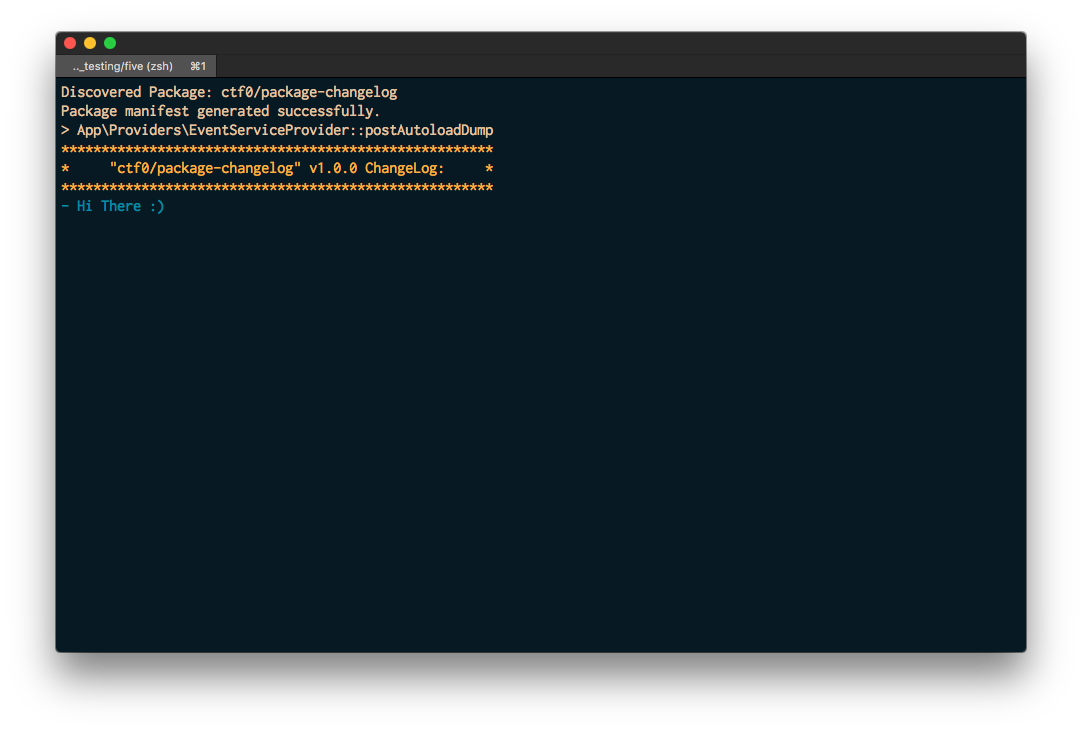
- This is more of a utility package directed towards developers & to get the best of it you have to add it to your package, however to test it you can install it like any other package & you would get a message like the screenshot above.
Security
If you discover any security-related issues, please email ctf0-dev@protonmail.com.
Related Packages
Powerful PHP database abstraction layer (DBAL) with many features for database s...
Version History
| Version | Released | PHP | Laravel | License |
|---|---|---|---|---|
| v3.1.0 | >=7.0 <11.0 | MIT | ||
| v3.0.0 | >=7.0 <10.0 | MIT | ||
| v2.0.4 | >=7.0 <9.0 | MIT | ||
| v2.0.3 | >=7.0 <9.0 | MIT | ||
| v2.0.2 | >=7.0 <9.0 | MIT | ||
| v2.0.1 | >=7.0 <9.0 | MIT | ||
| v2.0.0 | >=7.0 <9.0 | MIT | ||
| v1.1.2 | ~7.0 | >=5.0 | MIT | |
| v1.1.1 | ~7.0 | ^5.0 || | MIT | |
| v1.1.0 | ~7.0 | 5.0 - 6.0 | MIT | |
| v1.0.9 | ~7.0 | 5.0 - 6.0 | MIT | |
| v1.0.8 | ~7.0 | ~5.0 | MIT | |
| v1.0.7 | ~7.0 | ~5.0 | MIT | |
| v1.0.6 | ~7.0 | ~5.0 | MIT | |
| v1.0.5 | ~7.0 | ~5.0 | MIT | |
| v1.0.4 | ~7.0 | ~5.0 | MIT | |
| v1.0.3 | ~7.0 | ~5.0 | MIT | |
| v1.0.2 | ~7.0 | ~5.0 | MIT | |
| v1.0.1 | ~7.0 | ~5.5 | MIT | |
| v1.0.0 | ~7.0 | ~5.5 | MIT |