jeffersongoncalves/filament-flux-pro
| Install | |
|---|---|
composer require jeffersongoncalves/filament-flux-pro |
|
| Latest Version: | 1.1.0 |
| PHP: | ^8.2 |
| Laravel: | 11 · 12 · 13 |
| License: | MIT |
| Last Updated: | Oct 17, 2026 |
| Links: | GitHub · Packagist |
Filament Flux Pro





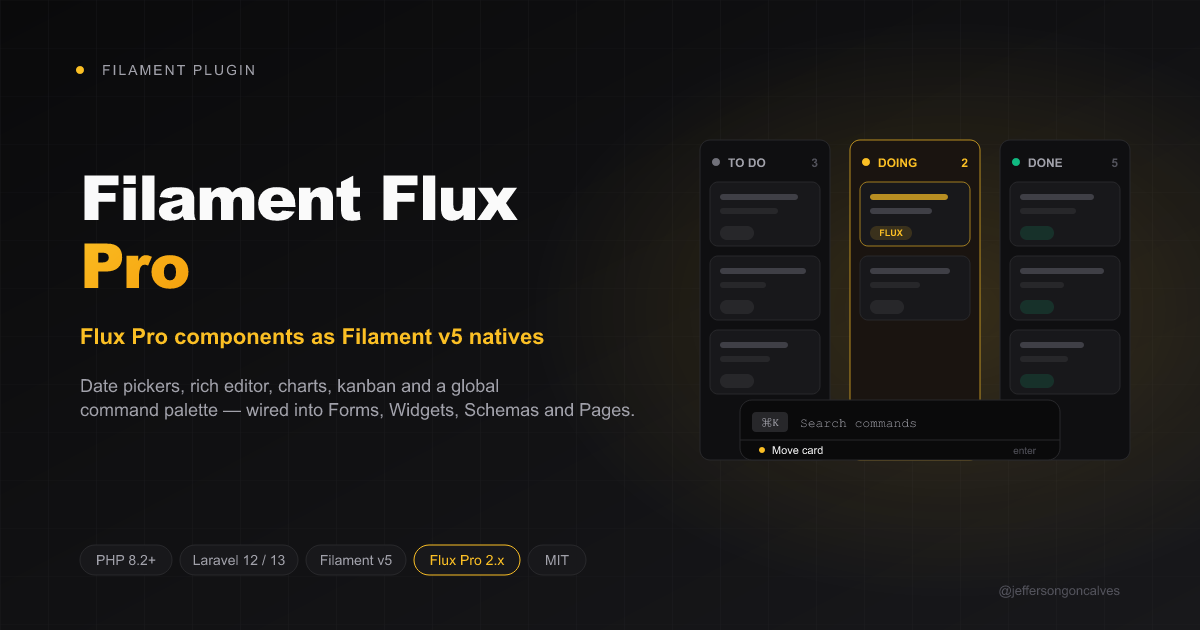
Filament v5 plugin that exposes Livewire Flux Pro components — Date Picker, Calendar, Color Picker, Editor, File Upload, Slider, Pillbox, Autocomplete, Charts, Tabs, Accordion, Popover, Kanban, Command Palette, Composer and Context Menu — as native Filament Form Fields, Widgets, Schema Components and Page Concerns.
⚠️ This package requires a commercial Flux Pro license. The wrapper itself is MIT-licensed, but the runtime dependency
livewire/flux-prois proprietary. Buy at https://fluxui.dev before installing.
Compatibility
| filament-flux-pro | filament-flux | Filament | Laravel | PHP | Flux Pro |
|---|---|---|---|---|---|
1.x |
^1.0 |
5.x |
12 / 13 | 8.2+ | ^2.13 |
What you get
- Form Fields:
FluxDatePicker,FluxDateTimePicker,FluxTimePicker,FluxCalendar,FluxColorPicker,FluxEditor,FluxFileUpload,FluxSlider,FluxPillbox,FluxAutocomplete,FluxComposer - Widgets:
FluxLineChartWidget,FluxAreaChartWidget,FluxBarChartWidget(andFluxChartWidgetabstract) - Table Columns:
FluxChartColumn(sparkline) - Schema Components:
FluxTabs,FluxAccordion - Page Concerns:
HasKanban,HasCommandPalette,HasComposer+FluxKanbanPage,FluxCommandPalettePage,FluxComposerPageabstract bases - Actions:
FluxCommandAction - Helpers:
FluxPopover,FluxContextMenu,EditorImageUploader,HtmlSanitizer,KanbanColumnDefinition,KanbanCardData,CommandRegistry
Pre-requisites
Before you run composer require:
-
Add the Flux Pro Composer repository to your project's
composer.json:{ "repositories": [ { "name": "flux-pro", "type": "composer", "url": "https://composer.fluxui.dev" } ] } -
Create
auth.jsonin your project root with your Flux Pro credentials:{ "http-basic": { "composer.fluxui.dev": { "username": "your-license-email@example.com", "password": "your-license-key" } } } -
Add
auth.jsonto.gitignore— these credentials authenticate against your paid license. Never commit them. -
Register the free plugin first. This package depends on
jeffersongoncalves/filament-fluxbeing installed and registered on the panel.
Installation
composer require jeffersongoncalves/filament-flux-pro
php artisan filament-flux-pro:install --panel=admin
The install command:
- Patches
resources/css/filament/{panel}/theme.csswith the@sourcepaths Tailwind v4 needs to scan Flux Pro's stubs and this plugin's views. - Publishes the config file (
config/filament-flux-pro.php). - Warns if any of the pre-requisites above are missing.
After running it:
php artisan flux:activate     # one-time, if not already done
npm run build
php artisan view:clear
Plugin registration
Register the free plugin first, then this one:
use Jeffersongoncalves\FilamentFlux\FilamentFluxPlugin;
use Jeffersongoncalves\FilamentFluxPro\FilamentFluxProPlugin;

public function panel(Panel $panel): Panel
{
    return $panel
        // ...
        ->plugin(FilamentFluxPlugin::make())
        ->plugin(
            FilamentFluxProPlugin::make()
                ->useEverywhere()
                ->enableCommandPalette()
                ->commandPaletteShortcut('cmd+k')
        );
}
If you forget the free plugin, registration throws a RuntimeException telling you to add it.
Auto-bind Filament fields to their Flux Pro replacements
useEverywhere() rebinds Filament's own form fields to their Flux Pro equivalents through the service container, so existing Resources keep calling DatePicker::make(), RichEditor::make(), etc. and receive the Flux Pro version at runtime.
| Slug | Filament class | Flux Pro class |
|---|---|---|
datePicker |
DatePicker |
FluxDatePicker |
dateTimePicker |
DateTimePicker |
FluxDateTimePicker |
timePicker |
TimePicker |
FluxTimePicker |
colorPicker |
ColorPicker |
FluxColorPicker |
richEditor |
RichEditor |
FluxEditor |
fileUpload |
FileUpload |
FluxFileUpload |
slider |
Slider |
FluxSlider |
tagsInput |
TagsInput |
FluxPillbox |
tabs |
Schemas\Components\Tabs |
FluxTabs |
// All nine bindings on:
->plugin(FilamentFluxProPlugin::make()->useEverywhere())

// Disable specific slugs:
->plugin(FilamentFluxProPlugin::make()->useEverywhere([
    'fileUpload' => false,
    'tagsInput' => false,
]))

// Disable everything:
->plugin(FilamentFluxProPlugin::make()->useEverywhere(false))
Form Fields
FluxDatePicker / FluxDateTimePicker / FluxTimePicker / FluxCalendar
use Jeffersongoncalves\FilamentFluxPro\Forms\Components\FluxCalendar;
use Jeffersongoncalves\FilamentFluxPro\Forms\Components\FluxDatePicker;
use Jeffersongoncalves\FilamentFluxPro\Forms\Components\FluxDateTimePicker;
use Jeffersongoncalves\FilamentFluxPro\Forms\Components\FluxTimePicker;

FluxDatePicker::make('published_at')
    ->fluxMode('single')           // single | range | multiple
    ->fluxWithTime()
    ->fluxLocale('pt_BR')
    ->fluxMin('2026-01-01')
    ->fluxMax('2026-12-31')
    ->fluxPresets(['today', 'last-7-days', 'this-month'])
    ->required();

FluxDatePicker::make('campaign_period')
    ->fluxMode('range')
    ->fluxPresets([
        'Q1 2026' => ['2026-01-01', '2026-03-31'],
        'Q2 2026' => ['2026-04-01', '2026-06-30'],
    ]);

FluxDateTimePicker::make('starts_at');
FluxTimePicker::make('slot')->fluxStep(900);

FluxCalendar::make('availability')
    ->fluxMode('multiple')
    ->fluxAvailableDates(fn () => Booking::availableDates());
FluxColorPicker
use Jeffersongoncalves\FilamentFluxPro\Forms\Components\FluxColorPicker;

FluxColorPicker::make('brand_color')
    ->fluxFormat('hex')             // hex | rgb | hsl
    ->fluxSwatches(['#ef4444', '#22c55e', '#3b82f6', '#a855f7'])
    ->fluxAlpha();
FluxEditor
use Jeffersongoncalves\FilamentFluxPro\Forms\Components\FluxEditor;

FluxEditor::make('content')
    ->fluxToolbar(['bold', 'italic', '|', 'bullet-list', 'ordered-list', '|', 'link', 'image', 'codeblock', '|', 'undo', 'redo'])
    ->fluxMenu()
    ->fluxMinHeight('200px')
    ->fluxMaxHeight('600px')
    ->fluxImageUpload(
        disk: 'public',
        directory: 'editor/images',
        visibility: 'public',
        maxSize: 5120,
        accept: ['image/jpeg', 'image/png', 'image/webp'],
    )
    ->fluxSanitize();
fluxSanitize() runs every saved value through HtmlSanitizer, which strips <script>, <style>, <iframe>, on* event handlers and javascript: URLs while keeping the standard rich-text tag set (p, strong, em, a, h1-h6, ul, ol, li, code, pre, blockquote, img, …).
FluxFileUpload
use Jeffersongoncalves\FilamentFluxPro\Forms\Components\FluxFileUpload;

FluxFileUpload::make('attachments')
    ->fluxAccept(['image/*', 'application/pdf'])
    ->fluxMultiple()
    ->fluxMaxSize(10240)             // KB
    ->fluxDisk('s3')
    ->fluxDirectory('uploads/users')
    ->fluxVisibility('private');
FluxSlider
use Jeffersongoncalves\FilamentFluxPro\Forms\Components\FluxSlider;

FluxSlider::make('quality')
    ->fluxMin(0)
    ->fluxMax(100)
    ->fluxStep(5)
    ->fluxShowValue();

FluxSlider::make('budget')
    ->fluxRange()                // dual-handle slider with array state [min, max]
    ->fluxMin(0)
    ->fluxMax(10000)
    ->fluxStep(100);
FluxPillbox
use Jeffersongoncalves\FilamentFluxPro\Forms\Components\FluxPillbox;

FluxPillbox::make('tags')
    ->options(Tag::pluck('name', 'id'))
    ->fluxAllowCustom()
    ->fluxMax(10)
    ->fluxClearable();
FluxAutocomplete
use App\Models\User;
use Jeffersongoncalves\FilamentFluxPro\Forms\Components\FluxAutocomplete;

FluxAutocomplete::make('user_id')
    ->fluxSearchable()
    ->fluxMinChars(2)
    ->fluxDebounce(300)
    ->fluxOptionsResolver(
        fn (string $search) => User::where('name', 'like', "%{$search}%")
            ->limit(20)
            ->pluck('name', 'id')
            ->toArray()
    );
FluxComposer
Chat-style input with attachments and @-mentions:
use App\Models\User;
use Jeffersongoncalves\FilamentFluxPro\Forms\Components\FluxComposer;

FluxComposer::make('message')
    ->fluxAllowAttachments()
    ->fluxAllowMentions(fn (string $search) => User::search($search)->pluck('name', 'id')->toArray())
    ->fluxPlaceholder('Type a message…')
    ->fluxSubmitOnEnter();
The dehydrated state is either a plain string (when only text is filled) or an array ['text' => string, 'attachments' => array, 'mentions' => array].
Charts
Three abstract widgets ready to subclass:
use App\Models\Revenue;
use Jeffersongoncalves\FilamentFluxPro\Widgets\FluxLineChartWidget;

class RevenueChart extends FluxLineChartWidget
{
    protected static ?string $heading = 'Monthly revenue';

    protected ?string $description = 'Last 12 months';

    protected int $height = 300;

    protected function getData(): array
    {
        return Revenue::lastYear()
            ->groupByMonth()
            ->get()
            ->map(fn ($r) => [
                'date' => $r->month,
                'revenue' => $r->total,
            ])
            ->toArray();
    }
}
FluxAreaChartWidget and FluxBarChartWidget work the same way. The default option set is ['colors' => ['accent'], 'showLegend' => true, 'showGrid' => true, 'showAxis' => true] and can be overridden by re-implementing getOptions().
FluxChartColumn (sparkline in tables)
use Jeffersongoncalves\FilamentFluxPro\Tables\Columns\FluxChartColumn;

FluxChartColumn::make('sales_trend')
    ->fluxType('line')             // line | area | bar
    ->fluxData(fn ($record) => $record->last30DaysSales())
    ->fluxColor(fn ($record) => $record->trend > 0 ? 'lime' : 'red')
    ->fluxHeight(40)
    ->fluxMinWidth(80);
Schema components
FluxTabs
use Filament\Schemas\Components\Tabs\Tab;
use Jeffersongoncalves\FilamentFluxPro\Components\FluxTabs;
use Jeffersongoncalves\FilamentFluxPro\Forms\Components\FluxDatePicker;
use Jeffersongoncalves\FilamentFluxPro\Forms\Components\FluxEditor;

FluxTabs::make('Post')
    ->fluxVariant('pills')           // default | pills | segmented
    ->tabs([
        Tab::make('Content')->schema([
            FluxEditor::make('body'),
        ]),
        Tab::make('Publishing')->schema([
            FluxDatePicker::make('published_at'),
        ]),
    ]);
FluxAccordion
use Jeffersongoncalves\FilamentFluxPro\Components\FluxAccordion;
use Jeffersongoncalves\FilamentFluxPro\Forms\Components\FluxComposer;

FluxAccordion::make('advanced')
    ->fluxHeading('Advanced settings')
    ->fluxIcon('cog-6-tooth')
    ->fluxExpanded(false)
    ->schema([
        FluxComposer::make('notes'),
    ]);
FluxPopover
FluxPopover::trigger() returns an HtmlString you can render anywhere:
use Jeffersongoncalves\FilamentFluxPro\Components\FluxPopover;

{{ FluxPopover::trigger(
    triggerHtml: '<flux:button>Details</flux:button>',
    contentHtml: '<flux:heading>Record details</flux:heading><flux:text>…</flux:text>',
    position: 'bottom',
) }}
The position attribute is HTML-escaped, so user-controlled values are safe.
FluxContextMenu
use Jeffersongoncalves\FilamentFluxPro\Components\FluxContextMenu;

{{ FluxContextMenu::make()
    ->item('Edit', 'editRecord', icon: 'pencil')
    ->item('Duplicate', 'duplicateRecord', icon: 'document-duplicate')
    ->separator()
    ->item('Delete', 'deleteRecord', icon: 'trash', danger: true)
    ->render() }}
Pages
Kanban
use Filament\Pages\Page;
use Illuminate\Database\Eloquent\Model;
use Jeffersongoncalves\FilamentFluxPro\Pages\FluxKanbanPage;
use Jeffersongoncalves\FilamentFluxPro\Support\KanbanColumnDefinition;

class TasksKanban extends FluxKanbanPage
{
    protected function getKanbanModel(): string
    {
        return Task::class;
    }

    protected function getKanbanStatusField(): string
    {
        return 'status';
    }

    protected function getKanbanColumns(): array
    {
        return [
            KanbanColumnDefinition::make('todo', 'To do')->color('zinc'),
            KanbanColumnDefinition::make('doing', 'In progress')->color('amber'),
            KanbanColumnDefinition::make('done', 'Done')->color('lime')
                ->meta(fn (Task $task) => 'Completed ' . $task->completed_at?->diffForHumans()),
        ];
    }

    protected function onKanbanMove(Model $record, string $toColumn, int $newOrder): void
    {
        if ($toColumn === 'done') {
            $record->update(['completed_at' => now()]);
        }
    }
}
The Kanban migration must include status (or whatever getKanbanStatusField() returns) and an order column. Override getKanbanOrderField() to use a different name.
Command Palette
use Filament\Pages\Dashboard;
use Jeffersongoncalves\FilamentFluxPro\Pages\Concerns\HasCommandPalette;

class CustomDashboard extends Dashboard
{
    use HasCommandPalette;

    protected $listeners = ['open-command-palette' => 'openCommandPalette'];

    protected function getCommandPaletteCommands(): array
    {
        return [
            'create-invoice' => [
                'label' => 'New invoice',
                'icon' => 'document-plus',
                'shortcut' => 'cmd+i',
                'handler' => fn () => redirect(InvoiceResource::getUrl('create')),
            ],
            'go-to-customers' => [
                'label' => 'Go to customers',
                'icon' => 'users',
                'handler' => fn () => redirect(CustomerResource::getUrl()),
            ],
        ];
    }
}
The trait already exposes openCommandPalette(), closeCommandPalette(), toggleCommandPalette(), executeCommand($key) and getFilteredCommands(). Render the palette from vendor/jeffersongoncalves/filament-flux-pro/resources/views/pages/command-palette-modal.blade.php (publish + customize when needed) or pass $this->isCommandPaletteOpen to your own modal.
CommandRegistry helper
If you want a free-standing collection of commands (not bound to a page), use the registry:
use Jeffersongoncalves\FilamentFluxPro\Support\CommandRegistry;

$registry = (new CommandRegistry)
    ->add('inv', 'New invoice', fn () => Invoice::create(), icon: 'document-plus')
    ->add('go-customers', 'Go to customers', fn () => redirect()->route('customers.index'));

$registry->search('invoice');     // filtered
$registry->execute('inv');        // dispatch handler
FluxCommandAction (record-scoped command palette)
use Jeffersongoncalves\FilamentFluxPro\Actions\FluxCommandAction;

FluxCommandAction::make('actions')
    ->fluxCommands(fn ($record) => [
        'edit' => ['label' => 'Edit', 'handler' => fn () => $record->edit()],
        'archive' => ['label' => 'Archive', 'handler' => fn () => $record->archive()],
    ]);
Composer page
use Jeffersongoncalves\FilamentFluxPro\Pages\FluxComposerPage;

class TicketChat extends FluxComposerPage
{
    protected static string $view = 'filament.pages.ticket-chat';

    protected function onComposerSubmit(array $state): void
    {
        Comment::create([
            'ticket_id' => $this->ticketId,
            'body' => $state['text'],
            'attachments' => $state['attachments'],
            'mentions' => $state['mentions'],
        ]);
    }
}
When to reach for filament-flux-pro
| Use Filament native | Use Flux Pro |
|---|---|
| Internal admin where Filament defaults already work | Customer-facing UI where Flux's polish matters |
| Tight budget, no Flux license | You already paid for Flux Pro elsewhere |
| Static dashboards, simple CRUD | Kanban boards, command palettes, chat input, charts |
| Native rich text is enough | Image uploads inside the editor with sanitization |
Troubleshooting
composer requirefails withCould not find package livewire/flux-pro— yourcomposer.jsonis missing thecomposer.fluxui.devrepository. See Pre-requisites above.composer requirefails withCould not authenticate against composer.fluxui.dev—auth.jsonis missing or has invalid credentials. Re-create it with the email + license key from your Flux Pro account.auth.jsonshows up ingit status— add it to.gitignoreimmediately. The install command warns about this.RuntimeException: FilamentFluxProPlugin requires FilamentFluxPlugin to be registered first— list the free plugin before the Pro one in your panel provider's->plugin()chain.- Kanban resets cards to position 0 on drag-drop — your migration is missing the order column. Either add an
orderinteger column or overridegetKanbanOrderField()to point to your existing column. - Command palette hotkey doesn't fire — the page must dispatch
open-command-paletteitself or listen withprotected $listeners = ['open-command-palette' => 'openCommandPalette'];. The plugin only exposes the configuration; binding the keystroke is your responsibility. - Editor saves raw HTML with
<script>tags — make surefluxSanitize()is on (default) and that you're reading the dehydrated state from the form, not the raw Livewire property.
Changelog
Please see CHANGELOG for more information on what has changed recently.
Security Vulnerabilities
Please review our security policy on how to report security vulnerabilities.
Credits
License
The wrapper code in this repository is MIT — see LICENSE.md. It does not grant any rights to livewire/flux-pro; you need a separate commercial Flux license from https://fluxui.dev to install and run this plugin.
Related Packages
Filament v5 plugin exposing Livewire Flux UI components as native Form Fields, T...
A beautiful icon picker field for FilamentPHP v5 with support for Heroicons, Luc...
A modern CMS built on Laravel, Livewire, Alpine.js, and Filament. The TALL stack...
TallCMS - A modern CMS for Filament admin panels. Works standalone or as a plugi...
Automatically refresh the Filament sidebar navigation when certain events occur,...
Version History
| Version | Released | PHP | License |
|---|---|---|---|
| 1.1.0 | ^8.2 | MIT | |
| 1.0.0 | ^8.2 | MIT |