jeffersongoncalves/filament-multifactor-passkeys
| Install | |
|---|---|
composer require jeffersongoncalves/filament-multifactor-passkeys |
|
| Latest Version: | 2.1.0 |
| PHP: | ^8.2 |
| Laravel: | 11 · 12 · 13 |
| License: | MIT |
| Last Updated: | Oct 19, 2026 |
| Links: | GitHub · Packagist |
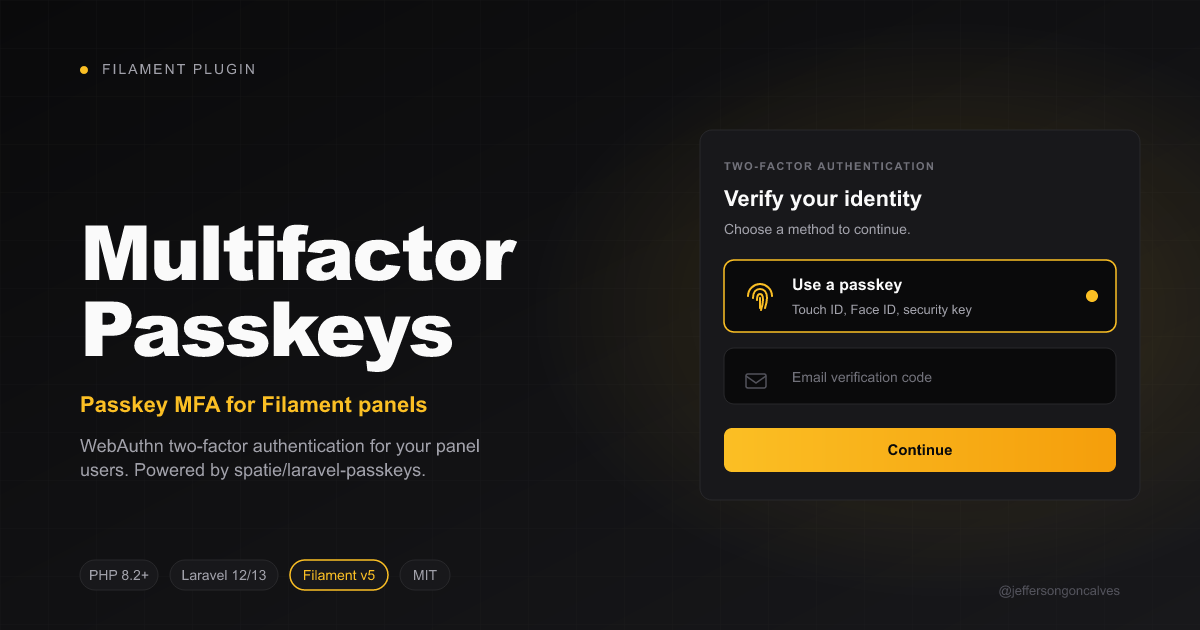
Filament Multifactor Passkeys





Multi-factor authentication for Filament panels using WebAuthn passkeys, powered by spatie/laravel-passkeys.
Compatibility
| Branch | Filament | Laravel | PHP | Tag format |
|---|---|---|---|---|
1.x |
v4 | 11 / 12 | ^8.2 | 1.x.y |
2.x |
v5 | 12 / 13 | ^8.2 | 2.x.y |
Installation
Install the package via composer:
composer require jeffersongoncalves/filament-multifactor-passkeys
Publish and run the migrations from spatie/laravel-passkeys:
php artisan vendor:publish --tag="passkeys-migrations"
php artisan migrate
Publish the spatie/laravel-passkeys config (optional, to tweak relying party, allowed origins, etc.):
php artisan vendor:publish --tag="passkeys-config"
Publish this package's config (optional):
php artisan vendor:publish --tag="filament-multifactor-passkeys-config"
Usage
1. Prepare your User model
Add the Spatie InteractsWithPasskeys trait and implement the package's HasPasskeyAuthentication contract (which extends Spatie's HasPasskeys interface):
use Filament\Models\Contracts\FilamentUser;
use Illuminate\Foundation\Auth\User as Authenticatable;
use JeffersonGoncalves\Filament\MultiFactorPasskeys\Contracts\HasPasskeyAuthentication;
use Spatie\LaravelPasskeys\Models\Concerns\InteractsWithPasskeys;

class User extends Authenticatable implements FilamentUser, HasPasskeyAuthentication
{
    use InteractsWithPasskeys;

    public function hasPasskeyAuthentication(): bool
    {
        return $this->passkeys()->exists();
    }

    // ...
}
2. Register the MFA provider in your panel
In your PanelProvider, register PasskeyAuthentication in the multiFactorAuthentication() array. To also expose a "Sign in with a passkey" button on the login screen, register the plugin as well:
use Filament\Panel;
use JeffersonGoncalves\Filament\MultiFactorPasskeys\MultiFactorPasskeysPlugin;
use JeffersonGoncalves\Filament\MultiFactorPasskeys\PasskeyAuthentication;

public function panel(Panel $panel): Panel
{
    return $panel
        // ...
        ->multiFactorAuthentication([
            PasskeyAuthentication::make(),
        ])
        ->plugin(MultiFactorPasskeysPlugin::make());
}
That's it. The MFA section in the user profile page now shows a "Passkey verification" entry with Set up / Turn off buttons. The plugin also injects a passkey login button after the standard login form, allowing users to authenticate without typing email/password. After registering a passkey, the next login can use it directly.
The package auto-registers Spatie's
Route::passkeys()macro (under thewebmiddleware group) so the login button works out of the box. If you've already registered them yourself, the auto-registration is skipped.
3. Customising the redirect URL
By default, after a successful registration or assertion the user is redirected to the current panel home (Filament::getCurrentPanel()->getUrl()). To override:
PasskeyAuthentication::make()
    ->redirectUrlUsing(fn () => route('dashboard'));
You can also set a static URL via config/filament-multifactor-passkeys.php:
return [
    'redirect' => '/dashboard',
];
How it works
This package is a thin Filament adapter on top of spatie/laravel-passkeys. The WebAuthn ceremony (challenge generation, browser API, attestation/assertion verification, persistence) is fully handled by Spatie's package and its Blade components (<x-create-passkey> and <x-authenticate-passkey>), which are embedded inside Filament modals and the MFA challenge schema.
- Set up opens a Filament modal that renders
<x-create-passkey :redirect="..." /> - Disable removes all of the user's passkeys via
$user->passkeys()->delete() - Login challenge renders
<x-authenticate-passkey :redirect="..." />
Development
# Static analysis
composer analyse

# Code style
composer format

# Tests
composer test
Changelog
Please see CHANGELOG for more information on what has changed recently.
Contributing
Please see CONTRIBUTING for details.
Security Vulnerabilities
Please review our security policy on how to report security vulnerabilities.
Credits
- Jefferson Gonçalves
- Spatie — for the underlying WebAuthn implementation
- All Contributors
License
The MIT License (MIT). Please see License File for more information.
Related Packages
Filament 5 multi‑factor authentication via WhatsApp one‑time codes, with optiona...
A Laravel package of Multi-factor Authentication (MFA/2FA) with a middleware.
Two-factor authentication for Laravel Nova: authenticator apps, passkeys, email...
Laravel authentication with AWS Cognito, supporting web, API, SSO, MFA, WebAuthn...
Version History
| Version | Released | PHP | License |
|---|---|---|---|
| 2.1.0 | ^8.2 | MIT | |
| 2.0.1 | ^8.2 | MIT | |
| 2.0.0 | ^8.2 | MIT | |
| 1.1.0 | ^8.2 | MIT | |
| 1.0.1 | ^8.2 | MIT | |
| 1.0.0 | ^8.2 | MIT |