jeffersongoncalves/laravel-cep
| Install | |
|---|---|
composer require jeffersongoncalves/laravel-cep |
|
| Latest Version: | v2.0.0 |
| PHP: | ^8.2 |
| Laravel: | 12 · 13 |
| License: | MIT |
| Last Updated: | Oct 10, 2026 |
| Links: | GitHub · Packagist |
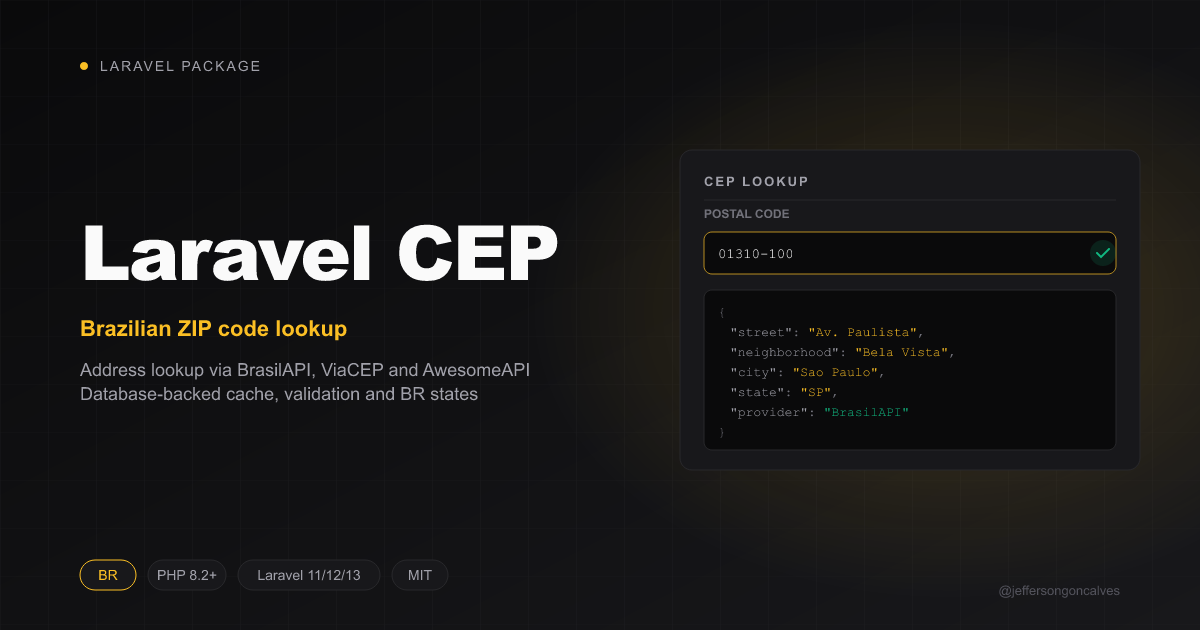
Laravel Cep




A simple and efficient Laravel package for querying Brazilian postal codes (CEP). This package provides an easy way to retrieve address information from Brazilian ZIP codes through multiple API providers with database storage.
Features
- 🚀 Multiple API providers (BrasilAPI, ViaCEP, AwesomeAPI)
- 💾 Database storage for queried CEPs
- 🎯 CEP validation and formatting
- 🇧🇷 Complete Brazilian states support
Installation
You can install the package via composer:
composer require jeffersongoncalves/laravel-cep
Publish and run the migration file:
php artisan vendor:publish --tag=cep-migrations
php artisan migrate
Usage
Basic Usage
use JeffersonGoncalves\Cep\Models\Cep;

// Find CEP information
$cepData = Cep::findByCep('01310-100');
// Returns:
// [
//     'cep' => '01310100',
//     'state' => 'SP',
//     'city' => 'São Paulo',
//     'neighborhood' => 'Bela Vista',
//     'street' => 'Avenida Paulista'
// ]

// Check if CEP exists
$exists = Cep::checkCep('01310-100'); // Returns true/false
Available Methods
findByCep(string $cep): array
Retrieves complete address information for a given CEP. The method automatically:
- Formats and validates the CEP
- Checks the local database first
- Queries external APIs if not found locally
- Stores the result in database for future use
$result = Cep::findByCep('12345-678');
checkCep(string $cep): bool
Validates if a CEP exists and returns a boolean value.
$isValid = Cep::checkCep('12345-678');
API Providers
The package uses multiple API providers in the following order:
- BrasilAPI - Primary provider
- ViaCEP - Fallback provider
- AwesomeAPI - Secondary fallback
Database Structure
The package creates a cep table with the following structure:
cep(string, 8 chars) - Primary keystate(enum) - Brazilian state abbreviationcity(string) - City nameneighborhood(string) - Neighborhood namestreet(string) - Street nametimestamps- Created and updated timestamps
SSL Certificate Configuration (cacert.pem)
This package makes HTTPS requests to external APIs (BrasilAPI, ViaCEP, and AwesomeAPI) to retrieve CEP information. If you encounter SSL certificate errors, you may need to configure PHP to use a proper CA certificate bundle.
What is cacert.pem?
The cacert.pem file is a bundle of Certificate Authority (CA) certificates that PHP uses to verify SSL/TLS connections. Without proper CA certificates, PHP cannot verify the authenticity of HTTPS connections, leading to SSL errors.
Common SSL Errors
You might encounter errors like:
cURL error 60: SSL certificate problem: unable to get local issuer certificateSSL certificate verification failed- Connection timeouts when making API requests
How to Configure cacert.pem
Step 1: Download cacert.pem
Download the latest CA certificate bundle from the official cURL website:
# Download the latest cacert.pem file
curl -o cacert.pem https://curl.se/ca/cacert.pem
Or download it manually from: https://curl.se/ca/cacert.pem
Step 2: Place the File
Place the cacert.pem file in a secure location on your server, for example:
- Windows:
C:\php\extras\ssl\cacert.pem - Linux/macOS:
/etc/ssl/certs/cacert.pemor/usr/local/etc/ssl/cacert.pem
Step 3: Configure PHP
Edit your php.ini file and add/update the following lines:
; Enable SSL certificate verification
openssl.cafile = "C:\php\extras\ssl\cacert.pem"  ; Windows path
; openssl.cafile = "/etc/ssl/certs/cacert.pem"   ; Linux/macOS path

; For cURL specifically
curl.cainfo = "C:\php\extras\ssl\cacert.pem"     ; Windows path
; curl.cainfo = "/etc/ssl/certs/cacert.pem"      ; Linux/macOS path
Step 4: Restart Web Server
After modifying php.ini, restart your web server (Apache, Nginx, etc.) or PHP-FPM service.
Verification
To verify that SSL certificates are working correctly, you can test the configuration:
// Test SSL connection
$response = file_get_contents('https://brasilapi.com.br/api/cep/v1/01310100');
if ($response !== false) {
    echo "SSL configuration is working correctly!";
} else {
    echo "SSL configuration needs attention.";
}
Alternative Solutions
If you cannot modify php.ini, you can also:
-
Set environment variable (not recommended for production):
export SSL_CERT_FILE=/path/to/cacert.pem -
Use Laravel HTTP client options in your application:
Http::withOptions([
    'verify' => '/path/to/cacert.pem'
])->get('https://api.example.com');
Note: Disabling SSL verification ('verify' => false) is strongly discouraged as it makes your application vulnerable to man-in-the-middle attacks.
Testing
composer test
Changelog
Please see CHANGELOG for more information on what has changed recently.
Contributing
Please see CONTRIBUTING for details.
Security Vulnerabilities
Please review our security policy on how to report security vulnerabilities.
Credits
License
The MIT License (MIT). Please see License File for more information.
Related Packages
A simple yet effective Filament plugin that automatically adds the Filament logo...
This Filament package provides a simple and elegant way to implement cookie cons...
The Filament CEP Field is a custom input component designed specifically for Bra...
A Laravel Filament v5 field that integrates the Ace code editor into your forms,...
Automatically refresh the Filament sidebar navigation when certain events occur,...
Version History
| Version | Released | PHP | Laravel | License |
|---|---|---|---|---|
| v2.0.0 | ^8.2 | ^12.61.1| | MIT | |
| 1.1.4 | ^8.2| | ^11.0| | MIT | |
| 1.1.3 | ^8.2| | ^11.0| | MIT | |
| 1.1.2 | ^8.2| | ^11.0| | MIT | |
| 1.1.1 | ^8.2| | ^11.0| | MIT | |
| 1.1.0 | ^8.2| | ^11.0| | MIT | |
| 1.0.6 | ^8.2| | ^11.0| | MIT | |
| 1.0.5 | ^8.2| | ^11.0| | MIT | |
| 1.0.4 | ^8.2| | ^11.0| | MIT | |
| 1.0.3 | ^8.2| | ^11.0| | MIT | |
| 1.0.2 | ^8.2| | ^11.0| | MIT | |
| 1.0.1 | ^8.2| | ^11.0| | MIT | |
| 1.0.0 | ^8.2| | ^11.0| | MIT |