kerodev/filament-logger
[!NOTE] This is a fork of Z3d0X/filament-logger with Filament 4 support. Now maintained by keroles19 with improvements and bug fixes.
Activity logger for filament


Configurable activity logger for filament.
Powered by spatie/laravel-activitylog
Features
You can choose what you want to log and how to log it.
- Log Filament Resource Events
- Log Login Event
- Log Notification Events
- Log Model Events
- Easily extendable to log custom events
Note: By default this package will log Filament Resource Events, Access(Login) Events, and Notification Events. If you want to log a model that is not a FilamentResource you will have to manually register in the config file.
Development (Git hooks)
This repo includes a commit-msg hook that removes any Made-with: Cursor line from commit messages so it is never stored in history (some editors append that automatically).
After cloning, run once from the package root:
composer run setup-git-hooks
Or manually:
git config core.hooksPath .githooks
chmod +x .githooks/commit-msg
If a commit tool bypasses hooks, you can still amend with hooks disabled only when needed: git -c core.hooksPath=/path/to/empty/dir commit --amend ….
Installation
| Plugin Version | Filament Version |
|---|---|
| <= 0.5.x | ^2.11 |
| 0.6.x - 0.8.x | 3.x |
| >= 1.0 | 4.x |
This package uses spatie/laravel-activitylog, instructions for its setup can be found here
You can install the package via composer:
composer require kerodev/filament-logger
After that run the install command:
php artisan filament-logger:install
This will publish the config & migrations from spatie/laravel-activitylog
Register the plugin in your PanelProvider:
use Keroles\FilamentLogger\FilamentLoggerPlugin;

public function panel(Panel $panel): Panel
{
    return $panel
        ->plugins([
            FilamentLoggerPlugin::make(),
        ]);
}
Authorization
To enforce policies on ActivityResource, after generating a policy, you would need to register Spatie\Activitylog\Models\Activity to use that policy in the AuthServiceProvider.
<?php

namespace App\Providers;

use App\Policies\ActivityPolicy;
use Illuminate\Foundation\Support\Providers\AuthServiceProvider as ServiceProvider;
use Spatie\Activitylog\Models\Activity;

class AuthServiceProvider extends ServiceProvider
{
    protected $policies = [
        // Update `Activity::class` with the one defined in `config/activitylog.php`
        Activity::class => ActivityPolicy::class,
    ];
    //...
}
If you are using Shield just register the ActivityPolicy generated by it
Translations
Publish the translations using:
php artisan vendor:publish --tag="filament-logger-translations"
Activity Model resolution
The main Activity class being used by the Filament Resource instance will be resolved by Spatie's service provider, which loads the model defined by the configuration key found at activitylog.activity_model in config/activitylog.php.
Configurable Activity resource & table UI
Publish config/filament-logger.php and adjust:
activity_resource: class used when registering the Filament plugin and list/view pages. Point this to your ownResourcesubclass if you need custom authorization, queries, or pages.table.global_search: enable the search field on the activity list (searches description, event, log name, subject type, and numeric subject id).table.global_search_properties_old_attributes: whenglobal_searchis on, also match Spatie’sproperties.oldandproperties.attributes(the “new” values) usingLIKEon the JSON text, so both attribute names and values are searchable (defaulttrue). Set tofalseon very large tables if needed.table.resolve_subject_label: when the subject model exists, showModelName: {name}using common attributes (name,title,email,slug, orgetName()).table.eager_load_relations: relations to eager load on the index query (defaultsubject,causer).table.bulk_delete/table.row_delete: show bulk delete on the list and/or per-row delete + delete on the view page. Off by default.table.include_spatie_default_in_type_filter: include Spatie’s defaultlog_name(default) in the type filter and badge colors (useful when usingLogsActivityonly).
Avoiding duplicate rows (default + Resource + Model)
If you also use Spatie’s LogsActivity on models and leave resources.enabled and models.enabled on, the same save can create up to three activity rows (default, Resource, Model). Pick one CRUD pipeline per project, for example:
- Spatie-only: set
resources.enabledandmodels.enabledtofalse, keepLogsActivityon your models; or - Package observers only: disable
LogsActivitywhere redundant and use Resource/Model loggers.
Keep access / notifications enabled if you still want login and notification logs.
Deleting activity rows (AuthorizesActivityDeletion)
Bulk and row deletes (when enabled in table.*_delete) are gated by Keroles\FilamentLogger\Contracts\AuthorizesActivityDeletion. The package binds a default implementation that denies all deletes.
In your app’s AppServiceProvider::register() (or a service provider that loads early), bind your own rules, for example:
use Keroles\FilamentLogger\Contracts\AuthorizesActivityDeletion;

$this->app->singleton(AuthorizesActivityDeletion::class, function () {
    return new class implements AuthorizesActivityDeletion {
        public function canDelete(?\Illuminate\Contracts\Auth\Authenticatable $user): bool
        {
            return $user !== null && $user->can('deleteAny', \Spatie\Activitylog\Models\Activity::class);
        }
    };
});
You can also register an ActivityPolicy (see Authorization above) and delegate to Gate as in the example.
Screenshots
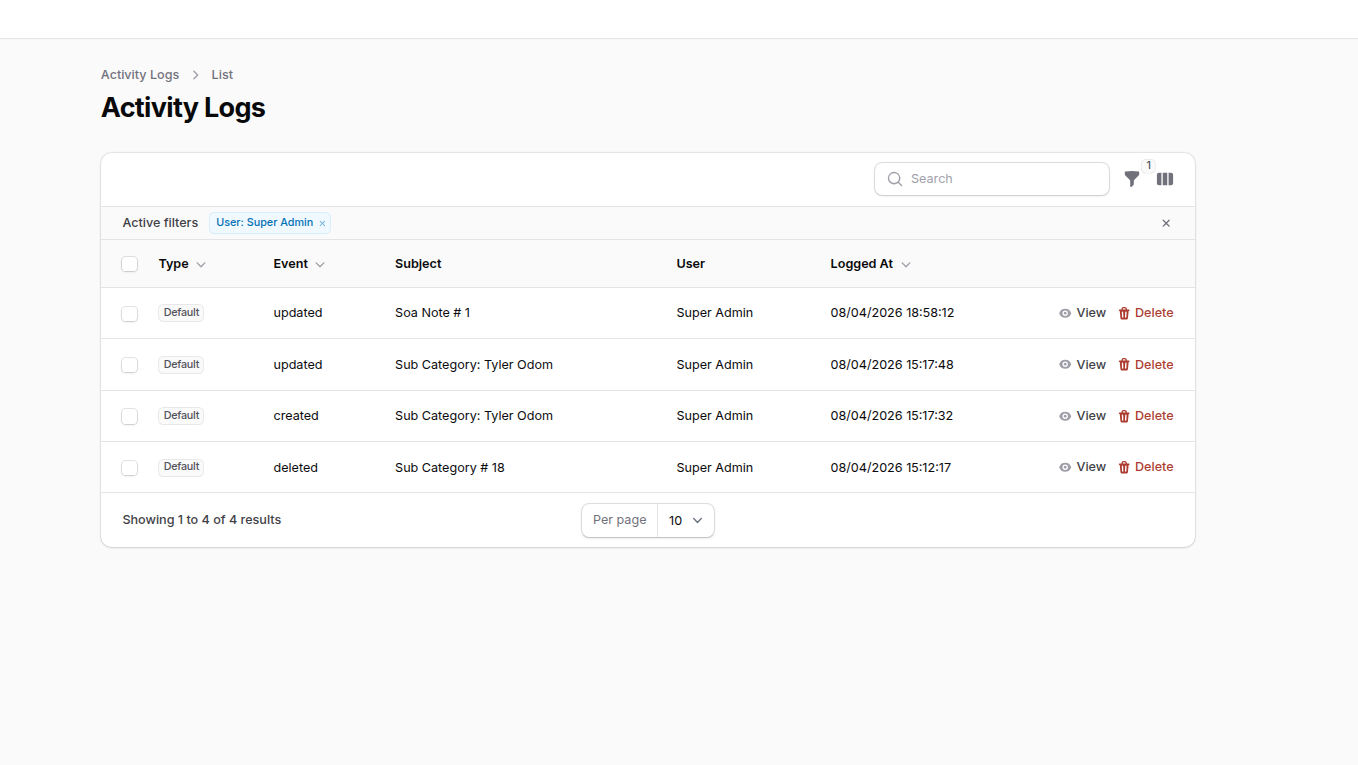
Activity logs (list)
Table with type, event, subject (including resolved names), user, and timestamps. Sortable columns.
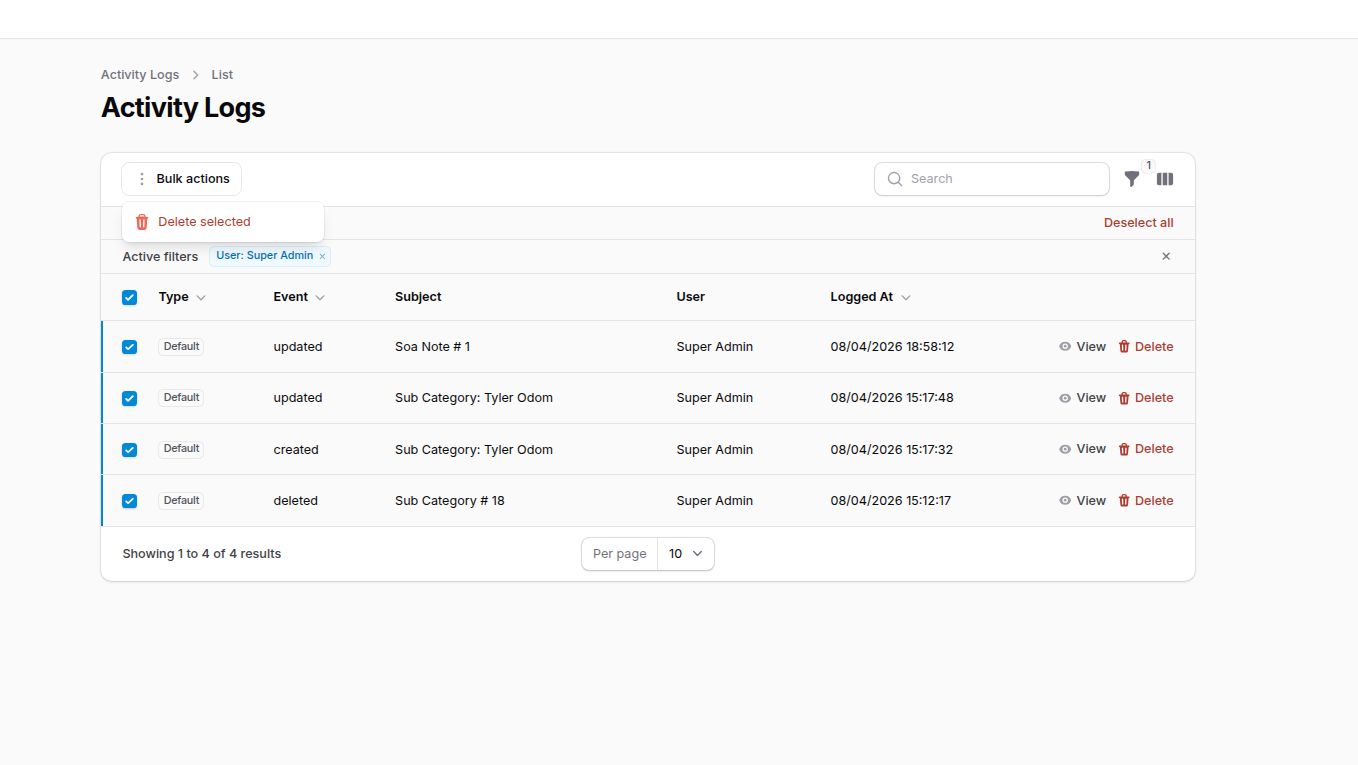
Search, filters, and bulk actions
Global search, active filters (e.g. by user), row actions (view / delete), and bulk delete when enabled in config.
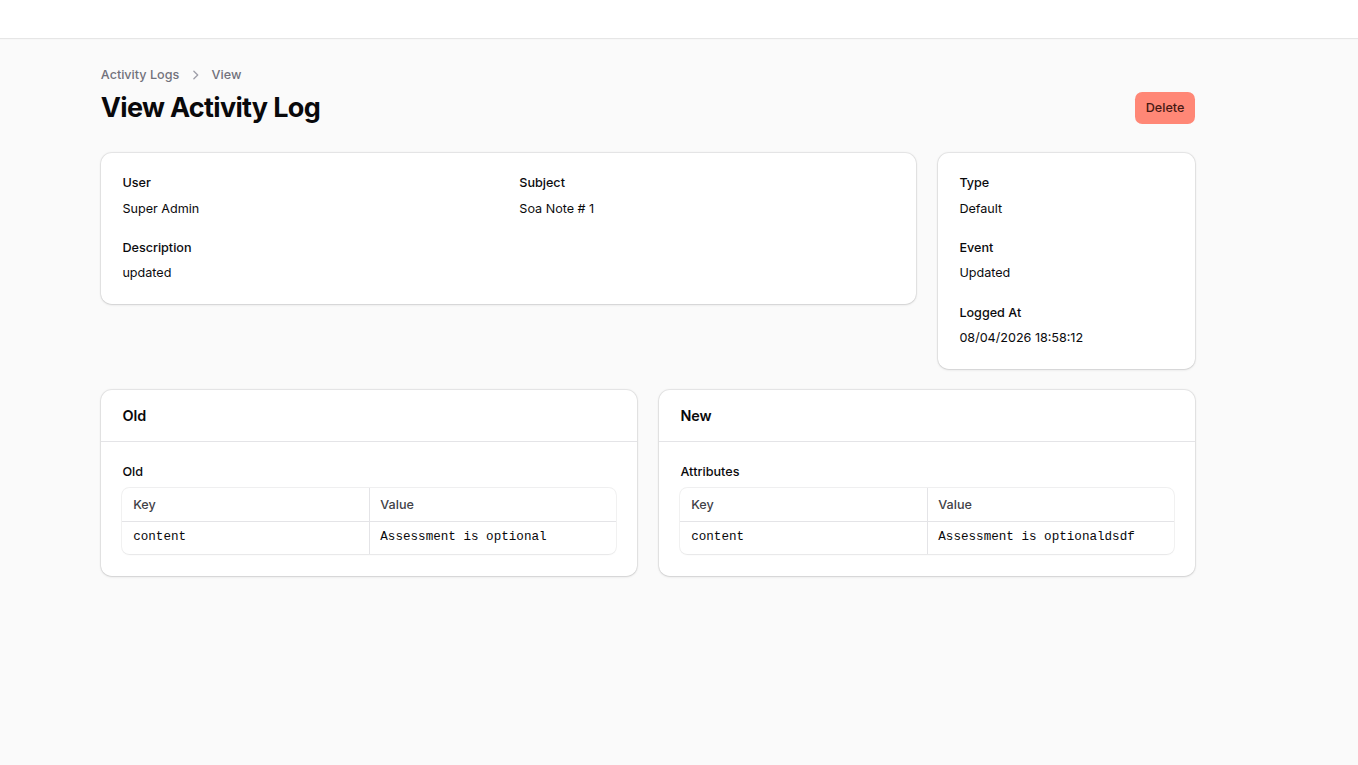
View activity log (detail)
Single log view with metadata and Old vs New attribute comparison (Spatie properties).
Changelog
Please see CHANGELOG for more information on what has changed recently.
Contributing
Please see CONTRIBUTING for details.
Security Vulnerabilities
Please review our security policy on how to report security vulnerabilities.
Credits
- Ziyaan Hassan - Original package creator
- Spatie Activitylog Contributors
- All Contributors
License
The MIT License (MIT). Please see License File for more information.
Related Packages
Audit logging, activity tracking, exports, alerts, and dashboards for Filament a...
A security-first audit control center for Filament v4 and v5 with tenant isolati...
The semantic activity timeline for Filament. Turn technical activity logs into c...
Version History
| Version | Released | PHP | Laravel | License |
|---|---|---|---|---|
| v1.0.2 | ^8.2 | ^11.0 | | MIT | |
| v1.0.1 | ^8.2 | ^11.0 | | MIT |