khoirulaksara/awrel
| Install | |
|---|---|
composer require khoirulaksara/awrel |
|
| Latest Version: | v1.5.5 |
| PHP: | ^8.2 |
| License: | MIT |
| Last Updated: | Jul 1, 2026 |
| Links: | GitHub · Packagist |
Awrel Theme
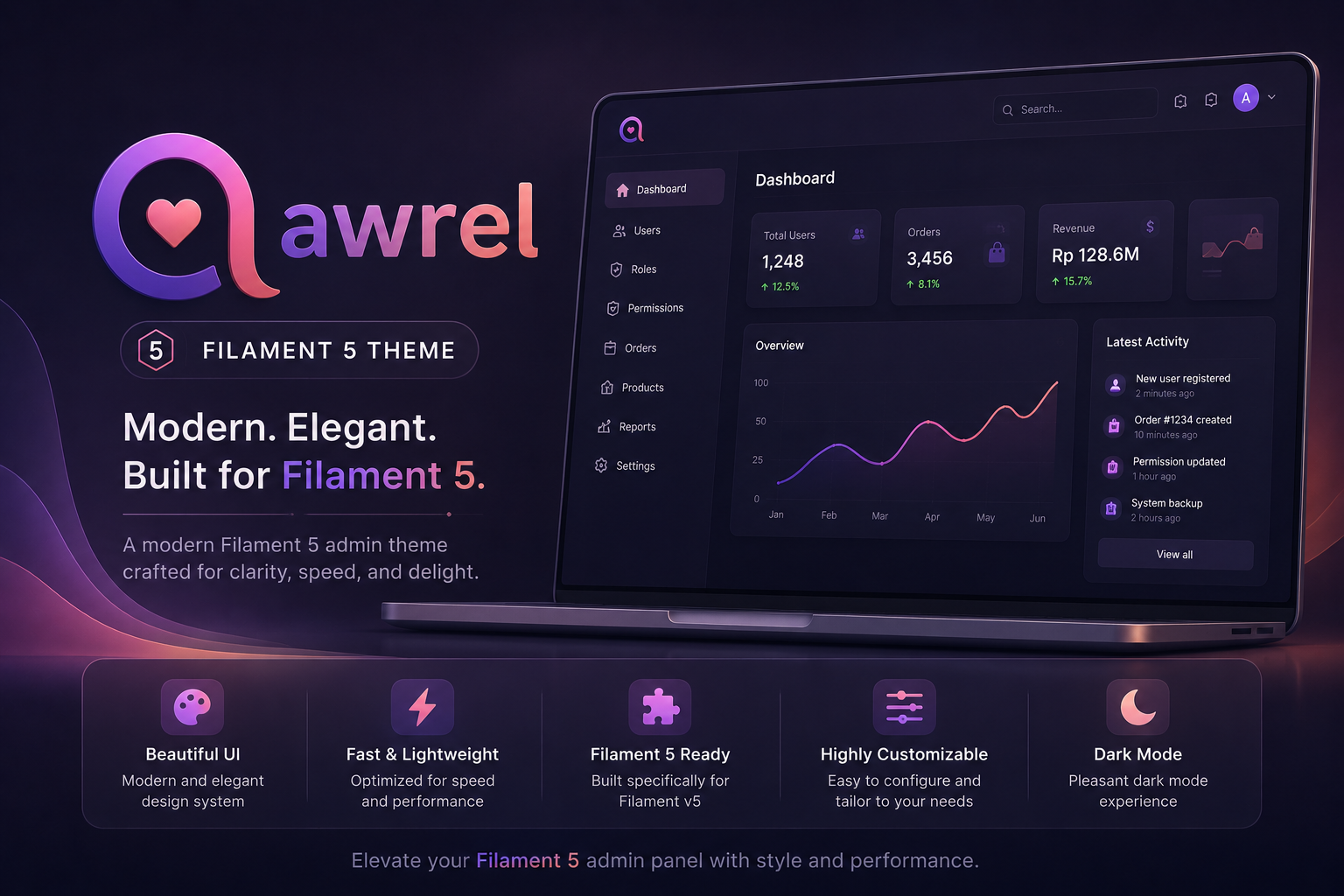
Premium dashboard theme plugin for Filament v3.x — high-end micro-interactions, skeleton loaders, glassmorphism, sticky table actions, and more. Breaks away from the mainstream Tailwind UI look with custom modern layouts and visual enhancements.
Features
- Custom Branding - Upload your own logo for the admin panel.
- Login Page Customization - Choose layout, background color, and background image for the login page.
- Layout Variants - Switch between sidebar or horizontal navigation, enable boxed layout, and set sidebar position.
- Skeleton Loaders — Automatic table & stats overview skeleton placeholders using
deferLoading(). - Sticky Table Actions — Pin the actions column on horizontal table scroll (opt-in).
- Loading Bar — Livewire request progress bar at the top of the viewport.
- Animated Favicon Spinner — Replaces the favicon with an animated spinner during navigation (opt-in).
- Disabled Button Shake — Tactile shake animation when clicking disabled buttons.
- Glassmorphism Topbar — Modern frosted-glass effect on the top navigation bar.
- Animated Notification Bell — Custom CSS keyframe ring animation on hover/new notifications.
- Full-width Layout — Maximizes content area by removing max-width constraints.
- Dynamic Color Picker — Change the primary color from the settings page.
- Custom Font & Border Radius — Choose from multiple font families and border radius values.
- Sidebar Width Control — Adjust sidebar width from the settings page.
- Collapsible Sidebar — Desktop sidebar collapse/expand with smooth animation.
- Dark/Light Mode — Full dark mode support.
Requirements
- PHP 8.2+
- Laravel 11.x, 12.x, or 13.x
- Filament 5.x
- Livewire 4.x
- Tailwind CSS v4
Installation
1. Require the package via Composer
composer require khoirulaksara/awrel
2. Run the install command (auto-wires everything)
php artisan awrel:install
This single command will:
- Publish config, views, JS, and public assets
- Run the database migration and seed default settings
- Install the Awrel theme CSS (backs up your original Filament theme.css first)
- Auto-register the service provider in
bootstrap/providers.php - Auto-configure the plugin in
app/Providers/Filament/AdminPanelProvider.php
3. Build assets
npm run build

# Or for development:
# php artisan filament:assets
# npm run dev
4. Login and configure
Navigate to Settings → Awrel Theme Settings in your Filament admin panel to customize colors, fonts, border radius, and layout options.
Note: The install command will not overwrite existing configuration if it detects that settings are already in place. Re-run with
--forceto re-publish assets.
Configuration
Env Variables
| Variable | Default | Description |
|---|---|---|
AWREL_FAVICON_SPINNER |
false |
Enable favicon spinner on navigation |
AWREL_STICKY_TABLE_ACTIONS |
false |
Enable sticky table actions column |
AWREL_PRIMARY_COLOR |
#f59e0b |
Default primary color (amber) |
AWREL_FONT_FAMILY |
Plus Jakarta Sans |
Default font family |
AWREL_BORDER_RADIUS |
2xl |
Default border radius |
AWREL_SIDEBAR_WIDTH |
256 |
Default sidebar width in pixels |
Plugin Options
AwrelPlugin::make()
	    ->faviconSpinner()              // Enable animated favicon spinner (can be overridden by DB settings)
	    ->stickyTableActions()          // Enable sticky table actions column (can be overridden by DB settings)
Both options can also be toggled from the Theme Settings page in the admin panel.
Features Detail
Skeleton Loaders
Automatic skeleton placeholders for:
- Tables — Replaces Filament's default spinner with a realistic table skeleton (header row + 8 body rows with pulsing content bars). Works on any table with
deferLoading()enabled. - Stats Overview — Shows animated stat cards matching the real widget layout while data loads.
No configuration needed — works automatically with deferLoading().
Sticky Table Actions
When enabled, the actions column pins to the right edge when tables overflow horizontally. Includes custom scrollbar styling and drag-to-scroll support.
Enable on the plugin:
AwrelPlugin::make()->stickyTableActions();
Loading Bar
A lightweight progress bar at the top of the viewport that activates on Livewire SPA navigation. Always-on, no configuration needed.
Animated Favicon Spinner
Replaces the browser tab favicon with an animated SVG spinner during Livewire navigation requests, then restores the original favicon when the request finishes. Uses your panel's primary color.
Enable on the plugin:
AwrelPlugin::make()->faviconSpinner();
Disabled Button Shake
A snappy side-to-side shake micro-interaction when clicking disabled buttons. Always-on, CSS and JS included by default.
Glassmorphism Topbar
Modern frosted-glass effect (backdrop-filter: blur()) on the top navigation bar with semi-transparent background that adapts to light/dark mode.
Customization
Theme Settings Page
Navigate to Settings → Awrel Theme Settings in your Filament admin panel to customize:
- General:
- Favicon Spinner — Toggle on/off
- Sticky Table Actions — Toggle on/off
- Branding:
- Logo — Upload your custom logo
- Appearance:
- Primary Color — Pick any color with the color picker
- Font Family — Choose from Plus Jakarta Sans, Inter, Instrument Sans, or system-ui
- Border Radius — sm, md, lg, xl, or 2xl
- Login Page:
- Login Page Layout — Choose between centered or split layout
- Login Background Color — Set a background color
- Login Background Image — Upload a background image
- Layout:
- Layout Variant — Choose between sidebar or horizontal navigation
- Boxed Layout — Toggle for main content area
- Sidebar Position — Set sidebar to left or right
- Sidebar Width — Adjustable from 180px to 400px
CSS Custom Properties
The theme exposes CSS custom properties that you can override:
:root {
    --awrel-font-family: "Plus Jakarta Sans", ui-sans-serif, system-ui, sans-serif;
    --awrel-border-radius: 2xl;
    --awrel-sidebar-width: 256px;
}
Publishing Assets
# Publish all assets
php artisan vendor:publish --tag=awrel-config
php artisan vendor:publish --tag=awrel-views
php artisan vendor:publish --tag=awrel-js
php artisan vendor:publish --tag=awrel-public

# Or publish specific tags
php artisan vendor:publish --tag=awrel-config
Related Packages
A warm editorial theme for Filament v5, for panels that are part of the product....
A comprehensive Laravel Filament 3 💡 starter kit with pre-installed plugins, ad...
A comprehensive Laravel Filament 3 💡 starter kit with pre-installed plugins, ad...
A premium Filament theme with refined aesthetics, tight spacing, and Laravel-red...
Filament v5 plugin for institutional announcements on the admin dashboard
Version History
| Version | Released | PHP | Laravel | License |
|---|---|---|---|---|
| v1.5.5 | ^8.2 | ^11.0| | MIT | |
| 1.5.4 | ^8.2 | ^11.0| | MIT | |
| 1.5.3 | ^8.2 | ^11.0| | MIT | |
| 1.5.2 | ^8.2 | ^11.0| | MIT | |
| 1.5.1 | ^8.2 | ^11.0| | MIT | |
| 1.5.0 | ^8.2 | ^11.0| | MIT |