mateffy/pest-plugin-html-reports
HTML Reports for Pest PHP Tests
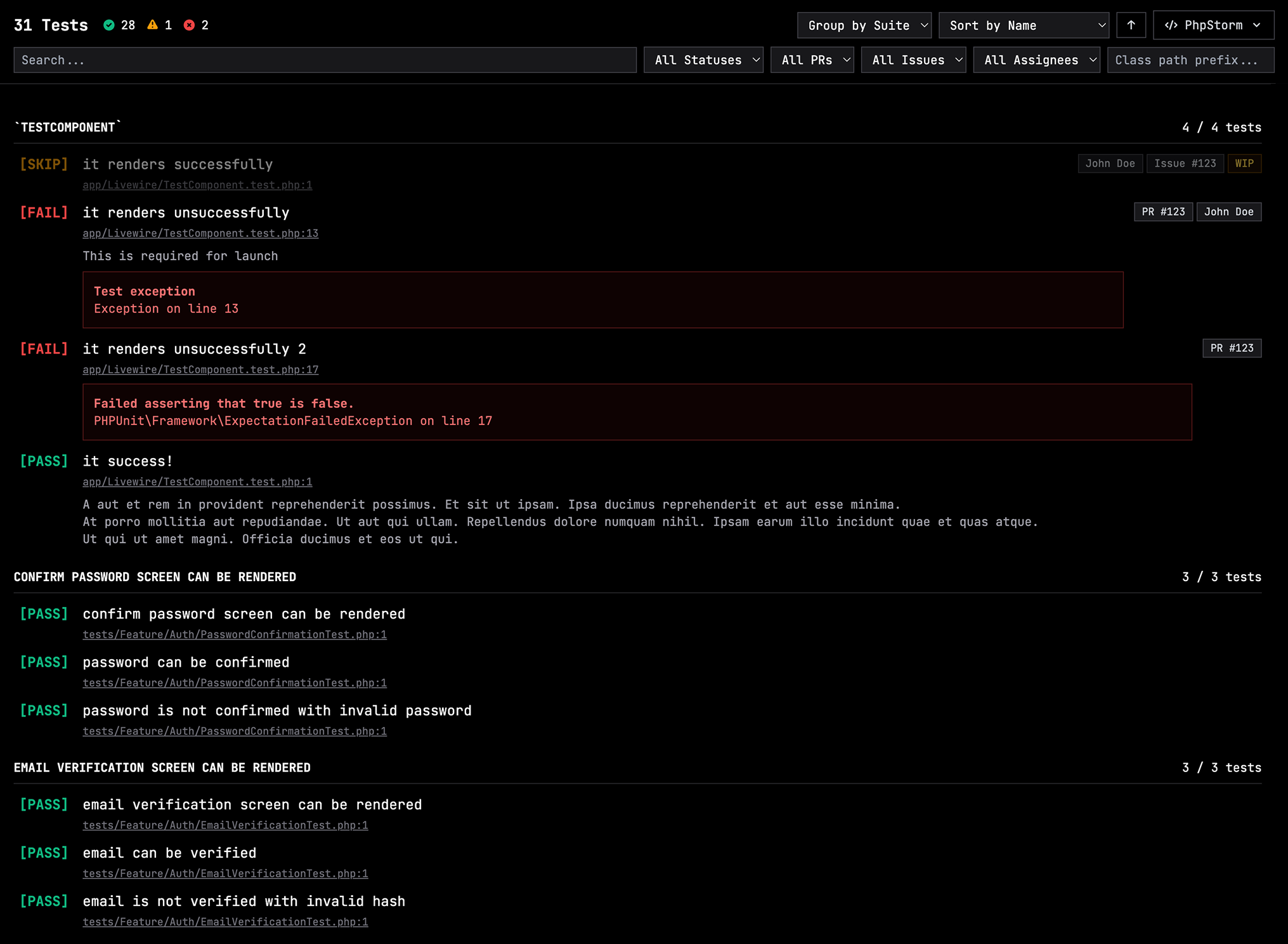
Generate interactive HTML reports directly from your test resultsto better understand and work with your test suite.
Features
- 📊 Generate static HTML reports from Pest test results JSON
- 🔍 Search UI to find test cases and dig deeper than you ever did before
- 🔗 Editor deep links (PhpStorm, VS Code, Sublime Text, Vim)
- 🐙 GitHub linking for PRs and issues (using Pest's
->todo(issue: 123)annotations) - 📝 Use Markdown in your test case notes (
->note('Note with **bold** text')) - 📦 HTML report is completely self-contained in a single file (Tailwind + Alpine from CDN)
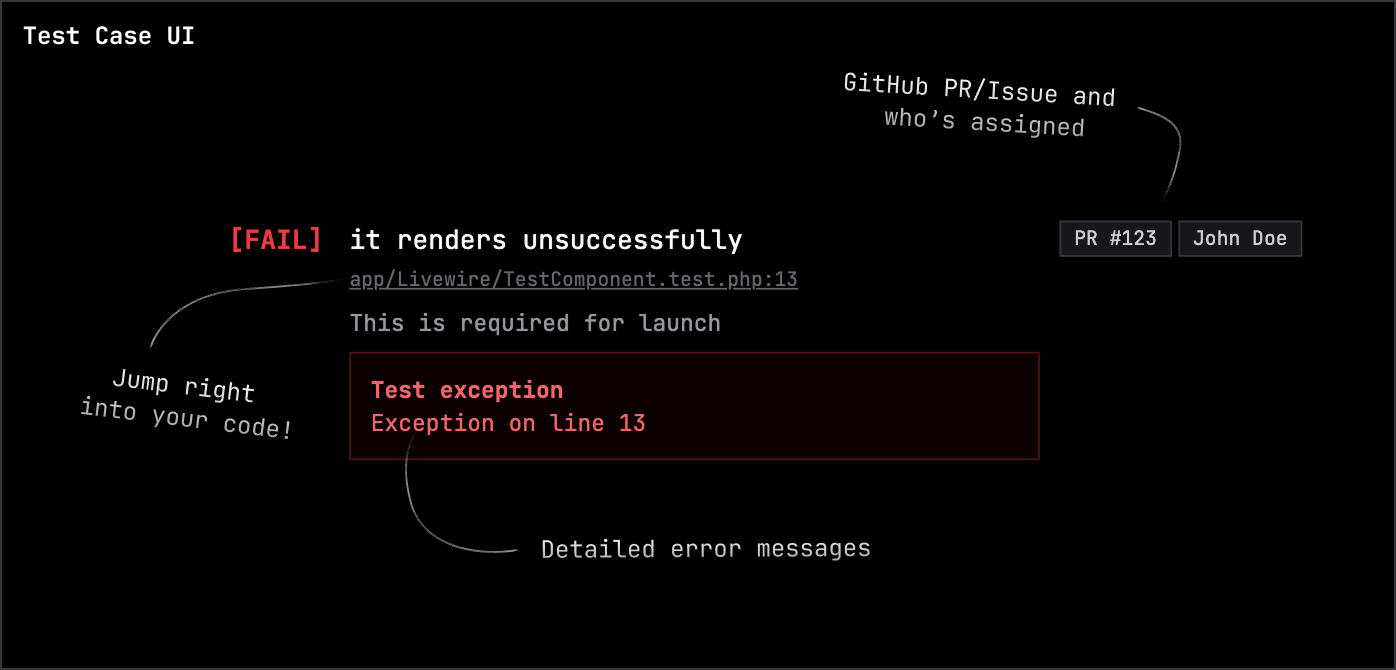
What a single test case looks like
Installation
Install the package via Composer:
composer require mateffy/pest-plugin-html-reports
Usage
Command Line
Generate a static HTML report from a test results JSON file:
php artisan test-report:generate
# With some extra options
php artisan test-report:generate \
    --input=storage/app/pest_test_results.json \
    --output=public/pest-report.html \
    --title="My Project Test Results" \
    --project-path=/path/to/your/project \
    --repository=your-username/your-repo
Environment Variables
You can configure the output directory and filename of the JSON report by setting the following environment variables:
TEST_REPORT_DIR: The directory where the JSON report will be saved. Defaults tostorage/framework/testing/reports.TEST_REPORT_FILENAME: The filename of the JSON report. Defaults toreport-{{date}}-{{id}}.json. The{{date}}and{{id}}placeholders will be replaced with the current date and a unique ID.
How it works
- A Pest test is run
- A pest plugin is used to listen to the test completion event and loads the required data from the Pest internals
- The data is then stored as a JSON file per run in the
storage/framework/testing/reportsdirectory - Depending on your configuration, a HTML report is automatically generated and also stored in the
storage/framework/testing/reportsdirectory. - Later on, the
artisan test-report:generatecommand can be used to generate a static HTML report from any of the historic JSON files
License
MIT License
Related Packages
doctrine/dbal
Powerful PHP database abstraction layer (DBAL) with many features for database s...
648,266,899
9,701
laravel/serializable-closure
Laravel Serializable Closure provides an easy and secure way to serialize closur...
429,221,767
607
nunomaduro/collision
Cli error handling for console/command-line PHP applications.
403,217,078
4,664
Version History
| Version | Released | PHP | License |
|---|---|---|---|
| 1.1.0 | ^8.1 | MIT | |
| 1.0.2 | ^8.1 | MIT | |
| 1.0.1 | ^8.1 | MIT | |
| 1.0.0 | ^8.1 | MIT |