miran/mksine
| Install | |
|---|---|
composer require miran/mksine |
|
| Latest Version: | v1.14.0 |
| PHP: | ^8.2 |
| Laravel: | 11 · 12 · 13 |
| License: | MIT |
| Last Updated: | Oct 19, 2026 |
| Links: | GitHub · Packagist |
MKSine
The Laravel + Filament 4 / 5 CMS foundation — build content sites, page builders, and plugin ecosystems without fighting your admin panel.



Why MKSine
Filament gives you a great admin panel. MKSine gives you the CMS layer on top of it: content types, a visual page builder, installable plugins with real lifecycle management, themes, menus, hooks, and a settings system — all built the Filament way, so it feels native instead of bolted on.
If you've ever built a "simple site" in Laravel and ended up hand-rolling pages, blocks, menus, and a plugin system from scratch — this is that groundwork, already done.
Quick install
composer require miran/mksine
php artisan filament:install --panels
# Register MksinePlugin in AdminPanelProvider (remove default Dashboard page)
# Remove Route::get('/', …) from routes/web.php (MKSine owns the homepage)
php artisan mksine:install --migrate
php artisan mksine:create-super-admin
Full installation guide → docs/01-installation.md
Features
🧱 Page Builder
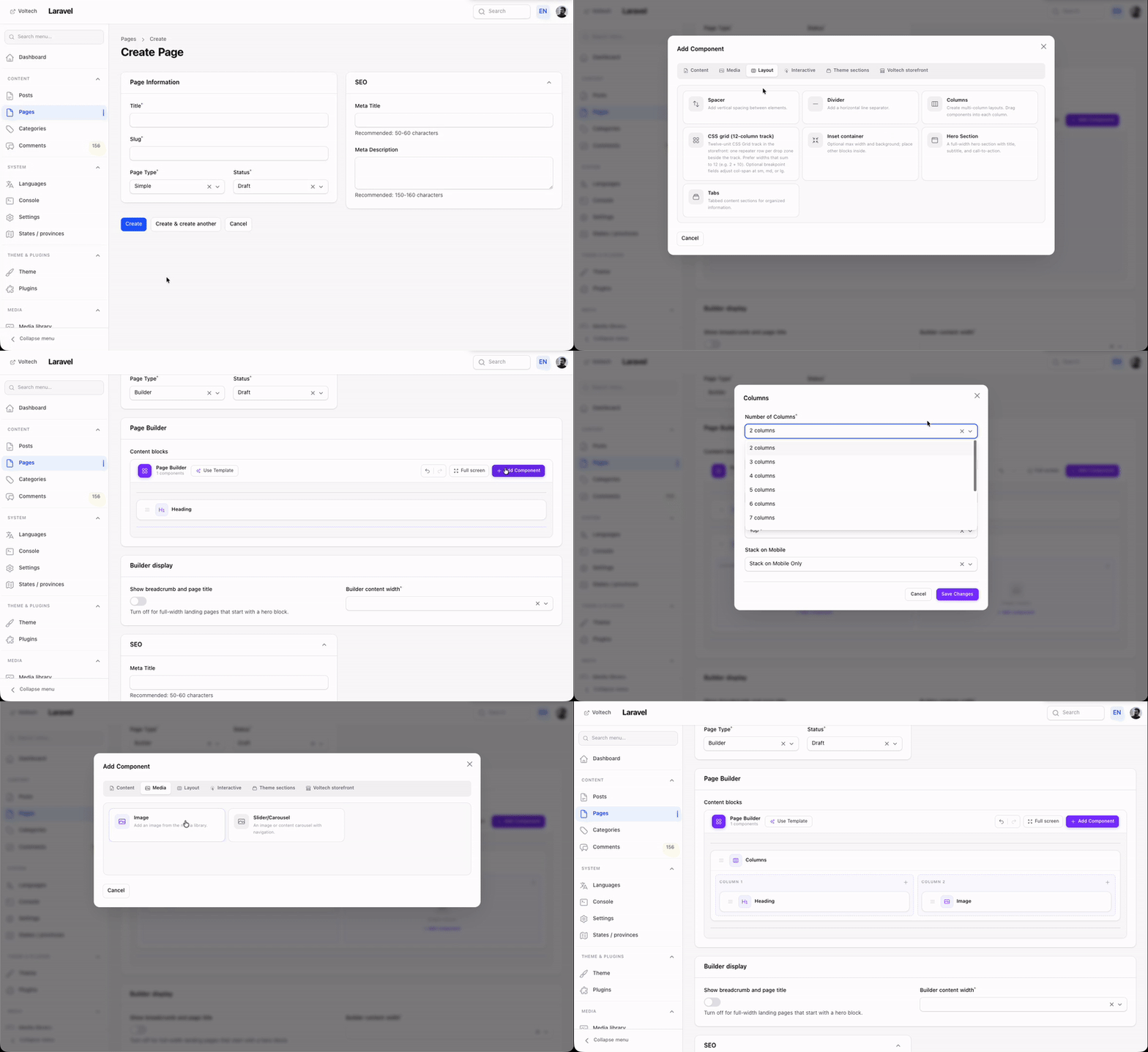
Opt-in visual block editor for marketing pages. Compose typed blocks (hero, columns, CTA, and more) via drag-and-drop; the tree is stored as JSON and rendered by the active theme.
📖 Concepts · Creating a block · Rendering · Headless JSON
🧩 Plugins
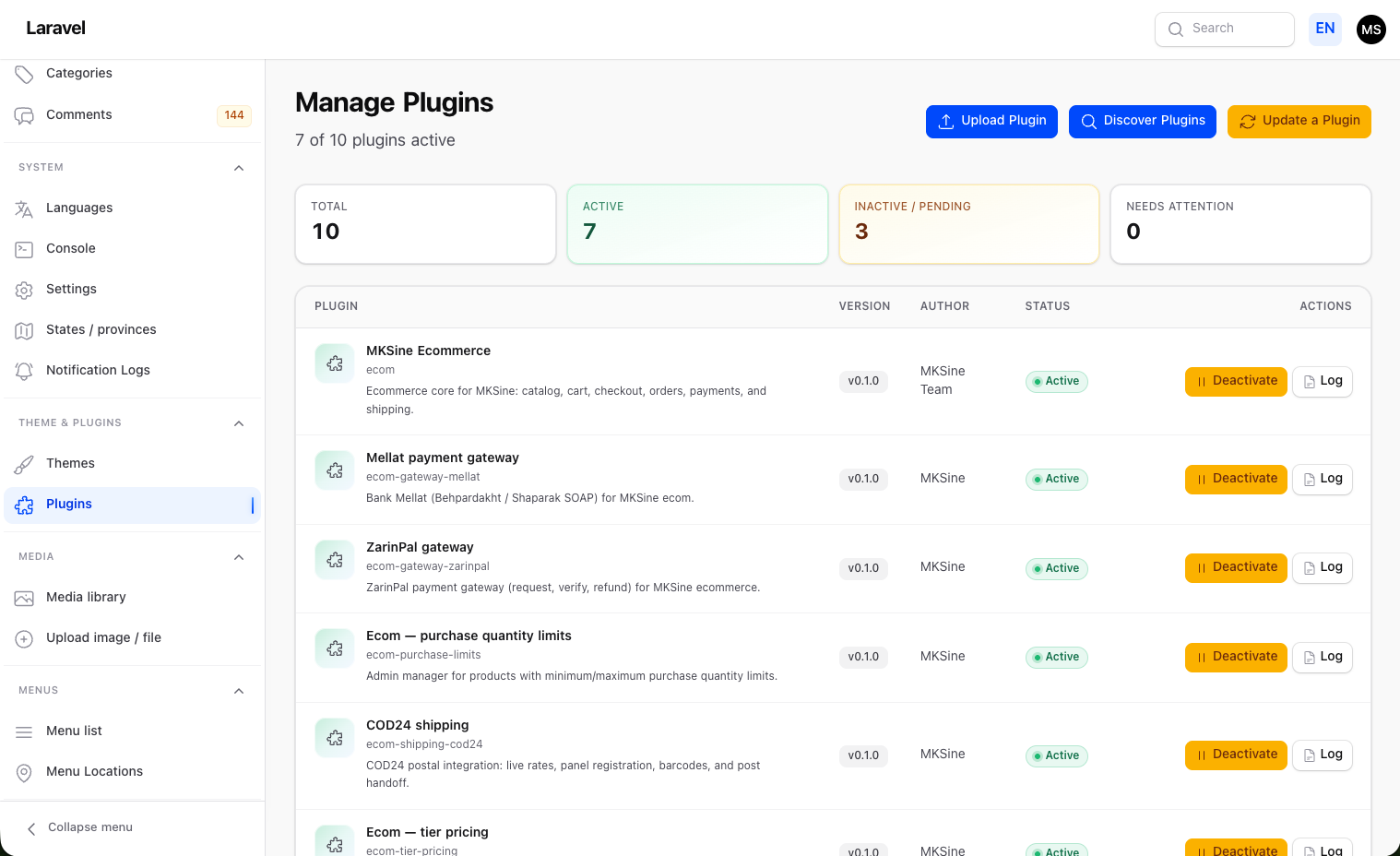
Drop-in extensions under plugins/{id}/ with full lifecycle — install, activate, deactivate — ZIP upload, filesystem discovery, Filament autoloading, migrations, assets, and hook listeners. No forking core to extend the system.
 !
📖 Concepts · Build a plugin (golden path) · Lifecycle
!
📖 Concepts · Build a plugin (golden path) · Lifecycle
🎨 Themes
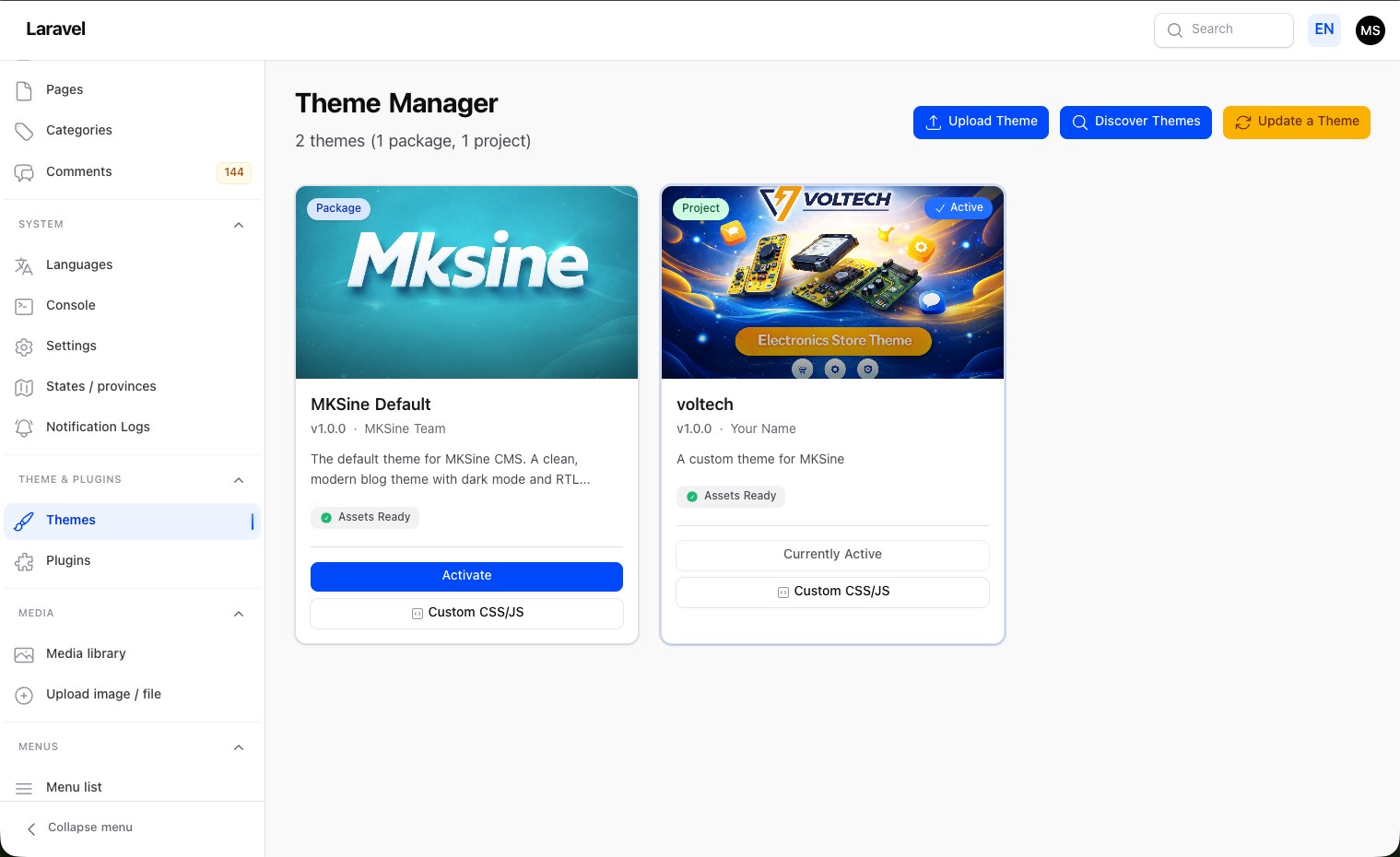
Package themes and project themes (themes/{id}/). One active theme controls storefront Blade views and published CSS/JS — upload, discover, activate, and edit custom CSS/JS directly from the panel.
 📖
📖 🧭 Menus
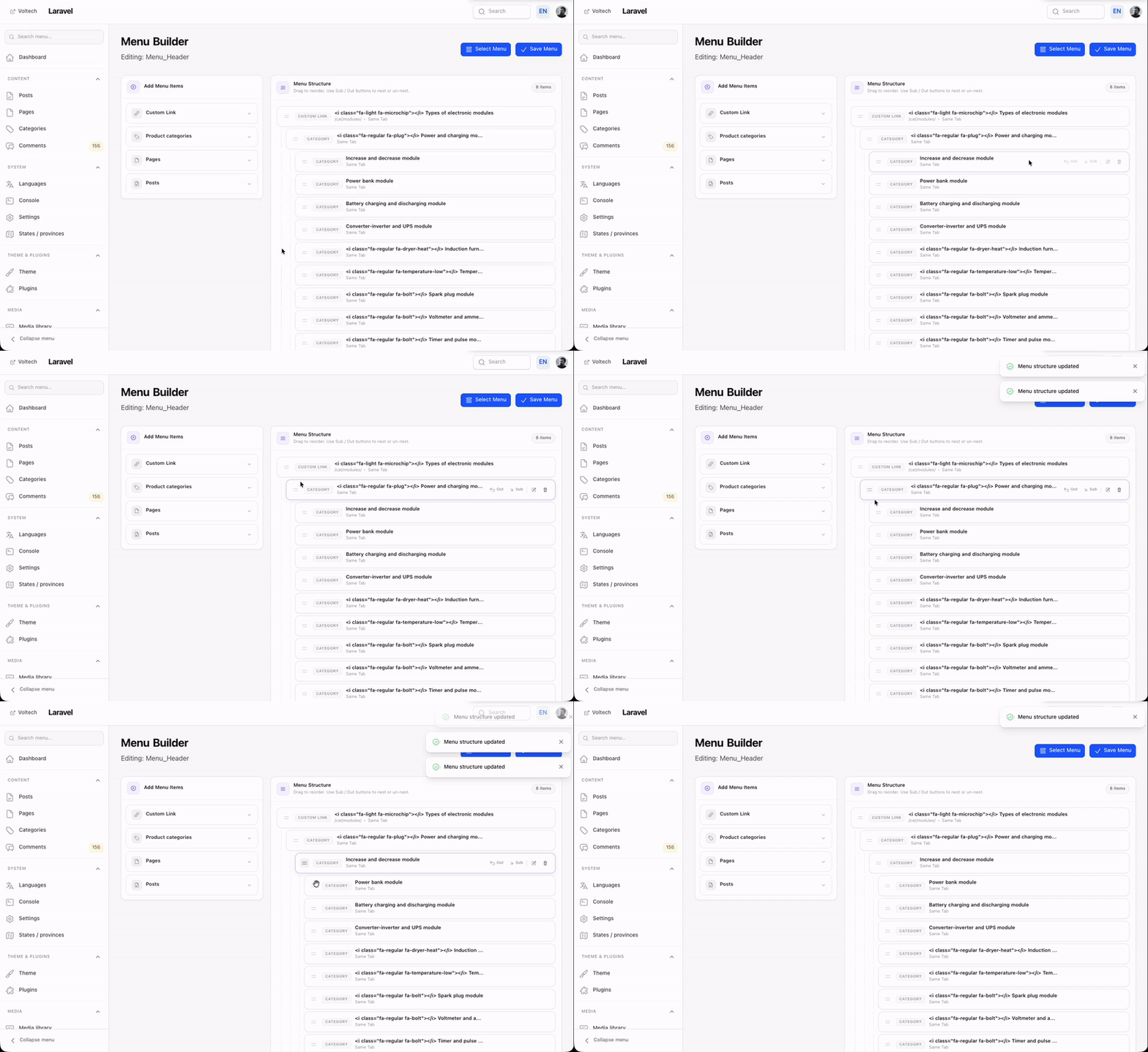
Visual menu builder: drag to reorder, nest items, add from pages, posts, categories, or custom links. Assign menus to theme locations like header and footer.
 📖
📖 🪝 Hooks
Two families: discovery hooks (class listeners synced to DB, toggleable in admin) and runtime hooks (closures in boot()). Extend forms, tables, events, and Filament resources — without touching core.
📖 Concepts · Two families overview
📁 Content & Media
Manage pages, posts, categories, and moderated comments from the Filament admin. A central media library handles files with image optimization, thumbnails, and a MediaPicker for forms — attach files polymorphically to any model.
📖 Architecture · Media library guide
⚙️ Settings
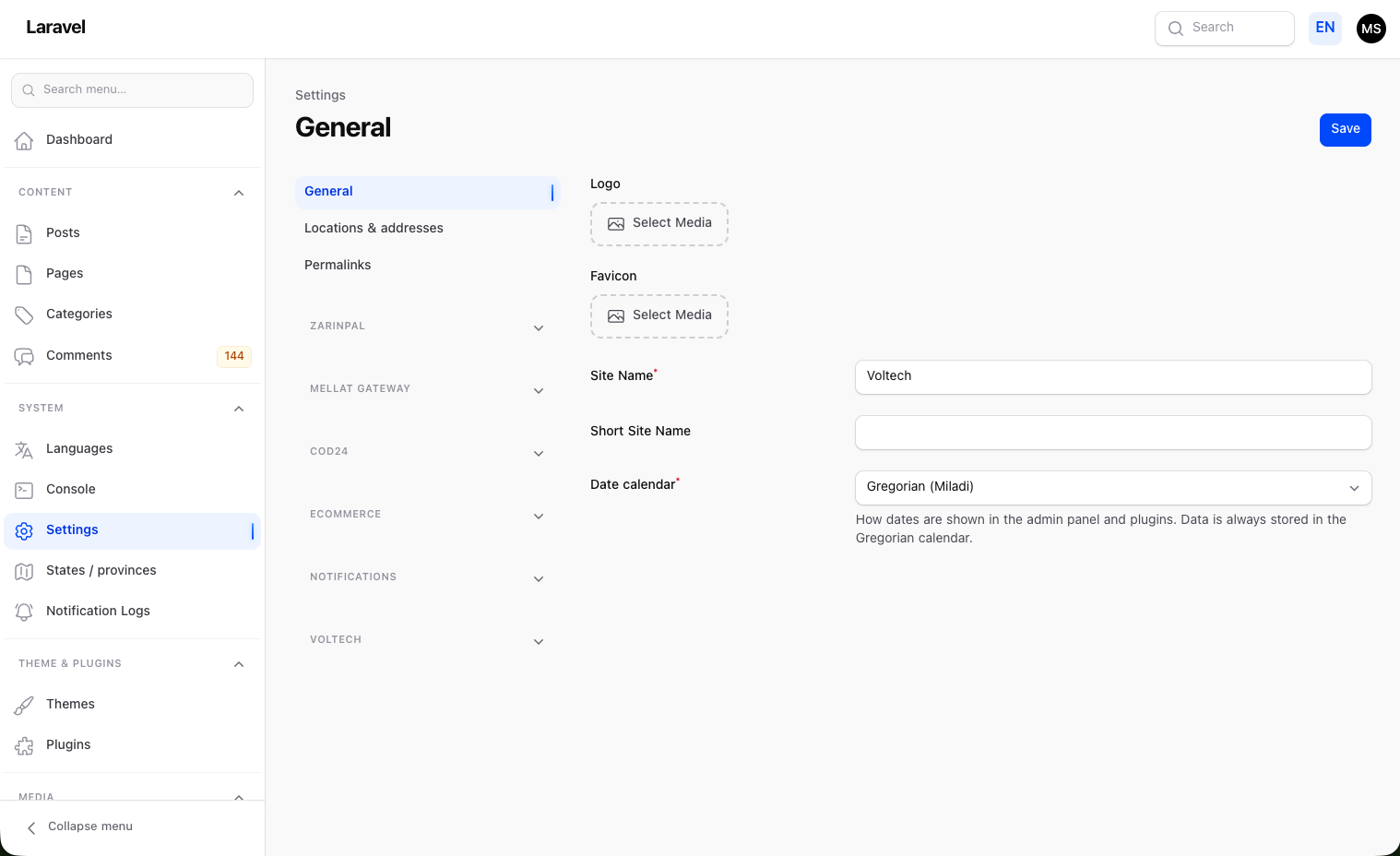
Site-wide settings with core tabs (General, Permalinks, Geo) plus plugin tabs registered dynamically via SettingsTabManager — no editing the settings page class required.
 📖
📖 🌐 Translations
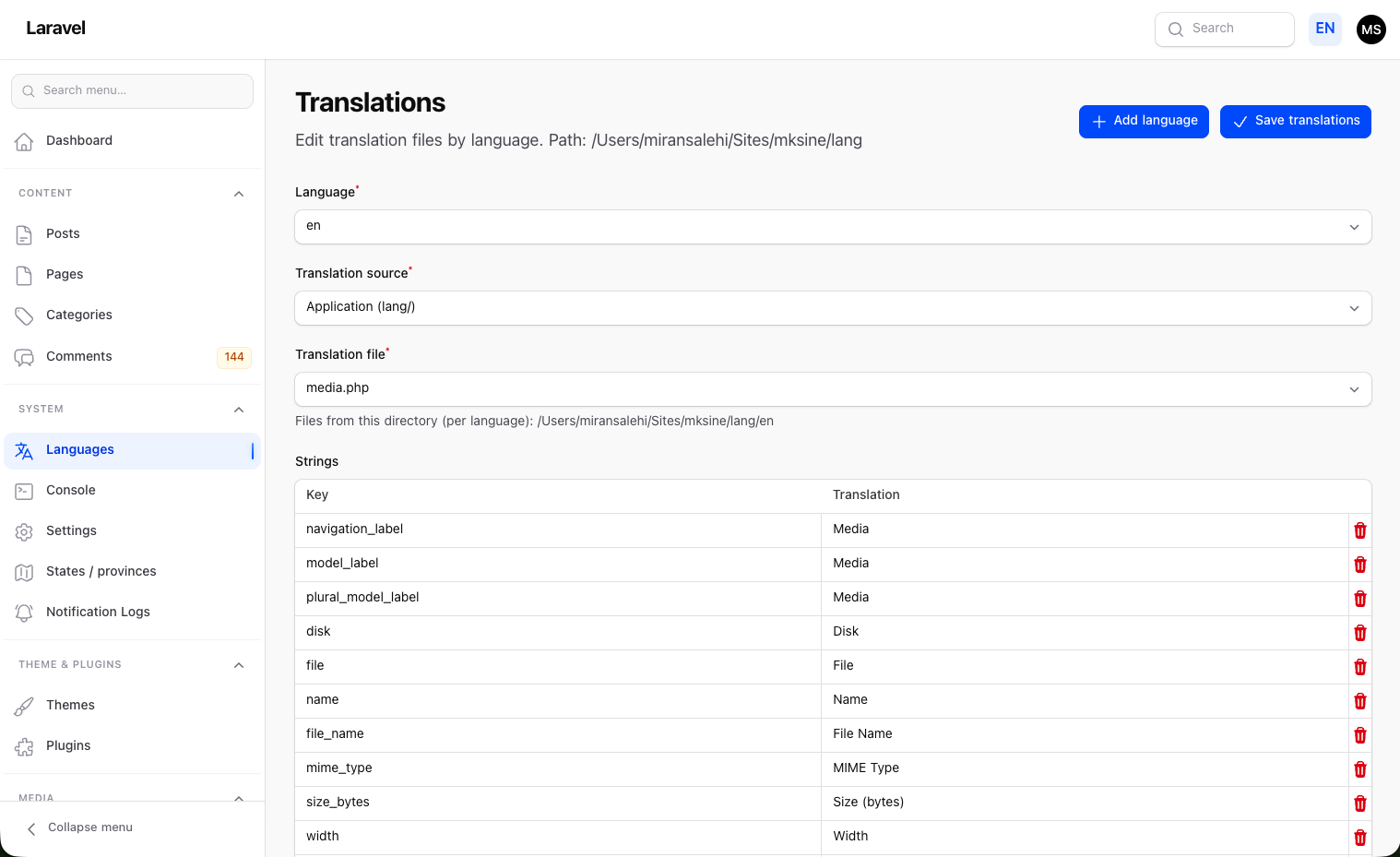
Edit application, plugin, and theme translation files directly from the admin — pick language, source, and file; saving writes to the source and vendor publish path.
 📖
📖 💻 Admin Console
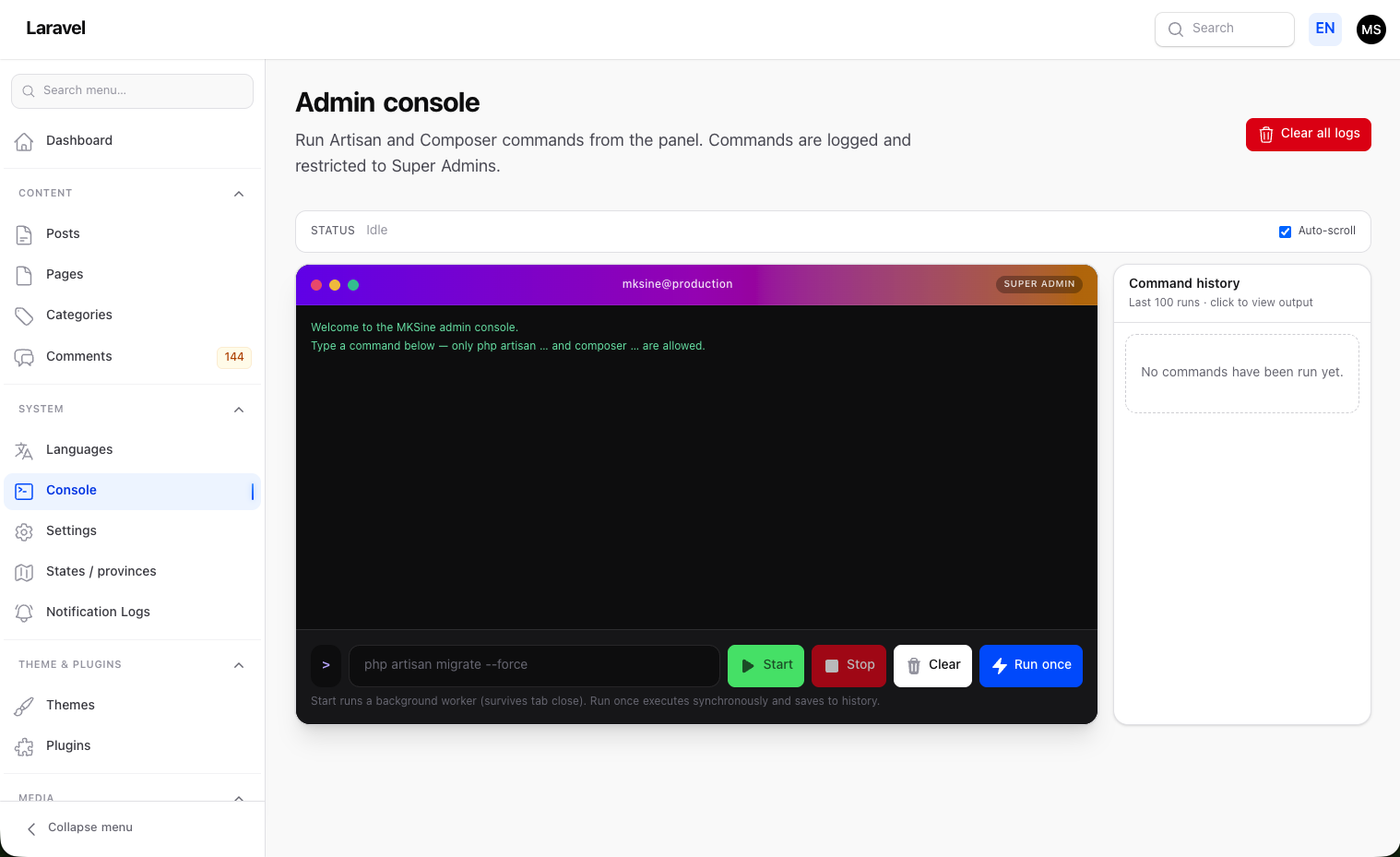
Super Admin only. Run allowed php artisan … and composer … commands from the panel — live output, background workers, and full command history.
 📖
📖 🔐 Auth & permissions
Filament Shield integration, a super admin role, and optional user subclass requirements for plugins that need them.
📖 User subclass · Shield and policies
Operations & deployment
Deployment guides, release ZIP packaging, ZIP-based updates, and troubleshooting — all documented for production use, not just local dev.
📖 Deployment · Troubleshooting · Upgrade guide
Full documentation
This overview covers the surface. For architecture decisions, guides, and reference docs, see the full index:
👉 https://github.com/MiranSalehi/mksine/tree/main/docs
If MKSine saves you time, a ⭐ on the repo helps other Laravel/Filament developers find it.
Related Packages
The visual layout and widget composition engine for Capell CMS — content-first a...
A Filament plugin to quickly add new resources from the GUI inside Filament apps...
Version History
| Version | Released | PHP | License |
|---|---|---|---|
| v1.14.0 | ^8.2 | MIT | |
| v1.13.0 | ^8.2 | MIT | |
| v1.12.0 | ^8.2 | MIT | |
| v1.11.1 | ^8.2 | MIT | |
| v1.11.0 | ^8.2 | MIT | |
| v1.10.0 | ^8.2 | MIT | |
| v1.9.0 | ^8.2 | MIT | |
| v1.8.7 | ^8.2 | MIT | |
| v1.8.6 | ^8.2 | MIT | |
| v1.8.5 | ^8.2 | MIT | |
| v1.8.4 | ^8.2 | MIT | |
| v1.8.3 | ^8.2 | MIT | |
| v1.8.2 | ^8.2 | MIT | |
| v1.8.1 | ^8.2 | MIT | |
| v1.8.0 | ^8.2 | MIT | |
| v1.7.0 | ^8.2 | MIT | |
| v1.6.1 | ^8.2 | MIT | |
| v1.6.0 | ^8.2 | MIT | |
| v1.5.3 | ^8.2 | MIT | |
| v1.5.2 | ^8.2 | MIT | |
| v1.5.1 | ^8.2 | MIT | |
| v1.5.0 | ^8.2 | MIT | |
| v1.4.0 | ^8.2 | MIT | |
| v1.3.0 | ^8.2 | MIT | |
| v1.1.1 | ^8.2 | MIT | |
| v1.1.0 | ^8.2 | MIT | |
| v1.0.14 | ^8.2 | MIT |