ohdearapp/ohdear-pulse
Integrate Oh Dear with Laravel Pulse


This package contains Pulse cards that show results from Oh Dear in your Laravel Pulse dashboard.
Version 2 requires PHP 8.3 or newer, Laravel 13, and Laravel Pulse 1.10 or newer. It uses the current Oh Dear monitor API through the official PHP SDK 4.7 or newer. See UPGRADING when coming from v1.
There are three cards available:
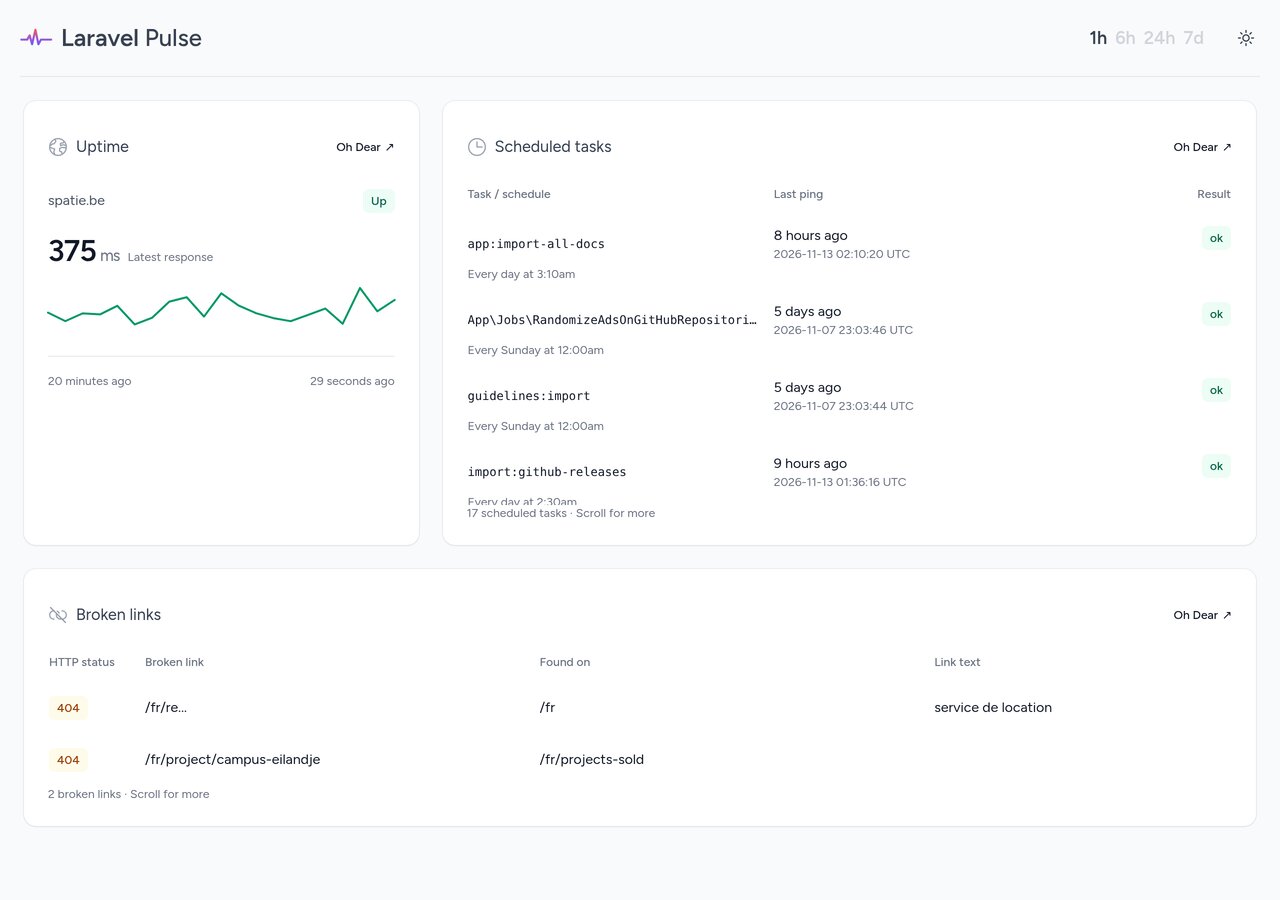
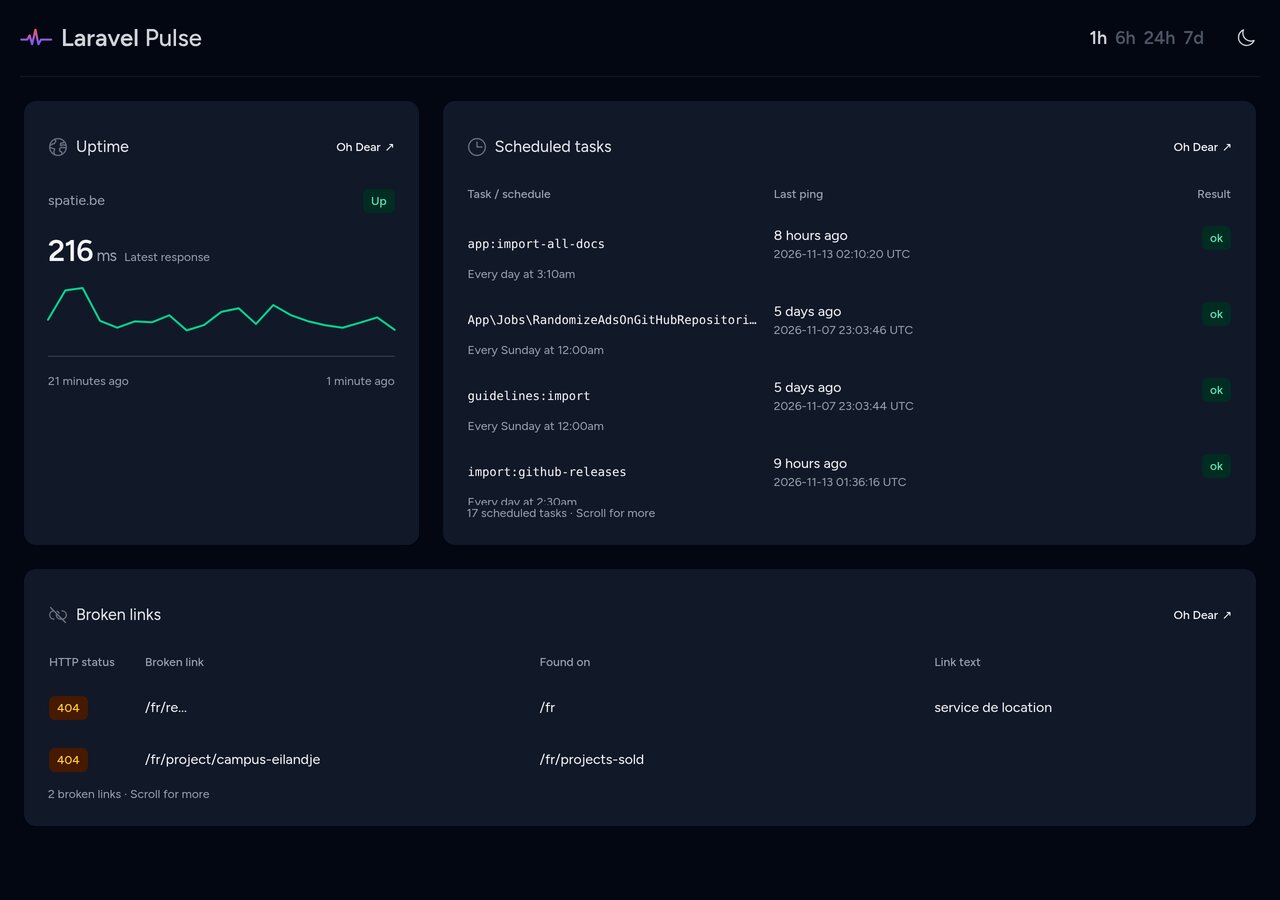
These screenshots show all three cards with real Oh Dear API data:
Installation
You can install the package via composer:
composer require ohdearapp/ohdear-pulse:^2.0
In your config/services.php file, add the following lines:
'oh_dear' => [
    'pulse' => [
        'api_key' => env('OH_DEAR_API_TOKEN'),
        'monitor_id' => env('OH_DEAR_MONITOR_ID'),
    ],
],
Create an API token on the "API Tokens" page at Oh Dear. Use the monitor ID from your monitor's settings or its /monitors/{id} URL. Add OH_DEAR_API_TOKEN and OH_DEAR_MONITOR_ID to your application's environment. Never commit the token.
You can execute this artisan command to verify if you set up the configuration correctly.
php artisan ohdear-pulse:verify
Usage
There are currently three cards available:
ohdear.pulse.uptime: displays the uptime and performance of a siteohdear.pulse.cron: displays the results of the cron job monitoringohdear.pulse.brokenLinks: displays any broken links that were detected
You can add the cards to your Pulse dashboard, by first publishing the Pulse's dashboard view:
php artisan vendor:publish --tag=pulse-dashboard
Next, add the cards to the resources/views/vendor/pulse/dashboard.blade.php file:
<x-pulse>
    <livewire:ohdear.pulse.uptime cols="4" />

    <livewire:ohdear.pulse.cron cols="8" />

    <livewire:ohdear.pulse.brokenLinks cols="8" />

    {{-- Add more cards here --}}
</x-pulse>
All cards accept an optional :monitor-id="123" attribute. Without it, they use services.oh_dear.pulse.monitor_id. Keep your application's Pulse authorization gate in place; these cards display monitoring data to anyone who can view the dashboard.
The uptime card shows the latest measured HTTP response and a chronological, 20-minute sparkline. Empty API buckets are not measurements. Non-HTTP monitors show their uptime status without an HTTP chart. Scheduled tasks and broken links include every page of API results in keyboard-scrollable tables.
Uptime data is cached for 30 seconds, scheduled tasks for one minute, and broken links for 15 minutes. Cache entries are scoped to the API token and monitor. The cards poll automatically and display recovery instructions if Oh Dear cannot be reached. Assets ship with the package; consumers do not need Node or a Tailwind build.
Testing
Running the test suite requires PHP 8.4 or newer for Pest 5. The package's runtime requirement remains PHP 8.3 or newer.
composer test
composer analyse
vendor/bin/pint --test
npm ci && npm run build
Local Pulse dashboard
The repository includes a Workbench dashboard using real API data:
composer install
composer build
vendor/bin/testbench key:generate
Add OH_DEAR_API_TOKEN and OH_DEAR_MONITOR_ID to the generated vendor/orchestra/testbench-core/laravel/.env, then run composer start. Optionally set OH_DEAR_BROKEN_LINKS_MONITOR_ID to show broken links from a different monitor. Open /pulse on the development server. The Workbench dashboard is local-only and does not replace your production Pulse authorization.
Changelog
Please see CHANGELOG for more information on what has changed recently.
Contributing
Please see CONTRIBUTING for details.
Security Vulnerabilities
Please review our security policy on how to report security vulnerabilities.
Credits
- Freek Van der Herten
- Laravel Shift, for the Laravel 13 compatibility work in #23
- Dependabot, for the workflow updates in #19, #25, and #26
- All Contributors
License
The MIT License (MIT). Please see License File for more information.
Related Packages
Version History
| Version | Released | PHP | Laravel | License |
|---|---|---|---|---|
| 1.1.1 | ^8.1 | ^10.0| | MIT | |
| 1.1.0 | ^8.1 | ^10.0| | MIT | |
| 1.0.0 | ^8.1 | ^10.0 | MIT | |
| 0.0.3 | ^8.1 | ^10.0 | MIT | |
| 0.0.2 | ^8.1 | ^10.0 | MIT | |
| 0.0.1 | ^8.1 | ^10.0 | MIT |