olakunlevpn/laravel-installer
| Install | |
|---|---|
composer require olakunlevpn/laravel-installer |
|
| Latest Version: | v4.0.0 |
| PHP: | ^8.2 |
| Laravel: | 11 · 12 |
| License: | MIT |
| Last Updated: | Feb 20, 2026 |
| Links: | GitHub · Packagist |


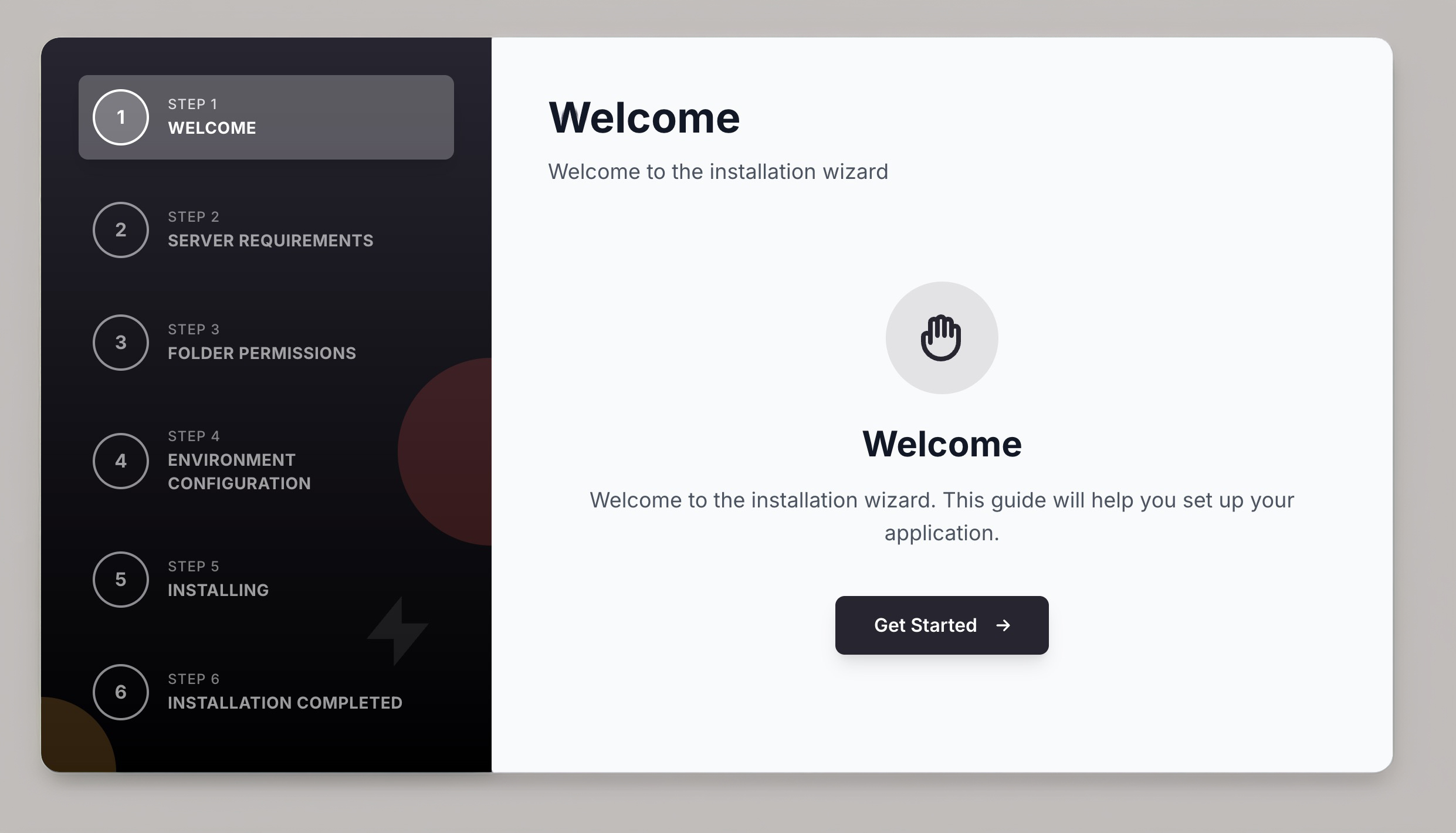
This is the core installer package that provides a plugin-based installation wizard for Laravel 11+ applications. Instead of manually editing .env files and running commands, your users click through a beautiful wizard that configures everything automatically.
To learn all about it, head over to the extensive documentation.
Here are a few short examples of what you can do:
// Configure your installation steps
'steps' => [
    \Olakunlevpn\Installer\Steps\RequirementsStep::class,
    \Olakunlevpn\Installer\Steps\PermissionsStep::class,
    \Olakunlevpn\Installer\Steps\EnvironmentStep::class,
    \Olakunlevpn\Installer\Steps\InstallingStep::class,
],
Customize validation requirements:
'requirements' => [
    'php' => '8.2',
    'extensions' => [
        'pdo', 'mbstring', 'openssl', 'curl'
    ],
],
Check specific folder permissions:
'permissions' => [
    'storage/framework/' => '775',
    'storage/logs/' => '775',
    'bootstrap/cache/' => '775',
],
The installer uses Livewire 3/4 for reactive components and Tailwind CSS via CDN. Everything is dark mode ready out of the box.
Installation
You can install the package via composer:
composer require olakunlevpn/laravel-installer
Publish the configuration file:
php artisan vendor:publish --tag=laravel-installer-config
That's it! Visit /install in your browser to see the installation wizard.
You can find the full installation instructions in our documentation.
Usage
The installer works out of the box with zero configuration. Simply visit /install to start the installation process.
Creating Custom Steps
Extend the installer with custom steps:
use Olakunlevpn\Installer\Steps\BaseStep;

class CustomStep extends BaseStep
{
    protected string $id = 'custom';
    protected string $title = 'Custom Configuration';
    protected int $sort = 25;

    public function render()
    {
        return view('custom-step');
    }
}
Add your custom step to the configuration:
'steps' => [
    // ... other steps
    \App\Installer\Steps\CustomStep::class,
],
Customization
Publish views to customize the UI:
php artisan vendor:publish --tag=laravel-installer-views
Publish translations:
php artisan vendor:publish --tag=laravel-installer-translations
Learn more about customization in the documentation.
Official Plugins
Extend the installer with official plugin packages:
- laravel-installer-welcome - Customizable welcome screen with branding
- laravel-installer-license - License verification via API
- laravel-installer-account - Admin account creation
Documentation
You'll find the documentation on https://maylancer.org/docs/laravel-installer.
Find yourself stuck using the package? Found a bug? Do you have general questions or suggestions for improving the installer? Feel free to create an issue on GitHub, we'll try to address it as soon as possible.
Testing
You can run the tests with:
composer test
Changelog
Please see the main CHANGELOG for more information on what has changed recently.
Contributing
Please see CONTRIBUTING for details.
Security
If you discover any security related issues, please email security@maylancer.org instead of using the issue tracker.
Credits
License
The MIT License (MIT). Please see License File for more information.
Related Packages
A beautiful, reusable web-based installer for Laravel applications
Version History
| Version | Released | PHP | Laravel | License |
|---|---|---|---|---|
| v4.0.0 | ^8.2 | ^11.0| | MIT | |
| v1.0.0 | ^8.2 | ^11.0| | MIT |