quarc/vue-starter-kit
Quarc Starter Kit
Quarc is a modern Starter Kit with a Vue.js frontend and Laravel backend for developing web applications quickly.
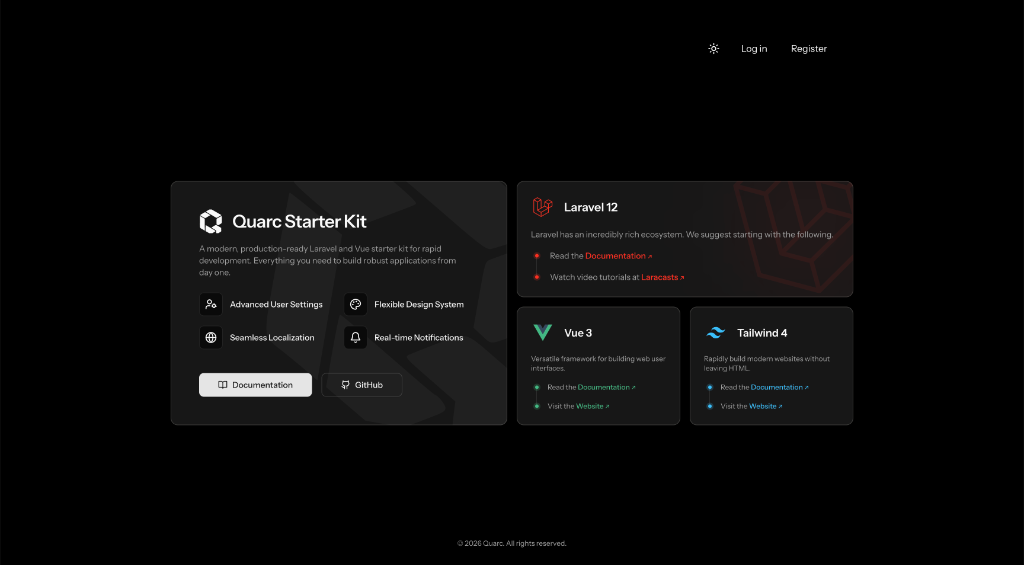
Core Stack
- Laravel: Powerful backend framework.
- Vue.js: Modern frontend.
- Inertia.js: For seamless integration of Vue and Laravel (monolith).
- Tailwind CSS: Utility-first CSS framework.
Installation
[!NOTE]
Before creating your first Quarc project, ensure that your local machine has PHP and Node.js installed.
You may install the starter kit via the Laravel installer:
laravel new my-app --using=quarc/vue-starter-kit
Alternatively, you may clone the repository manually:
git clone https://github.com/quarc/vue-starter-kit.git my-app
cd my-app
Post-Installation
Once the project is installed, install the dependencies and configure the environment:
composer install
npm install
cp .env.example .env
php artisan key:generate
Database & Migration
Quarc is configured to use SQLite by default. Ensure the database file exists and run migrations:
touch database/database.sqlite
php artisan migrate --seed
Start Local Server
To start the development server, you may run the following command:
npm run dev
In a separate terminal, start the Laravel server:
php artisan serve
Key Features
- Authentication: Laravel Fortify with custom UI.
- Internationalization: Gemini AI powered translation management.
- Notifications: Real-time notifications with archive support.
- Settings: Comprehensive user settings page.
Documentation
License
The Quarc Starter Kit is open-sourced software licensed under the MIT license.
Status
🚧 Project under development
Designed with developers in mind.
Related Packages
KoamiStarterKit - A modern Laravel 13 starter kit with Vue 3, Inertia.js, Tailwi...
A production-ready Laravel 12 starter kit with Vue 3, Inertia.js v2, Nuxt UI com...
Iceburg CRM is a metadata-driven CRM that allows you to quickly prototype differ...
Enterprise Laravel, Vue, Inertia, Tailwind, Fortify, and Spatie Teams starter ki...
Laravel 13 + Inertia v3 + Vue 3 + Tailwind 4 + daisyUI 5 + Ziggy starter kit wit...
Version History
| Version | Released | PHP | Laravel | License |
|---|---|---|---|---|
| v0.1.0 | ^8.2 | ^12.0 | MIT |