recca0120/laravel-erd
| Install | |
|---|---|
composer require recca0120/laravel-erd |
|
| Latest Version: | 0.6.0 |
| Laravel: | 8 – 13 |
| License: | MIT |
| Last Updated: | Mar 5, 2026 |
| Links: | GitHub · Packagist |
Laravel ERD



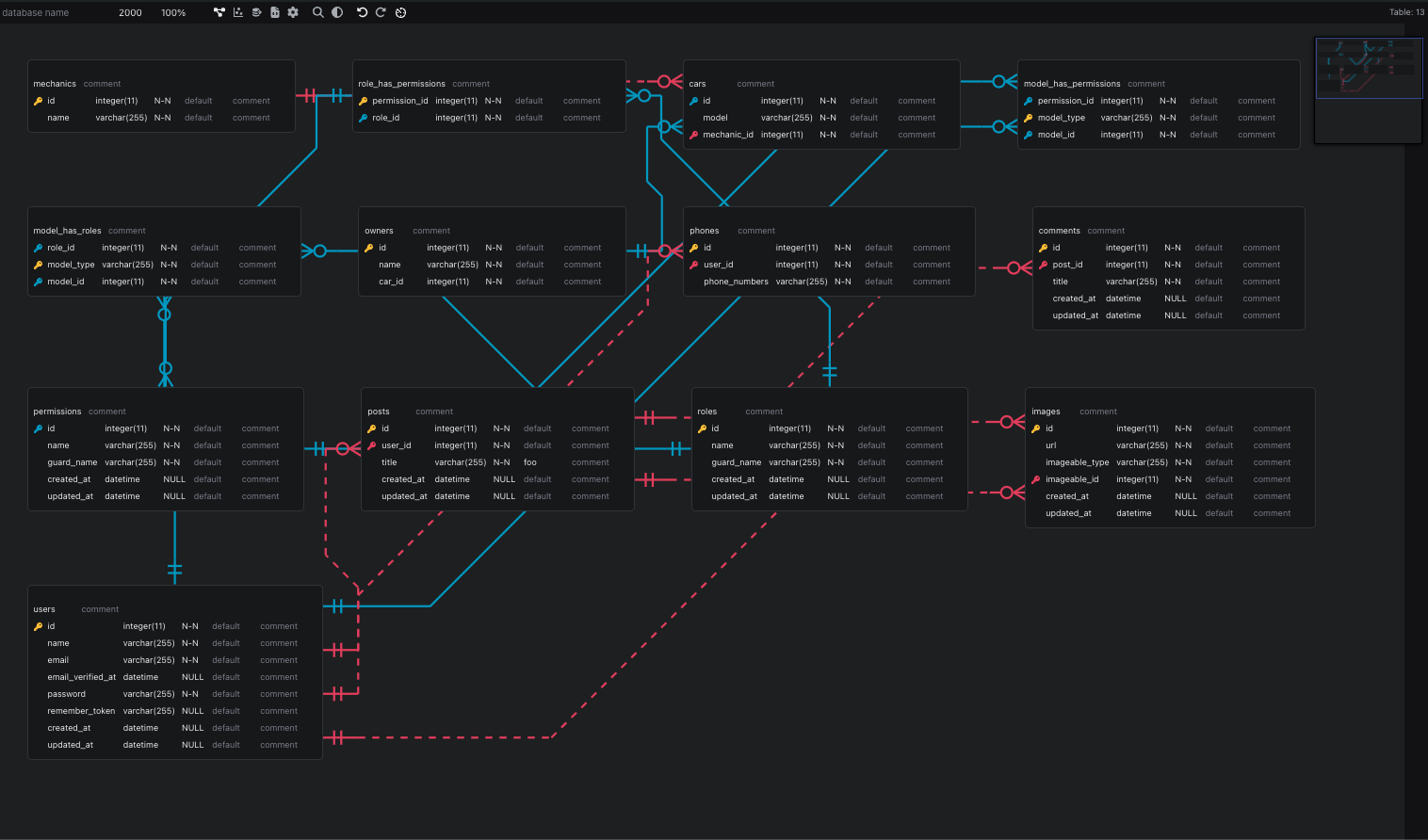
Laravel ERD automatically generates Entity-Relationship Diagrams from your Laravel Eloquent models. No real database connection required — it uses an in-memory SQLite database by default, so you can generate ERDs anywhere, including CI/CD pipelines.
It displays the results using the interactive erd-editor web component, or exports to SVG.
Preview
Requirements
| Dependency | Version |
|---|---|
| PHP | 8.1, 8.2, 8.3, 8.4 |
| Laravel | 8, 9, 10, 11, 12 |
Installation
composer require recca0120/laravel-erd --dev
Quick Start
1. Generate the ERD
php artisan erd:generate
This scans your app/ directory for Eloquent models, runs your migrations on an in-memory SQLite database, and generates a .sql DDL file.
2. View in Browser
Visit your application at:
http://localhost/laravel-erd
The interactive editor supports dark mode, automatic layout, and a theme builder.
Output Formats
The output format is determined by the --file extension:
| Extension | Format | Description | Requires Binary |
|---|---|---|---|
.sql |
SQL DDL | CREATE TABLE and ALTER TABLE statements (default) | No |
.er |
ER Notation | Entity-relationship notation viewable in erd-editor | No |
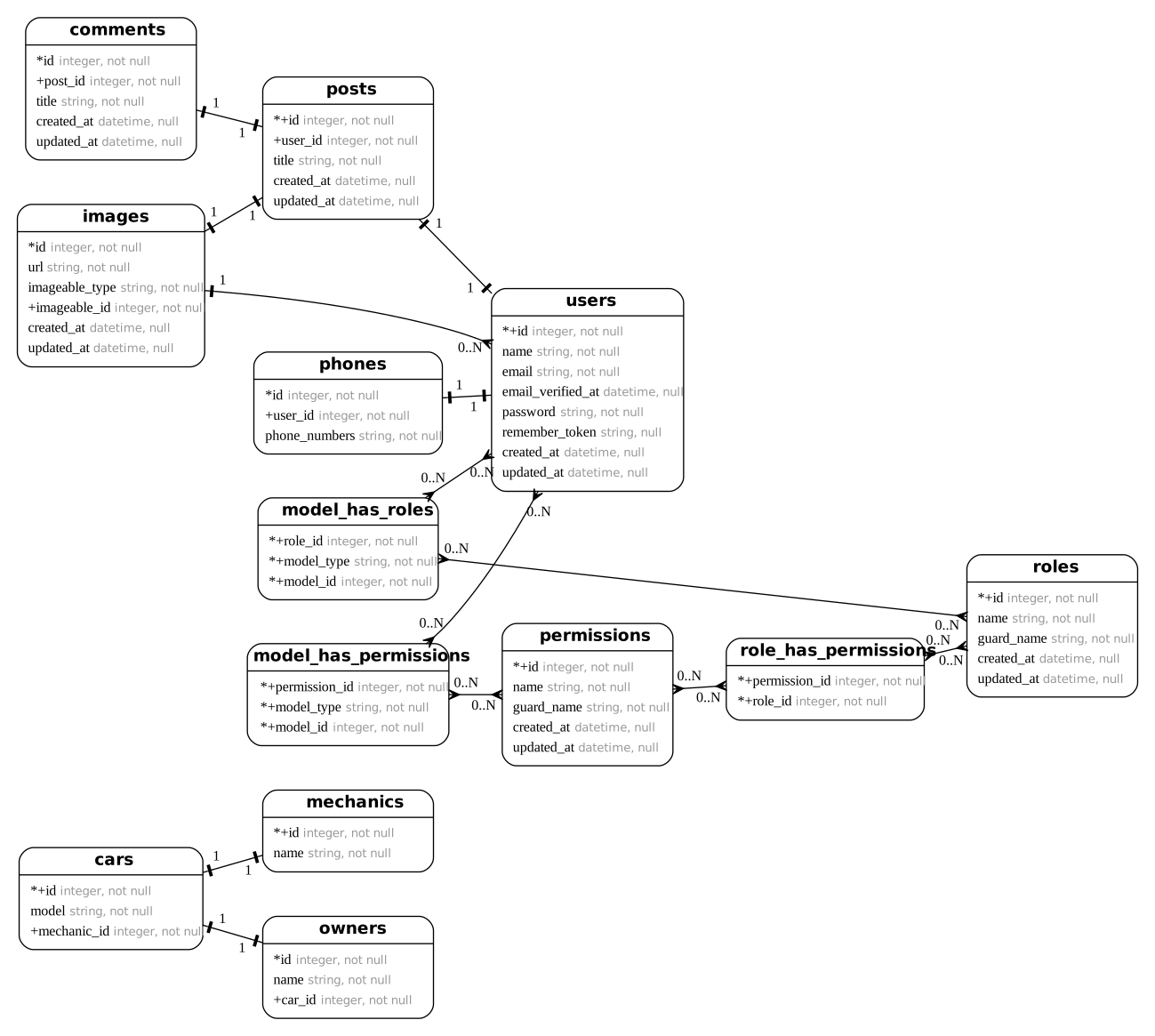
.svg |
SVG Diagram | Visual diagram with zoom/pan support | Yes |
Generating SVG
SVG output requires the erd-go and graphviz-dot binaries. Install them with:
php artisan erd:install
Then generate:
php artisan erd:generate --file=erd.svg
View at: http://localhost/laravel-erd/erd.svg
Command Options
php artisan erd:generate {database?} {--directory=} {--file=} {--path=} {--regex=} {--excludes=} {--graceful}
| Option | Description | Default |
|---|---|---|
database |
Database connection name to use | database.default from config |
--directory |
Directory to scan for Eloquent models | app/ |
--file |
Output filename (extension determines format) | {database}.sql |
--path |
Migration path (passed to artisan migrate) |
— |
--regex |
File pattern to match models | *.php |
--excludes |
Comma-separated table names to exclude | — |
--graceful |
Print error message instead of throwing an exception | false |
Examples
# Basic generation
php artisan erd:generate

# Exclude specific tables
php artisan erd:generate --file=clean.sql --excludes=jobs,failed_jobs,cache

# Scan a specific directory
php artisan erd:generate --directory=app/Models

# Generate SVG
php artisan erd:generate --file=diagram.svg

# Use a different database connection
php artisan erd:generate mysql

# Print error instead of throwing exception
php artisan erd:generate --graceful
Supported Relationships
Laravel ERD detects the following Eloquent relationships:
BelongsToHasOne/HasManyBelongsToManyMorphOne/MorphMany/MorphTo/MorphToMany- Compoships (composite key relationships)
Configuration
Publish the config file:
php artisan vendor:publish --provider="Recca0120\LaravelErd\LaravelErdServiceProvider"
This creates config/laravel-erd.php:
return [
    // Route URI for the web viewer
    'uri' => env('LARAVEL_ERD_URI', 'laravel-erd'),

    // Where generated files are stored
    'storage_path' => storage_path('framework/cache/laravel-erd'),

    // Default output extension (when --file is not specified)
    'extension' => env('LARAVEL_ERD_EXTENSION', 'sql'),

    // Middleware for the web viewer route
    'middleware' => [],

    // Paths to erd-go and graphviz-dot binaries
    'binary' => [
        'erd-go' => env('LARAVEL_ERD_GO', '/usr/local/bin/erd-go'),
        'dot' => env('LARAVEL_ERD_DOT', '/usr/local/bin/dot'),
    ],

    // Per-connection database overrides (see below)
    'connections' => [],
];
Custom Output Path
By default, generated files are stored in storage/framework/cache/laravel-erd/. To save ERDs as project documentation:
'storage_path' => base_path('docs/erd'),
Web Viewer Middleware
Protect the web viewer in production:
'middleware' => ['auth'],
Per-Connection Database Overrides
By default, all database connections are replaced with in-memory SQLite during ERD generation. This means you don't need a running database server.
If you need a specific connection to use a real database (e.g., for database-specific column types), you can override it:
'connections' => [
    'mysql' => [
        'driver' => 'mysql',
        'host' => env('DB_HOST', '127.0.0.1'),
        'port' => env('DB_PORT', '3306'),
        'database' => env('DB_DATABASE', 'forge'),
        'username' => env('DB_USERNAME', 'forge'),
        'password' => env('DB_PASSWORD', ''),
        'charset' => 'utf8mb4',
        'collation' => 'utf8mb4_unicode_ci',
        'prefix' => '',
    ],
],
Connections not listed here will continue to use the default in-memory SQLite.
How It Works
- Backup — Current database and cache configuration is saved
- Override — All connections are replaced with in-memory SQLite (unless overridden in config)
- Migrate — Runs
artisan migrateto create the schema - Scan — Finds Eloquent models in the target directory using
nikic/php-parser - Analyze — Discovers relationships by inspecting model methods
- Generate — Outputs the ERD in the requested format
- Restore — Original database configuration is restored
Your actual database is never modified.
Publishable Assets
# Publish everything (config, views, frontend assets)
php artisan vendor:publish --provider="Recca0120\LaravelErd\LaravelErdServiceProvider"
| Asset | Destination |
|---|---|
| Config | config/laravel-erd.php |
| Views | resources/views/vendor/laravel-erd/ |
| Frontend assets | public/vendor/laravel-erd/ |
License
The MIT License (MIT). Please see License File for more information.
Related Packages
Powerful PHP database abstraction layer (DBAL) with many features for database s...
Laravel Serializable Closure provides an easy and secure way to serialize closur...
Cli error handling for console/command-line PHP applications.
Version History
| Version | Released | Laravel | License |
|---|---|---|---|
| 0.6.0 | ^8.0| | MIT | |
| 0.5.0 | ^8.0| | MIT | |
| 0.4.0 | ^8.0| | MIT | |
| 0.3.0 | ^8.0| | MIT | |
| 0.2.0 | ^8.0| | MIT | |
| 0.1.2 | ^8.0| | MIT | |
| 0.1.1 | ^8.0| | MIT | |
| 0.1.0 | ^8.0| | MIT | |
| 0.0.3 | ^8.0| | MIT | |
| 0.0.2 | ^8.0| | MIT | |
| 0.0.1 | ^8.0| | MIT |