saade/filament-autograph
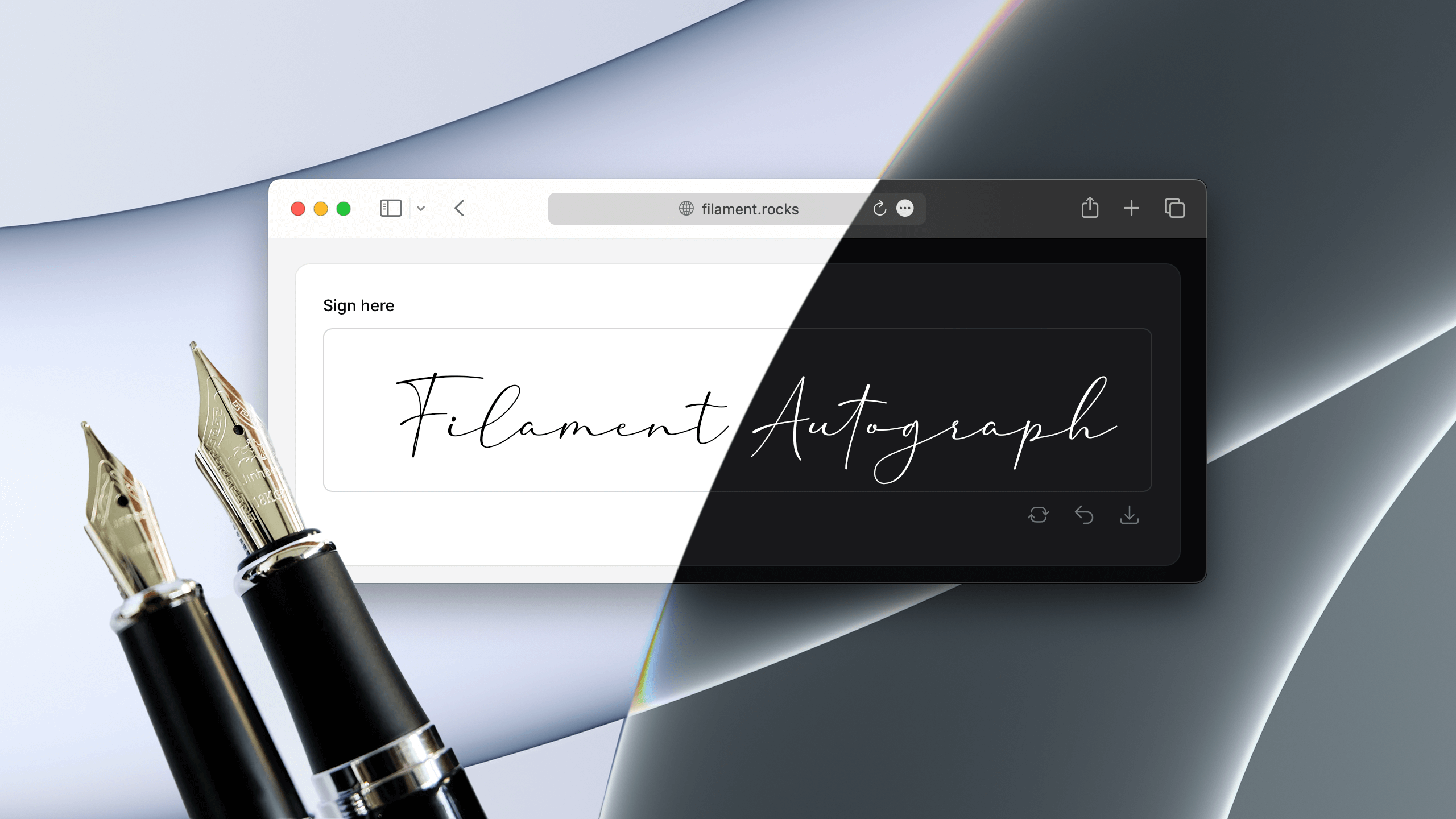
Filament Autograph



Installation
1. You can install the package via composer:
composer require saade/filament-autograph
2. Setup the plugin styles:
[!IMPORTANT] If you have not set up a custom theme and are using Filament Panels follow the instructions in the Filament Docs first.
After setting up a custom theme add the plugin's views to your theme css file or your app's css file if using the standalone packages.
@source '../../../../vendor/saade/filament-autograph/resources/views/**/*.blade.php';
Usage
use Saade\FilamentAutograph\Forms\Components\SignaturePad;

SignaturePad::make('signature')
Outside a panel
The field works in any Livewire component that uses Filament's forms, not only in a panel. It needs what every Filament form needs there: Filament's styles and scripts in your layout, as described in the Filament docs, and the @source line above in your app's CSS file.
The pad is dark when the page is: it follows the dark class on the <html> element, like Filament's own components, and not the operating system's preference.
What is saved
The state of the field is the signature as a PNG data URL: a string that starts with data:image/png;base64,. It is usually tens of kilobytes and grows with the size of the pad and the density of the screen, so store it in a longText column, not a string:
$table->longText('signature')->nullable();
The signature is saved in the light-mode pen and background colors, whatever theme the person signing uses, so it reads the same everywhere. Change that with exportPenColor() and exportBackgroundColor().
Like any field, it can be required:
SignaturePad::make('signature')
    ->required()
Editing a saved signature
When the field is filled with a signature that was saved before, it shows that signature and stays locked until the user clears it. This keeps a stray touch on an edit page from replacing it. A pad with clearable(false) cannot be cleared, so there the first stroke replaces the saved signature.
Showing a saved signature
Filament's own image components display a data URL, so a saved signature needs nothing from this package:
use Filament\Infolists\Components\ImageEntry;
use Filament\Tables\Columns\ImageColumn;

ImageEntry::make('signature')

ImageColumn::make('signature')
The saved background is transparent by default, with a dark pen. To keep it readable in dark mode, save it on white with ->exportBackgroundColor('#fff'), or give the image a white background where you show it.
Configuration
SignaturePad options.
For reference: https://github.com/szimek/signature_pad#options
use Saade\FilamentAutograph\Forms\Components\SignaturePad;

SignaturePad::make('signature')
    ->label(__('Sign here'))
    ->dotSize(2.0)
    ->lineMinWidth(0.5)
    ->lineMaxWidth(2.5)
    ->throttle(16)
    ->minDistance(5)
    ->velocityFilterWeight(0.7)
Customizing the pad background and pen color.
use Saade\FilamentAutograph\Forms\Components\SignaturePad;

SignaturePad::make('signature')
    ->backgroundColor('rgba(0,0,0,0)')  // Background color on light mode
    ->backgroundColorOnDark('#f0a')     // Background color on dark mode (defaults to backgroundColor)
    ->exportBackgroundColor('#f00')     // Background color of the saved signature (defaults to backgroundColor, in light and dark mode)
    ->penColor('#000')                  // Pen color on light mode
    ->penColorOnDark('#fff')            // Pen color on dark mode (defaults to white, whatever penColor is)
    ->exportPenColor('#0f0')            // Pen color of the saved signature (defaults to penColor, in light and dark mode)
Allow download of the signature.
use Saade\FilamentAutograph\Forms\Components\SignaturePad;
use Saade\FilamentAutograph\Forms\Components\Enums\DownloadableFormat;

SignaturePad::make('signature')
    ->filename('autograph')             // Filename of the downloaded file (defaults to 'signature')
    ->downloadable()                    // Allow download of the signature (defaults to false)
    ->downloadableFormats([             // Available formats for download (defaults to all)
        DownloadableFormat::PNG,
        DownloadableFormat::JPG,
        DownloadableFormat::SVG,
    ])
    ->downloadActionDropdownPlacement('center-end')     // Dropdown placement of the download action (defaults to 'bottom-start')
Disabling clear, download, undo and done actions.
use Saade\FilamentAutograph\Forms\Components\SignaturePad;

SignaturePad::make('signature')
    ->clearable(false)
    ->downloadable(false)
    ->undoable(false)
    ->confirmable(false)
Requiring confirmation (Done button).
SignaturePad::make('signature')
    ->confirmable()                 // Requires user to click on 'Done' (defaults to false)
A confirmable pad is also made required. Pass shouldMakeComponentRequired: false to keep it optional:
SignaturePad::make('signature')
    ->confirmable(shouldMakeComponentRequired: false)
Customizing actions
use Saade\FilamentAutograph\Forms\Components\SignaturePad;
use Filament\Actions\Action;

SignaturePad::make('signature')
    ->clearAction(fn (Action $action) => $action->button())
    ->downloadAction(fn (Action $action) => $action->color('primary'))
    ->undoAction(fn (Action $action) => $action->icon('heroicon-o-arrow-uturn-left'))
    ->doneAction(fn (Action $action) => $action->iconButton()->icon('heroicon-o-hand-thumb-up'))
Changelog
Please see CHANGELOG for more information on what has changed recently.
Contributing
Please see CONTRIBUTING for details.
Security Vulnerabilities
Please review our security policy on how to report security vulnerabilities.
Credits
License
The MIT License (MIT). Please see License File for more information.

Related Packages
A log viewer for Filament: read and clear Laravel log files from your panel
A thumb-friendly mobile bottom navigation bar for Filament panels. It programmat...
Extend Filament's notification drawer with customizable tabs and notification ca...
Version History
| Version | Released | PHP | Laravel | License |
|---|---|---|---|---|
| v4.3.2 | ^8.2 | MIT | ||
| v4.3.1 | ^8.2 | MIT | ||
| v4.3.0 | ^8.2 | MIT | ||
| v4.2.0 | ^8.1 | MIT | ||
| v4.1.1 | ^8.1 | MIT | ||
| v4.1.0 | ^8.1 | MIT | ||
| v4.0.3 | ^8.1 | MIT | ||
| v4.0.2 | ^8.1 | MIT | ||
| v4.0.1 | ^8.1 | MIT | ||
| v4.0.0 | ^8.1 | MIT | ||
| v3.2.3 | ^8.1 | MIT | ||
| v3.2.2 | ^8.1 | MIT | ||
| v3.1.1 | ^8.1 | MIT | ||
| v3.1.0 | ^8.1 | ^10.0| | MIT | |
| v3.0.2 | ^8.1 | ^10.0 | MIT | |
| v3.0.1 | ^8.1 | ^10.0 | MIT | |
| v3.0.0 | ^8.1 | ^10.0 | MIT |