shureban/laravel-logplex
Laravel logplex
Installation
Require this package with composer using the following command:
composer require shureban/laravel-logplex
Add the following class to the providers array in config/app.php:
Shureban\LaravelLogplex\LogplexServiceProvider::class,
You have to publish the config file.
php artisan vendor:publish --provider="Shureban\LaravelLogplex\LogplexServiceProvider"
How to use
1. Add new row in config/logging.php in section channels
'logplex' => [
    'driver' => 'custom',
    'via'    => \Shureban\LaravelLogplex\LogplexLogger::class,
    'level'  => env('LOGPLEX_LEVEL', \Monolog\Level::Error),
]
2. Edit you .env file
LOG_STACK_CHANNELS=single,logplex
or add additional log channel to stack channel. As example:
'stack' => [
    'driver'   => 'stack',
    'channels' => ['single','logplex'],
],
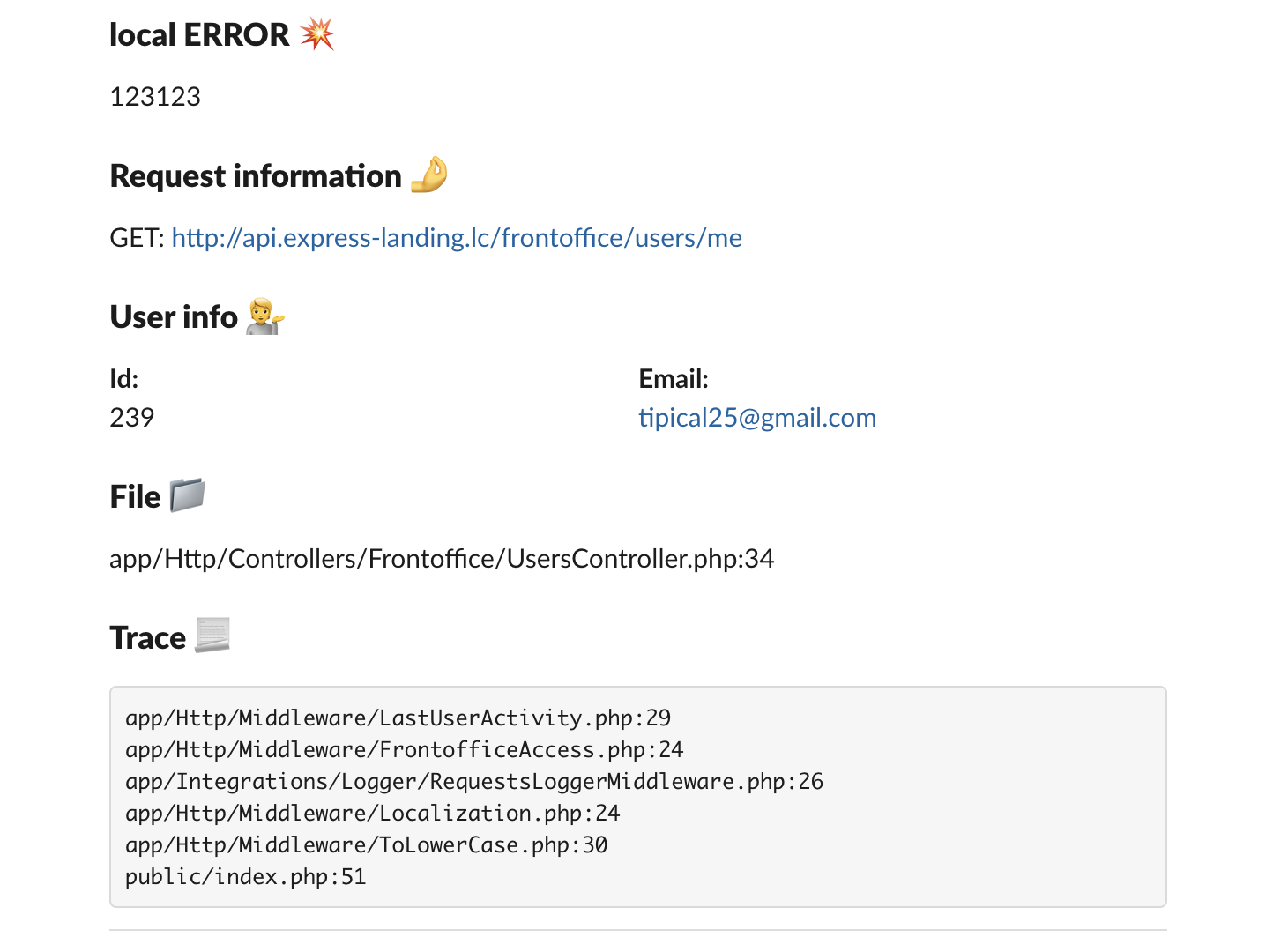
Result
Customization
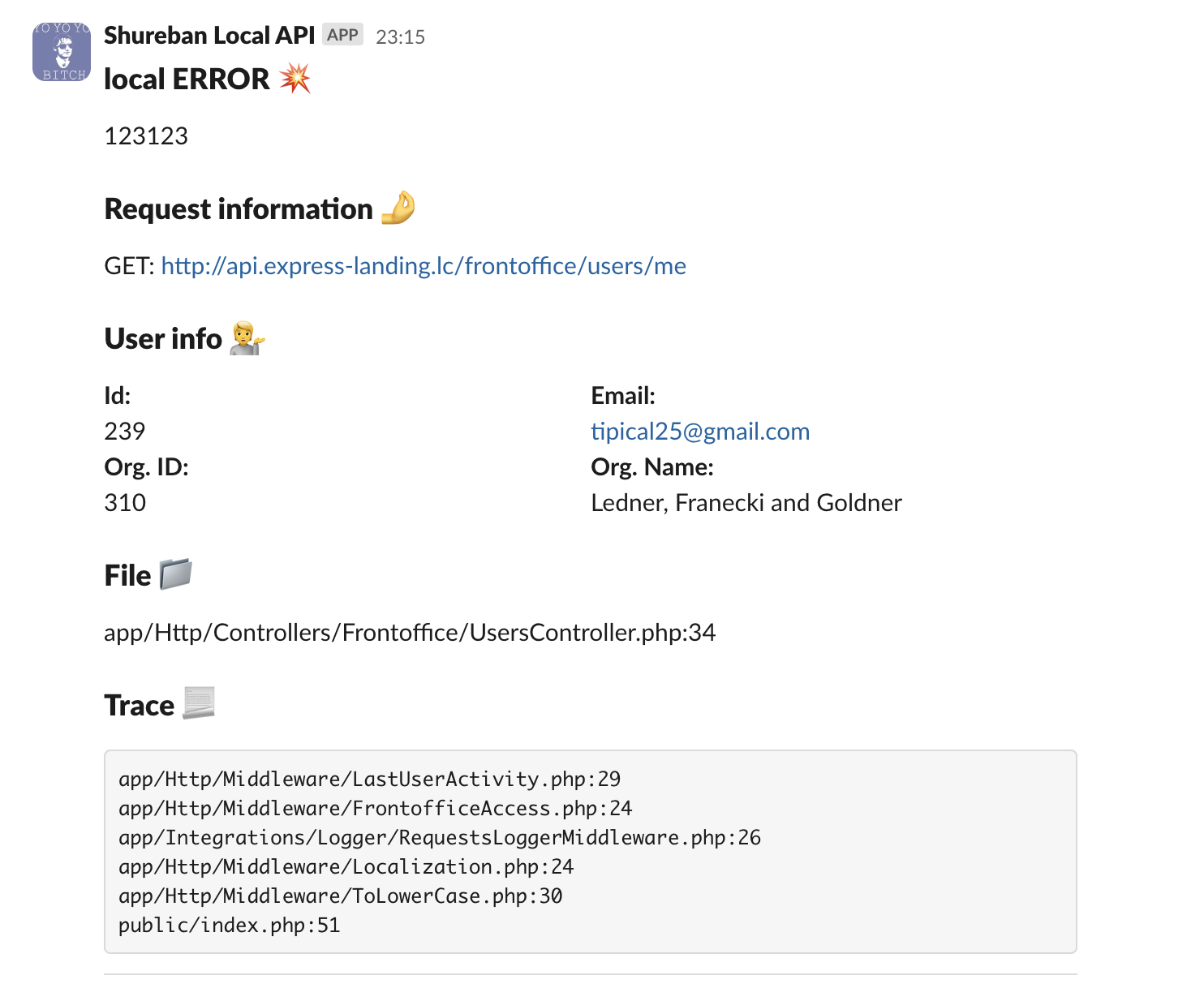
For example you need to change UserBlock. You wanna add information about organization which related with user.
1. Create your own version of MessageBuilder. Its important to implement from MessageBuilderInterface
<?php

namespace App\Logging\Logplex;

use Shureban\LaravelLogplex\Builder\MessageBuilderInterface;
use Shureban\LaravelLogplex\Channels\Slack\Blocks\FileBlock;
use Shureban\LaravelLogplex\Channels\Slack\Blocks\HeaderBlock;
use Shureban\LaravelLogplex\Channels\Slack\Blocks\RequestBlock;
use Shureban\LaravelLogplex\Channels\Slack\Blocks\TraceBlock;
use Shureban\LaravelLogplex\Channels\Slack\Elements\DividerSection;
use Shureban\LaravelLogplex\Channels\Slack\Message;
use Shureban\LaravelLogplex\LogRecord;

class MessageBuilder implements MessageBuilderInterface
{
    public function buildSlackMessage(LogRecord $logRecord, string $username, string $emoji): Message
    {
        $message = new Message($username, $emoji);

        // Other blocks
        $message->addBlock(new UserBlock($logRecord));
        // Other blocks

        return $message;
    }
}
2. Create your realization of UserBlock
<?php

namespace App\Logging\Logplex;

use Shureban\LaravelLogplex\Channels\Slack\Block;
use Shureban\LaravelLogplex\Channels\Slack\Elements\FieldsSection;
use Shureban\LaravelLogplex\Channels\Slack\Elements\HeaderSection;
use Shureban\LaravelLogplex\LogRecord;

class UserBlock implements Block
{
    private LogRecord $logRecord;

    public function __construct(LogRecord $logRecord)
    {
        $this->logRecord = $logRecord;
    }

    public function toArray(): array
    {
        $user = $this->logRecord->getUser();

        if (is_null($user)) {
            return [];
        }

        return [
            (new HeaderSection('User info :information_desk_person:'))->toArray(),
            (new FieldsSection([
                sprintf("*Id:*\n%s", $user->getAuthIdentifier()),
                sprintf("*Email:*\n%s", $user->getEmailForVerification()),
                sprintf("*Org. ID:*\n%s", $user->organization->id),
                sprintf("*Org. Name:*\n%s", $user->organization->name),
            ]))->toArray(),
        ];
    }
}
Result
Related Packages
coolonce/logger-interface
This package allows you to send data for logging to the HTTP daemon associated w...
4,640
1
imer/laravel-query-table
Laravel plugin for displaying query results as a table with built-in filtering/s...
2,076
0
mitydigital/statamic-logger
Detailed, customisable and human-friendly logging for Statamic.
15,845
2
Version History
| Version | Released | PHP | Laravel | License |
|---|---|---|---|---|
| 1.0.11 | >=8.2 | >=v10.0.0 | MIT | |
| 1.0.10 | >=8.2 | >=v10.0.0 | MIT | |
| 1.0.9 | >=8.2 | >=v10.0.0 | MIT | |
| 1.0.8 | >=8.2 | >=v10.0.0 | MIT | |
| 1.0.7 | >=8.2 | >=v10.0.0 | MIT | |
| 1.0.6 | >=8.2 | >=v10.0.0 | MIT | |
| 1.0.5 | >=8.2 | >=v10.0.0 | MIT | |
| 1.0.4 | >=8.2 | MIT | ||
| 1.0.3 | >=8.3 | >=v10.0.0 | MIT | |
| 1.0.2 | ^8.3 | MIT | ||
| 1.0.1 | ^8.3 | ^v10.0.0 | MIT | |
| 1.0.0 | ^8.2 | ^v10.0.0 | MIT |