shweshi/opengraph
Features
-
Easily fetch metadata of a URL. Laravel OpenGraph fetches all the metadata of a URL.
-
Supports language-specific metadata. Laravel OpenGraph can fetch metadata in a specific language if webpage supports.
-
Supports twitter metadata. Laravel OpenGraph supports twitter OG data too.
-
Verify image URL. Laravel OpenGraph verifies that the image URL in the image metadata is valid or not.
Demo
curl https://laravelopengraph.herokuapp.com/api/fetch?url=ogp.me&allMeta=true&language=en_GB
How to use Laravel OpenGraph
An article can be found on the medium blog: https://hackernoon.com/how-to-fetch-open-graph-metadata-in-laravel-2d5d674904d7
Documentation
Installation
Perform the following operations in order to use this package
- Install via composer
composer require "shweshi/opengraph"
If you do not run Laravel 5.5 (or higher), then add the service provider in config/app.php:
-
Add Service Provider Open
config/app.phpand addshweshi\OpenGraph\Providers\OpenGraphProvider::class,to the end ofprovidersarray:'providers' => array( .... shweshi\OpenGraph\Providers\OpenGraphProvider::class, ),Next under the
aliasesarray:'aliases' => array( .... 'OpenGraph' => shweshi\OpenGraph\Facades\OpenGraphFacade::class ),
If you do run the package on Laravel 5.5+, package auto-discovery takes care of the magic of adding the service provider.
Requirements
- You need to install the DOM extension.
How to use
-
After following the above steps,
use OpenGraph;

$data = OpenGraph::fetch("https://unsplash.com/");
this will give you an array like this...
  array (
    'title' => 'Beautiful Free Images & Pictures | Unsplash',
    'description' => 'Beautiful, free images and photos that you can download and use for any project. Better than any royalty free or stock photos.',
    'type' => 'website',
    'url' => 'https://unsplash.com/',
    'image' => 'http://images.unsplash.com/photo-1542841791-1925b02a2bbb?ixlib=rb-0.3.5&q=80&fm=jpg&crop=entropy&cs=tinysrgb&w=1080&fit=max&ixid=eyJhcHBfaWQiOjEyMDd9&s=aceabe8a2fd1a273da24e68c21768de0',
    'image:secure_url' => 'https://images.unsplash.com/photo-1542841791-1925b02a2bbb?ixlib=rb-0.3.5&q=80&fm=jpg&crop=entropy&cs=tinysrgb&w=1080&fit=max&ixid=eyJhcHBfaWQiOjEyMDd9&s=aceabe8a2fd1a273da24e68c21768de0',
  )
You can also pass an optional parameter either true or false along with URL. When set false it will only fetch basic metadata and in case of true it will fetch all the other optional metadata as well like audio, video, music and twitter metatags as well.
$data = OpenGraph::fetch("https://unsplash.com/", true);this will give you an array like this...
  array (
    'charset' => 'UTF8',
    'viewport' => 'width=device-width, initial-scale=1.0, maximum-scale=1.0, minimal-ui',
    'mobile-web-app-capable' => 'yes',
    'apple-mobile-web-app-capable' => 'yes',
    'apple-mobile-web-app-title' => 'Unsplash',
    'application-name' => 'Unsplash',
    'author' => 'Unsplash',
    'msapplication-config' => 'browserconfig.xml',
    'msapplication-TileColor' => '#ffffff',
    'msapplication-TileImage' => 'https://unsplash.com/mstile-144x144.png',
    'theme-color' => '#ffffff',
    'description' => 'Beautiful, free images and photos that you can download and use for any project. Better than any royalty free or stock photos.',
    'twitter:site' => '@unsplash',
    'twitter:title' => 'Beautiful Free Images & Pictures | Unsplash',
    'twitter:description' => 'Beautiful, free images and photos that you can download and use for any project. Better than any royalty free or stock photos.',
    'twitter:url' => 'https://unsplash.com/',
    'twitter:card' => 'summary_large_image',
    'twitter:image' => 'https://images.unsplash.com/photo-1546486610-e9fe4f1e6751?ixlib=rb-1.2.1&q=80&fm=jpg&crop=entropy&cs=tinysrgb&w=1080&fit=max&ixid=eyJhcHBfaWQiOjEyMDd9',
    'title' => 'Beautiful Free Images & Pictures | Unsplash',
    'type' => 'website',
    'url' => 'https://unsplash.com/',
    'image' => 'http://images.unsplash.com/photo-1546486610-e9fe4f1e6751?ixlib=rb-1.2.1&q=80&fm=jpg&crop=entropy&cs=tinysrgb&w=1080&fit=max&ixid=eyJhcHBfaWQiOjEyMDd9',
    'image:secure_url' => 'https://images.unsplash.com/photo-1546486610-e9fe4f1e6751?ixlib=rb-1.2.1&q=80&fm=jpg&crop=entropy&cs=tinysrgb&w=1080&fit=max&ixid=eyJhcHBfaWQiOjEyMDd9',
)
To fetch the metadata in a specific language you can pass the language as the third argument, this value will be used as the Accept-Language header.
$url = "https://ogp.me",
$allMeta = true, // can be false
$language = 'en' // en-US,en;q=0.8,en-GB;q=0.6,es;q=0.4
$data = OpenGraph::fetch($url, $allMeta, $language);
You can also pass additional Libxml parameters as the fourth argument ($options) https://www.php.net/manual/en/libxml.constants.php. Default options are set to suppress the reporting of errors and warnings
$data = OpenGraph::fetch($url, $allMeta, $language, $options);You can use the fifth parameter to set the user-agent ($userAgent) of the request. The default is 'Curl'.
$data = OpenGraph::fetch($url, $allMeta, $language, $options, $userAgent);
NOTE:
Anyone having problems getting metadata from social media sites please use the following user agent set on this example:
$opg_array = OpenGraph::fetch('URL', true, null, null, 'facebookexternalhit/1.1 (+http://www.facebook.com/externalhit_uatext.php)');
Exception Handling
The fetch() method, returns a FetchException with aditional data at failure.
    try {
        $data = OpenGraph::fetch($url, true);
    } catch (shweshi\OpenGraph\Exceptions\FetchException $e) {
        $message = $e->getMessage();
        $data = $e->getData();
    }
Testing
composer test
Changelog
Please see CHANGELOG for more information what has changed recently.
Contributing
Please see CONTRIBUTING and CODE OF CONDUCT for details.
License
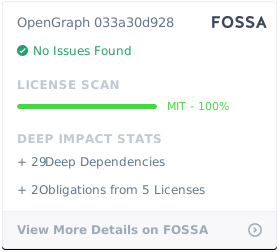
The MIT License (MIT). Please see License File for more information.
Support
Happy coding!
Related Packages
Powerful PHP database abstraction layer (DBAL) with many features for database s...
Laravel Serializable Closure provides an easy and secure way to serialize closur...
Cli error handling for console/command-line PHP applications.
Version History
| Version | Released | Laravel | License |
|---|---|---|---|
| v1.2.1 | ^5.0| | MIT | |
| V1.2.0 | ^5.0| | MIT | |
| V1.1.5 | ^5.0| | MIT | |
| V1.1.4 | ^5.0| | MIT | |
| V1.1.3 | ^5.0| | MIT | |
| V1.1.2 | ^5.0| | MIT | |
| V1.1.1 | ^5.0| | MIT | |
| V1.1.0 | ^5.0| | MIT | |
| v1.0.16 | ^5.0| | MIT | |
| v1.0.15 | ^5.0| | MIT | |
| v1.0.14 | ^5.0| | MIT | |
| v1.0.13 | ^5.0| | MIT | |
| v1.0.12 | MIT | ||
| 1.0.11 | ^6.0 | MIT | |
| v1.0.10 | ^6.0 | MIT | |
| v1.0.9 | MIT | ||
| V1.0.8 | MIT | ||
| v1.0.7 | MIT | ||
| 1.0.6 | MIT | ||
| 1.0.5 | MIT | ||
| 1.0.4 | MIT | ||
| 1.0.3 | MIT | ||
| 1.0.2 | MIT | ||
| 1.0.1 | MIT | ||
| 1.0.0 |