spatie/flare-cli
Flare CLI



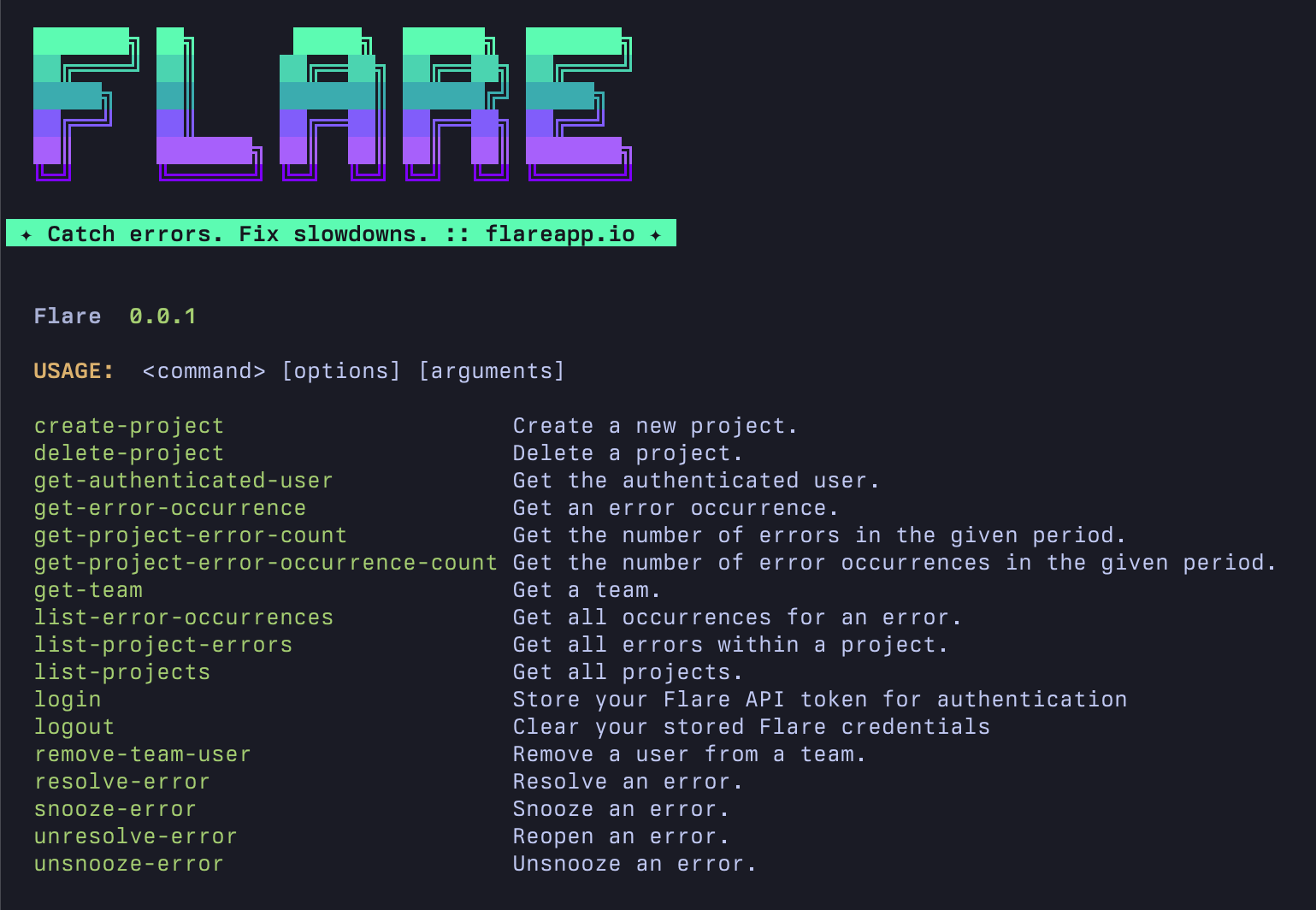
A command-line tool for Flare — interact with the Flare API from your terminal.
Installation
composer global require spatie/flare-cli
Make sure Composer's global bin directory is in your PATH. You can find the path with:
composer global config bin-dir --absolute
Updating
composer global require spatie/flare-cli
Usage
Authentication
# Browser-based OAuth login (default)
flare login

# Suggest a workstation name on the editable consent screen
flare login --name="Work laptop"

# Device-code flow — useful over SSH, in containers, or any headless terminal
flare login --device

# Paste a personal or legacy API token for automation and CI
flare login --token

# Revoke the active OAuth connection and remove its local credentials
flare logout

# Revoke and remove every configured profile
flare logout --all

# Remove local credentials without contacting Flare
flare logout --local-only

# Inspect the active issuer/API profile and stored profiles
flare auth
flare login discovers the active server's OAuth endpoints, opens your browser, and asks you to approve the requested scopes and team/project access. Each login creates an independent connection. The CLI refreshes access tokens transparently and flare logout revokes that connection remotely before removing its local credentials.
Credentials are stored as issuer and API-base profiles in ~/.flare/config.json. On macOS and Linux, the directory uses mode 0700 and the atomically replaced config file uses 0600. Production, staging, and self-hosted credentials can coexist.
Personal and legacy tokens remain supported through --token for scripts and CI. Create and manage personal tokens under Account → Access tokens.
Set FLARE_BASE_URL to point the CLI at a non-production environment (for example FLARE_BASE_URL=https://passport-oauth.test/api). An origin without a path defaults to /api; non-default paths remain distinct profiles. Set FLARE_OAUTH_CLIENT_ID to override the baked-in Flare CLI OAuth client UUID.
Commands
Every Flare API endpoint has a corresponding command. Run flare <command> --help for details on a specific command.
flare list-projects
flare create-project --field name="My App" --field team_id=1 --field stage=production --field technology=Laravel
flare delete-project --project-id=<id>

flare list-project-errors --project-id=<id>
flare list-error-occurrences --error-id=<id>
flare get-error-occurrence --occurrence-id=<id>
flare get-project-error-count --project-id=<id> --start-date=<date> --end-date=<date>
flare get-project-error-occurrence-count --project-id=<id> --start-date=<date> --end-date=<date>

flare resolve-error --error-id=<id>
flare unresolve-error --error-id=<id>
flare snooze-error --error-id=<id>
flare unsnooze-error --error-id=<id>

flare get-team --team-id=<id>
flare remove-team-user --team-id=<id> --user-id=<id>
flare get-authenticated-user

flare get-monitoring-summary --project-id=<id>
flare list-monitoring-aggregations --project-id=<id> --type=routes
flare get-monitoring-time-series --project-id=<id> --type=routes
flare get-monitoring-aggregation --type=routes --uuid=<uuid>
flare list-aggregation-traces --type=routes --uuid=<uuid>
flare get-trace --trace-id=<trace-id>
Agent Skill
This repository includes an agent skill that teaches coding agents how to use the Flare CLI.
Install
flare install-skill
Testing
composer test
Releasing a new version
-
Build the PHAR:
php flare app:build flare --build-version=1.x.xThis bakes the version into
builds/flare. If you omit--build-version, it will prompt you (defaulting to the latest git tag). -
Commit and push:
git add builds/flare git commit -m "Release v1.x.x" git push origin main -
Create a release in the GitHub UI — this creates the tag, triggers Packagist, and automatically updates the changelog.
Users install or update with composer global require spatie/flare-cli.
Changelog
Please see CHANGELOG for more information on what has changed recently.
Contributing
Please see CONTRIBUTING for details.
Security Vulnerabilities
Please review our security policy on how to report security vulnerabilities.
Credits
License
The MIT License (MIT). Please see License File for more information.
Related Packages
Records and surfaces the health and history of your spatie/laravel-backup runs.
Version History
| Version | Released | PHP | License |
|---|---|---|---|
| 1.3.1 | ^8.4 | MIT | |
| 1.3.0 | ^8.4 | MIT | |
| 1.2.0 | ^8.4 | MIT | |
| 1.1.0 | ^8.4 | MIT | |
| 1.0.2 | ^8.4 | MIT | |
| 1.0.1 | ^8.4 | MIT | |
| 1.0.0 | ^8.4 | MIT | |
| 0.0.2 | ^8.4 | MIT | |
| 0.0.1 | ^8.4 | MIT |