tumutech/laravel-qr-code
| Install | |
|---|---|
composer require tumutech/laravel-qr-code |
|
| Latest Version: | v1.0.1 |
| PHP: | ^8.2 |
| Laravel: | 10 · 11 · 12 |
| License: | MIT |
| Last Updated: | Sep 1, 2026 |
| Links: | GitHub · Packagist |
Laravel QR Code



Easy-to-use branded, scan-safe QR codes for Laravel 10–12. Center logos, named style templates, Blade, storage, and data URIs for Inertia — without Imagick. Install, call the facade, done.
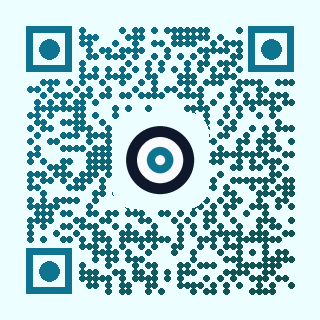
composer require tumutech/laravel-qr-code
Laravel auto-discovers the package. No extra setup. If anything goes wrong, open a GitHub issue and we will take a look.
use Tumutech\QrCode\Facades\QrCode;

return QrCode::size(300)->png('https://example.com');
What it offers
- Laravel 10, 11, and 12 (CI on PHP 8.2–8.4)
- Center brand logo with a padded punchout so modules do not show through
scanSafe()— contrast, quiet zone, and logo-size checks before you ship- Named templates and frames for consistent product branding
- PNG via GD (Imagick optional), plus SVG, WebP, EPS, PDF, and binary
- HTTP responses, Blade embeds, disk storage, and data URIs for Inertia/React
- Wi-Fi, email, SMS, and vCard payloads
Quick start
HTTP image
use Tumutech\QrCode\Facades\QrCode;

Route::get('/qr', function () {
    return QrCode::size(300)->png('https://example.com');
});
Center logo
Put your mark in the middle. Error correction is raised to high automatically. By default the logo is ~22% of the QR size, with a rounded background punchout so modules do not show through.
return QrCode::size(400)
    ->logo(public_path('images/brand.png'))
    ->scanSafe()
    ->png('https://example.com/invite');

Optional pixel width, or disable the punchout pad:
QrCode::logo(public_path('images/brand.png'), 88);          // custom width
QrCode::logo(public_path('images/brand.png'), null, false); // no punchout
Keep the logo small enough to scan. scanSafe() rejects logos that cover more than ~28% of the code.
Style + brand in one call
QrCode::template('gradient-ocean')
    ->logo(public_path('images/brand.png'))
    ->scanSafe()
    ->png('https://example.com');

QrCode::module('dots', 0.8)
    ->eye('circle')
    ->color('#101824')
    ->backgroundColor('#ffffff')
    ->logo(public_path('images/brand.png'))
    ->scanSafe()
    ->png('https://example.com');
Styled codes support PNG and SVG.
| Option | Values |
|---|---|
module() |
square, dots, rounded |
eye() |
square, circle, pointy |
frame() |
none, badge, card |
gradient() |
start, end, direction: vertical, horizontal, diagonal, inverse_diagonal, radial |
Templates: classic, classic-inverted, dots-circle, dots-square-eyes, dots-pointy, dots-small, dots-large, rounded-soft, rounded-medium, rounded-strong, gradient-ocean, gradient-sunset, gradient-aurora, gradient-forest, gradient-inverse, pointy-brand, circle-eyes-square, badge-brand, card-dots.
scanSafe()
Call it before you ship a branded code. Strict mode (default) throws ScanUnsafeException when a style is likely to fail scanners:
- Foreground / background contrast below 4.5:1 (including gradient ends)
- Quiet zone (margin) under 4 modules
- Logo covering more than 28% of the QR area
- Logo without high error correction
- Dots modules + pointy eyes (weak finder patterns)
$qr = QrCode::template('gradient-ocean')
    ->logo(public_path('images/brand.png'))
    ->scanSafe();

$issues = $qr->scanSafeIssues(); // inspect without throwing

return $qr->png($url);
Use scanSafe(strict: false) in previews; keep strict mode on in production.
Blade
<x-qr-code data="https://example.com" :size="200" />

<x-qr-code
    data="https://example.com/invite"
    :size="240"
    :logo="public_path('images/brand.png')"
    template="dots-circle"
/>

<img src="@qrcode('https://example.com')" alt="QR">
When logo is set, the Blade component turns on scanSafe() for you.
Inertia / React
Generate on Laravel and pass a data URI:
return Inertia::render('Ticket', [
    'qr' => QrCode::size(240)
        ->logo(public_path('images/brand.png'))
        ->scanSafe()
        ->dataUri($ticketUrl),
]);
<img src={qr} width={240} height={240} alt="Ticket QR" />
Save to storage
QrCode::logo(public_path('images/brand.png'))
    ->scanSafe()
    ->store('https://example.com', 'qrs/ticket.png');

QrCode::disk('s3')->store('https://example.com', 'qrs/ticket.png');
Wi-Fi, email, SMS, vCard
$qr = QrCode::wifi([
    'ssid' => 'Office',
    'password' => 'secret',
]);

echo $qr->getDataUri();

QrCode::email('hello@example.com', 'Subject', 'Body');
QrCode::sms('+15551234567', 'Hello');
QrCode::vcard([
    'firstName' => 'Ada',
    'lastName' => 'Lovelace',
    'organization' => 'Example',
    'phones' => ['+15551234567'],
    'emails' => ['ada@example.com'],
]);
Everyday methods
| Method | What it does |
|---|---|
logo() |
Center brand mark with optional punchout |
scanSafe() / scanSafeIssues() |
Contrast, quiet zone, logo coverage checks |
template() / frame() |
Brand presets and print frames |
module() / eye() / gradient() |
Module shape, finder eyes, fill |
size() / margin() / format() |
Canvas size and output type |
color() / backgroundColor() |
RGB or #hex |
errorCorrection() |
low, medium, quartile, high |
label() |
Caption on unstyled (Endroid) output |
png() / svg() / response() |
HTTP image |
dataUri() / generate() |
Embed or get raw bytes |
store() / disk() |
Save to Laravel storage |
wifi() / email() / sms() / vcard() |
Structured payloads |
generate() returns a QrCodeResult with getString(), getMimeType(), getDataUri(), and saveToFile().
Config
php artisan vendor:publish --tag=qr-code-config
Published file: config/qr-code.php
Defaults you can set: format, size, margin, error correction, colors, and storage disk.
Requirements
- PHP 8.2+
- Laravel 10, 11, or 12
- GD extension for PNG / WebP
Help: enable PHP GD
PNG and WebP need the GD PHP extension. Composer cannot install it for you.
Check:
php -m | grep -i gd
If nothing shows, enable it:
Ubuntu / Debian
sudo apt install php-gd
sudo systemctl restart php8.2-fpm   # or your PHP-FPM / Apache service
Windows
In php.ini, uncomment:
extension=gd
Restart Apache, Nginx+PHP-FPM, or php artisan serve.
Laravel Sail / Docker
Install gd in the image (Sail usually includes it). Rebuild if needed:
sail build --no-cache
Then confirm again with php -m | grep -i gd.
SVG output can still work without GD. Styled PNG uses GD when Imagick is not installed.
Testing
composer test
composer analyse
composer format
CI runs PHP 8.2–8.4 × Laravel 10–12.
Issues
Hit a bug, a scan that fails, or an API that is unclear? Open an issue on GitHub with what you tried and what you expected. Feature requests are welcome there too.
Contributing
See CONTRIBUTING.md.
Credits
This package uses:
- bacon/bacon-qr-code (BSD-2-Clause)
- endroid/qr-code (MIT)
Their license notices ship with Composer under vendor/. Full texts: Bacon LICENSE, Endroid LICENSE.
License
The MIT License (MIT). See LICENSE.
Related Packages
Laravel 12/13 bridge for abduns/qrcode: Facade, Blade, response()->qrcode(), and...
A style-first QR code toolkit for Laravel: module and eye shapes, gradients, log...
Version History
| Version | Released | PHP | Laravel | License |
|---|---|---|---|---|
| v1.0.1 | ^8.2 | ^10.0| | MIT | |
| v1.0.0 | ^8.2 | ^10.0| | MIT |