users-au/laravel-client
Users.au Laravel Client
Bring hosted identity into your Laravel application.
Quick start · Configuration · Screenshots · Users.au




Add Users.au OAuth routes, synchronize users into your application's model, and connect account management and coordinated sign-out.
composer require users-au/laravel-client
| 🔐 OAuth routes | 👤 Local users | 🎨 Your application |
|---|---|---|
| Login, registration, callback, account and logout routes. | Configurable user model and optional profile-photo column. | Keep your Laravel UI, database and application permissions. |
[!TIP] Starting a new application? Try the Laravel starter kit. Need to own the Socialite flow yourself? Use the Socialite provider.
Users.au in action
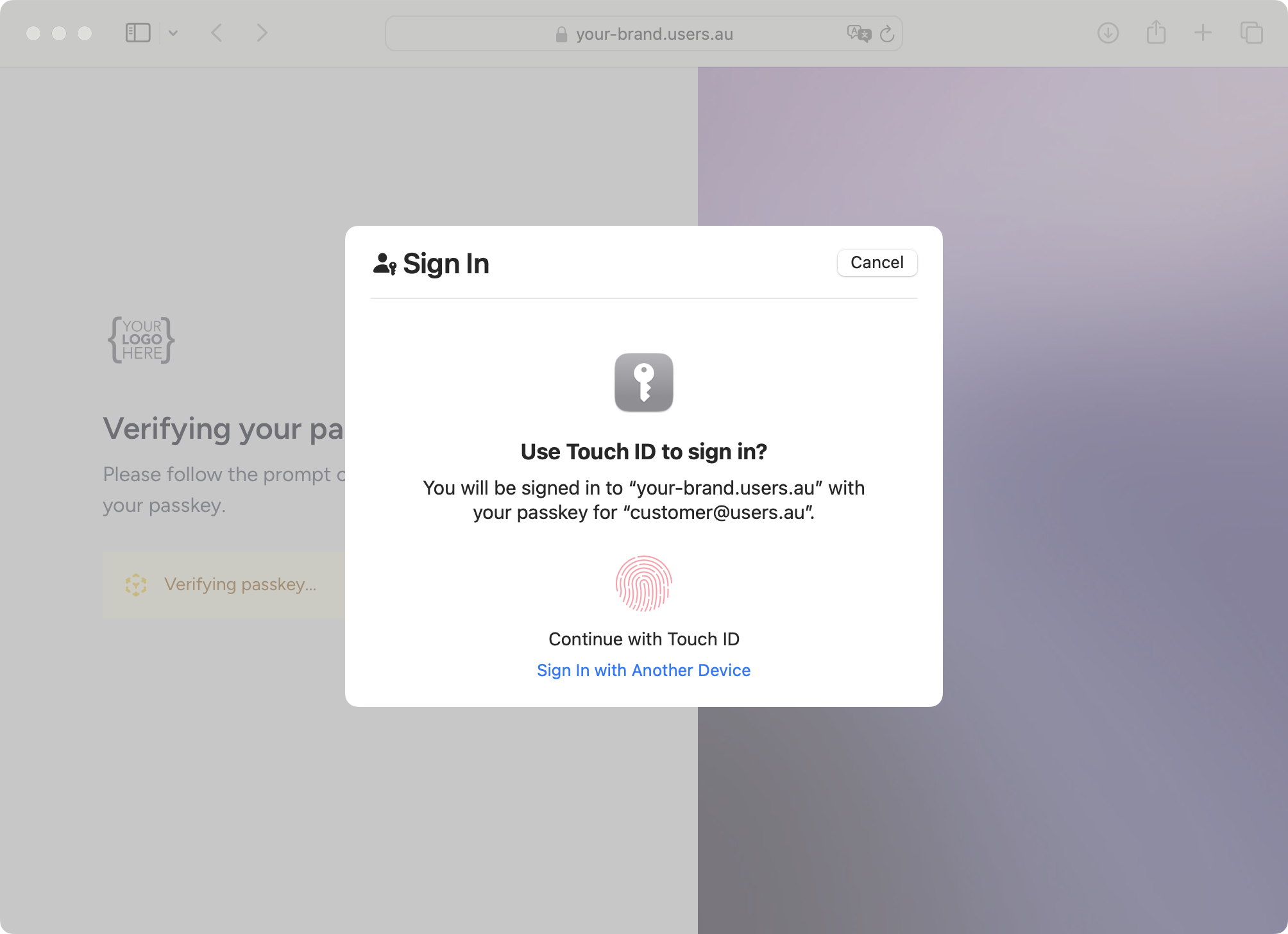
Users.au hosts the authentication experience on your identity domain. Enable the sign-in methods available to your project and connect them to your application through OAuth. These official product screenshots show the hosted experience.
| 🔑 Branded sign-in & social providers | 🛡️ Multi-factor authentication |
|---|---|
 |
 |
👆 Preview the passkey experience
Explore Users.au · Create a project · Image sources
Documentation
Requirements · Install · Configuration · Usage · API · Troubleshooting
Requirements
- PHP ^8.5.12
- Composer >= 2.0
- Laravel/Illuminate ^12.70.0. SDK 2 targets the coordinated Auth/Kshop upgrade; CI tests the minimum and current supported Laravel 12 versions.
- Users.au OAuth application credentials
Installation
Install the package via Composer:
composer require users-au/laravel-client
Publish the package assets:
php artisan vendor:publish --provider="Usersau\UsersauLaravelClient\UsersauLaravelClientServiceProvider"
Run the migrations to add required columns to your users table:
php artisan migrate
Configuration
1. Update Your User Model
Add the following fields to your User model's fillable and hidden arrays:
// app/Models/User.php

protected $fillable = [
    // ... existing fields
    'usersau_id',
    'usersau_access_token',
    'usersau_refresh_token',
];

protected $hidden = [
    // ... existing fields
    'usersau_id',
    'usersau_access_token',
    'usersau_refresh_token',
];
2. Service Configuration
Add Users.au configuration to your config/services.php:
'usersau' => [
    'client_id' => env('USERSAU_CLIENT_ID'),
    'client_secret' => env('USERSAU_CLIENT_SECRET'),
    'redirect' => env('USERSAU_REDIRECT_URI'),
    'host' => env('USERSAU_HOST'),
],
3. Environment Variables
Set the following environment variables in your .env file:
USERSAU_CLIENT_ID="your_client_id"
USERSAU_CLIENT_SECRET="your_client_secret"
USERSAU_REDIRECT_URI="https://yourdomain.com/auth/usersau/callback"
USERSAU_HOST="https://auth.yourdomain.com"
The current login controller requests openid, profile and email scopes.
Confirm those names are supported by your OAuth registration. Scope requirements
can differ between registrations; inspect the generated authorization request
when diagnosing invalid_scope.
4. Package Configuration
The package publishes a configuration file at config/usersau.php. You can customize:
return [
    'after_login_url' => '/',              // Redirect after successful login
    'after_logout_url' => '/',             // Redirect after logout
    'after_register_url' => '/',           // Redirect after registration
    'user_model' => App\Models\User::class, // Your user model
    'middleware' => ['web'],               // Middleware for auth routes
    'profile_photo_column' => null,        // Column name for profile photos (optional)
];
5. Manual Service Provider Registration (Optional)
If auto-discovery is disabled, manually register the service provider in config/app.php:
'providers' => [
    // ... other providers
    Usersau\UsersauLaravelClient\UsersauLaravelClientServiceProvider::class,
],
Usage
Authentication Routes
The package automatically registers the following routes:
| Route | Name | Description |
|---|---|---|
GET /auth/usersau/redirect |
usersau.login |
Initiates OAuth flow |
GET /auth/usersau/callback |
- | OAuth callback handler |
GET /auth/usersau/logout |
usersau.logout |
Logout and redirect to Users.au |
GET /auth/usersau/register |
usersau.register |
Redirect to Users.au registration |
GET /auth/usersau/account |
usersau.account |
Redirect to Users.au account page |
Basic Usage Examples
Login Link
// In your Blade template
<a href="{{ route('usersau.login') }}" class="btn btn-primary">
    Login with Users.au
</a>
Logout Link
<a href="{{ route('usersau.logout') }}" class="btn btn-secondary">
    Logout
</a>
Registration Link
<a href="{{ route('usersau.register') }}" class="btn btn-success">
    Register with Users.au
</a>
Account Management Link
@auth
<a href="{{ route('usersau.account') }}" class="btn btn-info">
    Manage Account
</a>
@endauth
Middleware Protection
Protect your routes using Laravel's built-in auth middleware:
// In your routes/web.php
Route::middleware('auth')->group(function () {
    Route::get('/dashboard', [DashboardController::class, 'index']);
    Route::get('/profile', [ProfileController::class, 'show']);
});
Custom User Handling
You can listen for authentication events to perform custom actions:
// In a service provider
Event::listen(\Illuminate\Auth\Events\Login::class, function ($event) {
    // Custom logic after user login
    $user = $event->user;

    // Log login activity
    activity()
        ->performedOn($user)
        ->log('User logged in via Users.au');
});
API Reference
AuthController Methods
The AuthController provides the following public methods:
redirect()
Initiates the OAuth flow by redirecting to Users.au.
callback()
Handles the OAuth callback, creates/updates user records, and logs in the user.
Process:
- Retrieves user data from Users.au
- Creates or updates local user record
- Syncs profile photo (if configured)
- Logs in the user
- Redirects to configured URL
logout()
Logs out the user locally and redirects to Users.au logout.
account()
Redirects authenticated users to their Users.au account page.
register()
Redirects to Users.au registration page.
Configuration Options
| Option | Type | Default | Description |
|---|---|---|---|
after_login_url |
string | '/' |
URL to redirect after login |
after_logout_url |
string | '/' |
URL to redirect after logout |
after_register_url |
string | '/' |
URL to redirect after registration |
user_model |
string | App\Models\User::class |
User model class |
middleware |
array | ['web'] |
Middleware for auth routes |
profile_photo_column |
string | null | null |
Migration Guide
Review the target release and back up your application's published configuration before updating:
composer update users-au/laravel-client --with-dependencies
Compare changed package configuration and migration files with your application's copies before publishing or running them. Preserve existing secrets, local configuration and user data, then verify login, callback, user mapping and logout in your target environment.
Troubleshooting
Common Issues
"Invalid State Exception"
This usually occurs when the OAuth state parameter doesn't match. Common causes:
- Session configuration issues
- Multiple redirect attempts
- Browser security settings
Solution: Ensure your session driver is properly configured and cookies are enabled.
"Client Exception during OAuth"
This indicates communication issues with Users.au servers.
Solutions:
- Verify your
USERSAU_CLIENT_IDandUSERSAU_CLIENT_SECRET - Check your
USERSAU_REDIRECT_URImatches exactly what's configured in Users.au - Ensure
USERSAU_HOSTis correct
"User Model Not Found"
The configured user model doesn't exist.
Solution: Verify the user_model in config/usersau.php points to your correct User model.
Migration Errors
Issues running the package migrations.
Solutions:
- Ensure your users table exists before running migrations
- Check for conflicting column names
- Verify database connection
Debug Mode
Enable debug mode in your .env for detailed error messages:
APP_DEBUG=true
LOG_LEVEL=debug
Support
For additional support:
- Check the GitHub Issues
- Review the Users.au Documentation
- Contact support at support@users.au
FAQ
How do I add Users.au login to a Laravel application?
Run composer require users-au/laravel-client, publish the package assets with php artisan vendor:publish --provider="Usersau\UsersauLaravelClient\UsersauLaravelClientServiceProvider", then php artisan migrate. Add the usersau_* fields to your User model and set the USERSAU_* environment variables, as described in Installation and Configuration.
Which Laravel and PHP versions are supported?
PHP ^8.5.12 and Laravel/Illuminate ^12.70.0. See Requirements.
Which OAuth scopes does the client request?
The current login controller requests the openid, profile and email scopes. Confirm they are supported by your OAuth registration, and inspect the generated authorization request when diagnosing invalid_scope.
How do I fix the "Invalid State Exception"?
The OAuth state parameter did not match. Check that your session driver is configured properly and that cookies are enabled. More in Troubleshooting.
Should I use this package, the Socialite provider or the Laravel starter kit?
Use the Laravel starter kit for a new application, this client to add Users.au routes and local user synchronization to an existing Laravel app, and the Socialite provider if you want to own the Socialite flow yourself.
Choose your integration
| Project | Use it when you want to… |
|---|---|
| Next.js starter | Start a Next.js app with server-managed OAuth sessions and a protected dashboard. |
| Laravel starter | Start a Laravel app with Blade templates and Users.au integration. |
| Laravel client — this repo | Add local user synchronization and authentication routes to a Laravel app. |
| Socialite provider | Connect an existing Laravel Socialite authentication flow to Users.au. |
| Frontend client | Use public-client OAuth with PKCE in JavaScript, Vue or React. |
Contributing
We welcome contributions! Please see CONTRIBUTING.md for details.
Development Setup
- Clone the repository
- Install dependencies:
composer install - Run tests:
composer test - Follow PSR-12 coding standards
Testing
Run the test suite:
composer test
For coverage reports:
vendor/bin/phpunit --coverage-html coverage
Changelog
Please see CHANGELOG.md for more information on what has changed recently.
License
The MIT License (MIT). Please see LICENSE.md for more information.
Platform authentication with application-defined context
A platform can use one confidential client and one Users.au tenant for its sites, workspaces, organizations or projects. The identity provider must implement /oauth/par with PAR enabled for this client (new confidential authorization-code clients enable it by default). No per-context OAuth keys or persistent branding synchronization are required.
Implement Usersau\UsersauLaravelClient\Contracts\AuthContextProvider::context() in the consuming app. Return context_id, branding (name, optional HTTPS logo_url, logo_dark_url, favicon_url, six-digit theme_color), and links (home_url, optional HTTPS support_url and logout_url). The identifier is stable and scoped to the calling OAuth client; it identifies the logical context, not an authentication attempt. It does not grant membership or authorization. Resolve all values from your own server-side application data; never copy callback URLs or branding directly from browser input.
$url = (new \Usersau\UsersauLaravelClient\OAuth\PushedAuthorizationClient([
    'host' => config('services.usersau.host'),
    'client_id' => config('services.usersau.client_id'),
    'client_secret' => config('services.usersau.client_secret'),
]))->authorizationUrl([
    'redirect_uri' => $trustedStoreCallback,
    'state' => $sessionBoundRandomState,
    'code_challenge' => $s256Challenge,
], app(\Usersau\UsersauLaravelClient\Contracts\AuthContextProvider::class));
The SDK submits credentials via HTTP Basic over HTTPS and context as JSON inside the form body. The browser receives only client_id and a short-lived request_uri. Continue using authorization-code exchange, S256 PKCE, one-time state and the exact callback from the initiating session. Provider errors expose no response bodies. The SDK routes use PAR by default. Set usersau.par_enabled=false explicitly to retain legacy OAuth entry points. Set usersau.routes_enabled=false when an app owns its authentication controllers and uses only this service.
Identity remains shared in the Users.au tenant; the consuming app owns context-local user records and their links to the provider subject. The server contract and lifecycle are documented by the auth-tenant implementation; PAR follows RFC 9126, with the context extension defined here. Future context fields require an explicit contract update.
Identity profiles and account preferences
See Identity profile and preferences for full OIDC claim parsing, profile events, scope configuration, versioned writeback and token refresh.
PAR navigation update (next major)
The default server routes now use PAR with Socialite-generated one-time state and S256 PKCE. Account and logout entries create fresh purpose-bound /oauth/context handles; they do not reuse a completed login handle. Upgrade Auth and run its tenant migrations before upgrading this SDK. Existing Auth clients retain their saved PAR switch, so explicitly enable existing clients when adopting the new SDK.
ConfiguredAuthContextProvider uses trusted app.url/app.name plus usersau.context branding. Bind Contracts\AuthContextProvider or set usersau.context_provider for multiple sites/workspaces. Never use browser query parameters, Referer or an unchecked Host header to choose branding, home or callback. Account context supplies appearance/navigation only; Auth still authenticates its own user.
$client = new \Usersau\UsersauLaravelClient\OAuth\PushedAuthorizationClient(config('services.usersau'));
$context = app(\Usersau\UsersauLaravelClient\Contracts\AuthContextProvider::class);
$accountUrl = $client->accountUrl($context);
$logoutUrl = $client->logoutUrl($context);
links.home_url is the Logo/Profile return destination. Optional links.logout_url is the destination after Auth sign-out (defaults to home). redirect_uri remains the exact OAuth callback. A direct visit to Auth login uses the tenant's configured default application login entry after authentication; do not configure that entry as an OAuth callback. Keep local logout CSRF-protected and clear the local session before redirecting to Auth.
Version 3.0 enables PAR by default. Existing integrations can set par_enabled=false to retain their previous OAuth flow. Deploy the Auth account-context endpoint before adopting the new flow.
Related Packages
Powerful PHP database abstraction layer (DBAL) with many features for database s...
Laravel Serializable Closure provides an easy and secure way to serialize closur...
Cli error handling for console/command-line PHP applications.
Version History
| Version | Released | PHP | Laravel | License |
|---|---|---|---|---|
| v2.1.0 | ^8.5.12 | ^12.70.0 | MIT | |
| v2.0.0 | ^8.5.12 | ^12.70.0 | MIT | |
| v1.3.0 | ^8.0 | ^5.0| | MIT | |
| 1.2.2 | ^8.0 | ^5.0| | MIT | |
| 1.2.1 | ^8.0 | ^5.0| | MIT | |
| 1.2.0 | ^8.0 | ^5.0| | MIT | |
| 1.1.2 | ^8.0 | ^5.0| | MIT | |
| 1.1.1 | ^8.0 | ^5.0| | MIT | |
| 1.1 | ^8.0 | ^5.0| | MIT | |
| 1.0 | ^8.0 | ^5.0| | MIT |