wsmallnews/filament-nestedset
| Install | |
|---|---|
composer require wsmallnews/filament-nestedset |
|
| Latest Version: | v3.0.1 |
| PHP: | ^8.2 |
| License: | MIT |
| Last Updated: | Sep 9, 2026 |
| Links: | GitHub · Packagist |
Filament tree build on kalnoy/nestedset




Supports Filament v4 and v5. If you are currently using Filament v3, please refer to this link here
Filament nestedset tree build on kalnoy/nestedset, support multi language. support Multi-tenancy
Overview
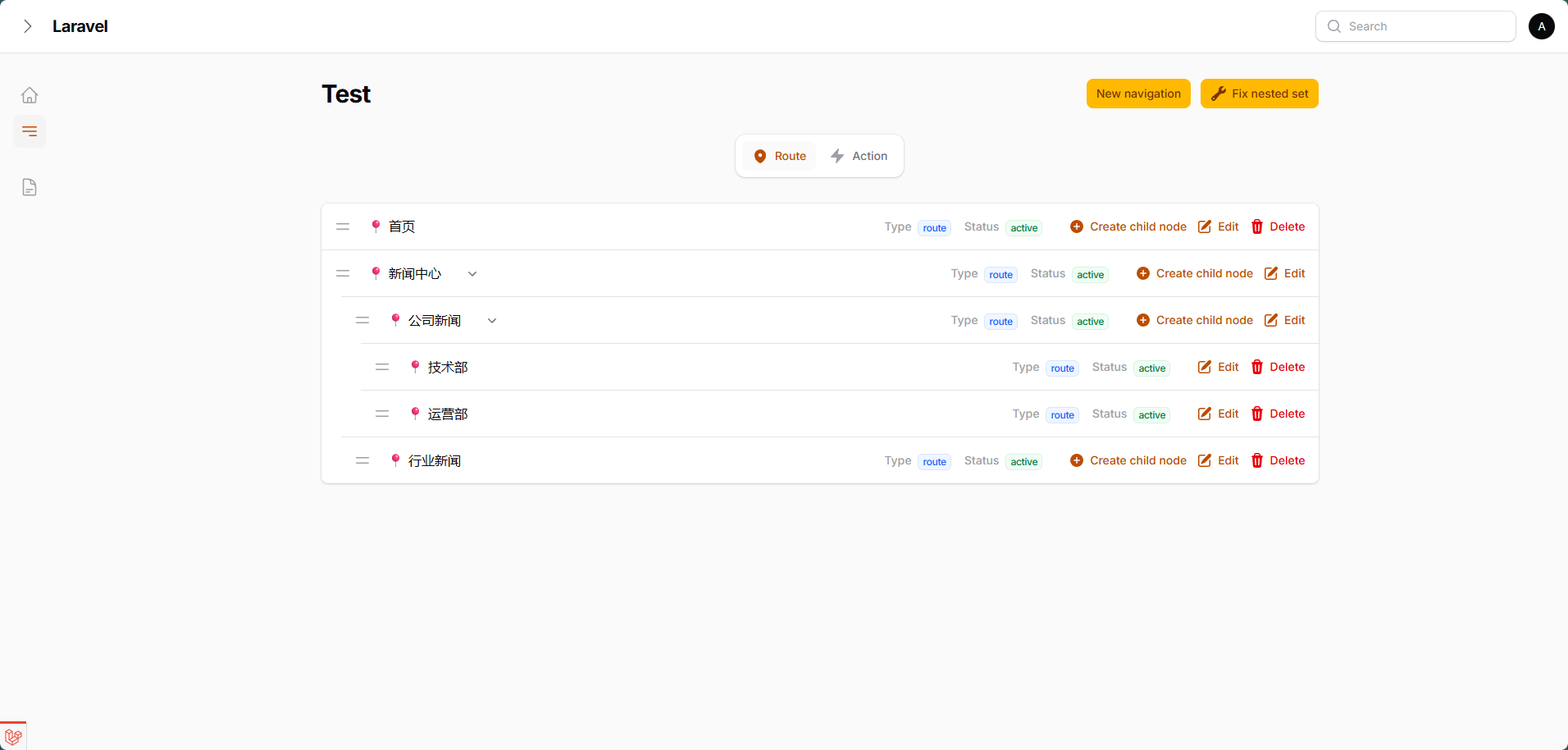
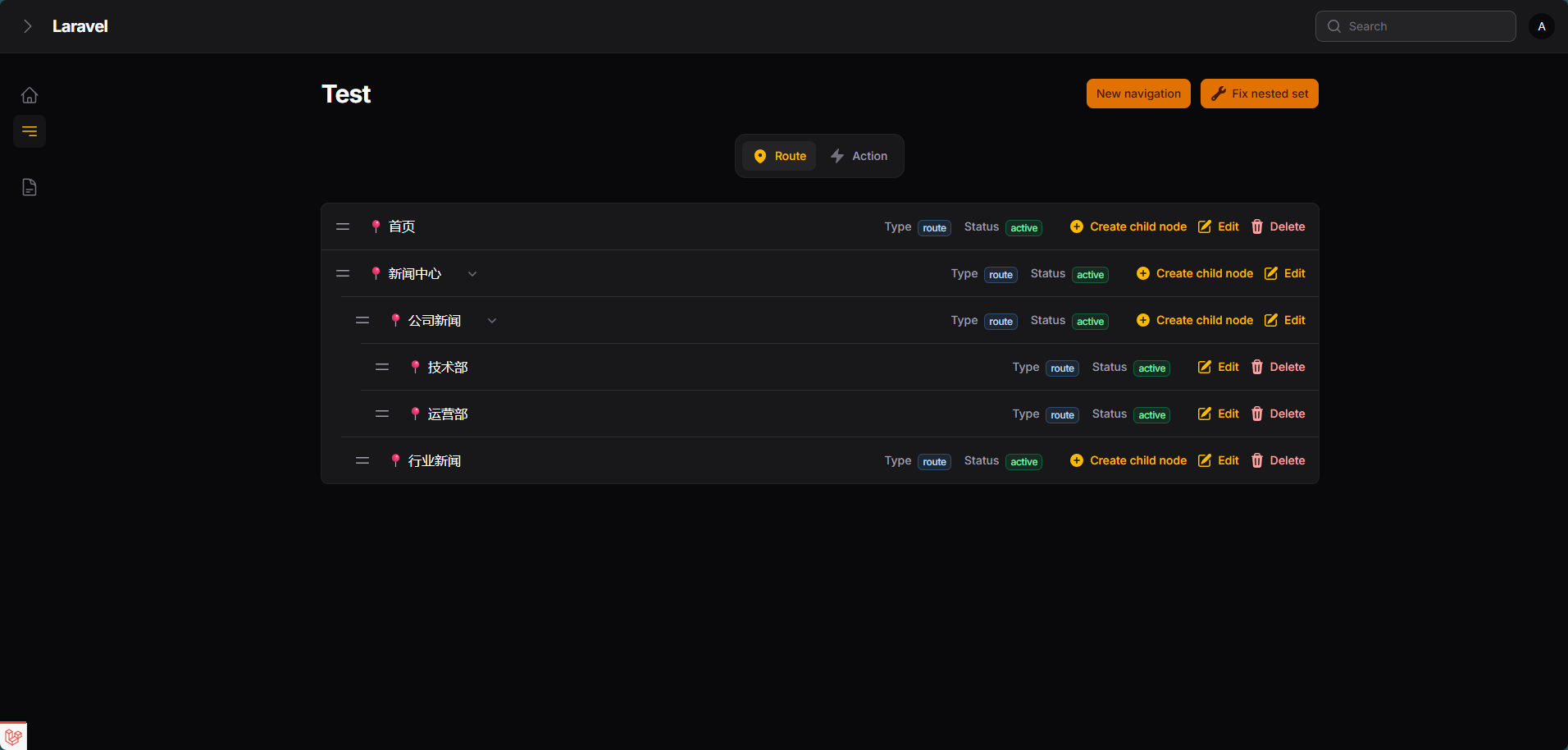
- Elegant UI, consistent with the default style of the filament page
- The Filament nestedset plugin is built on kalnoy/nestedset
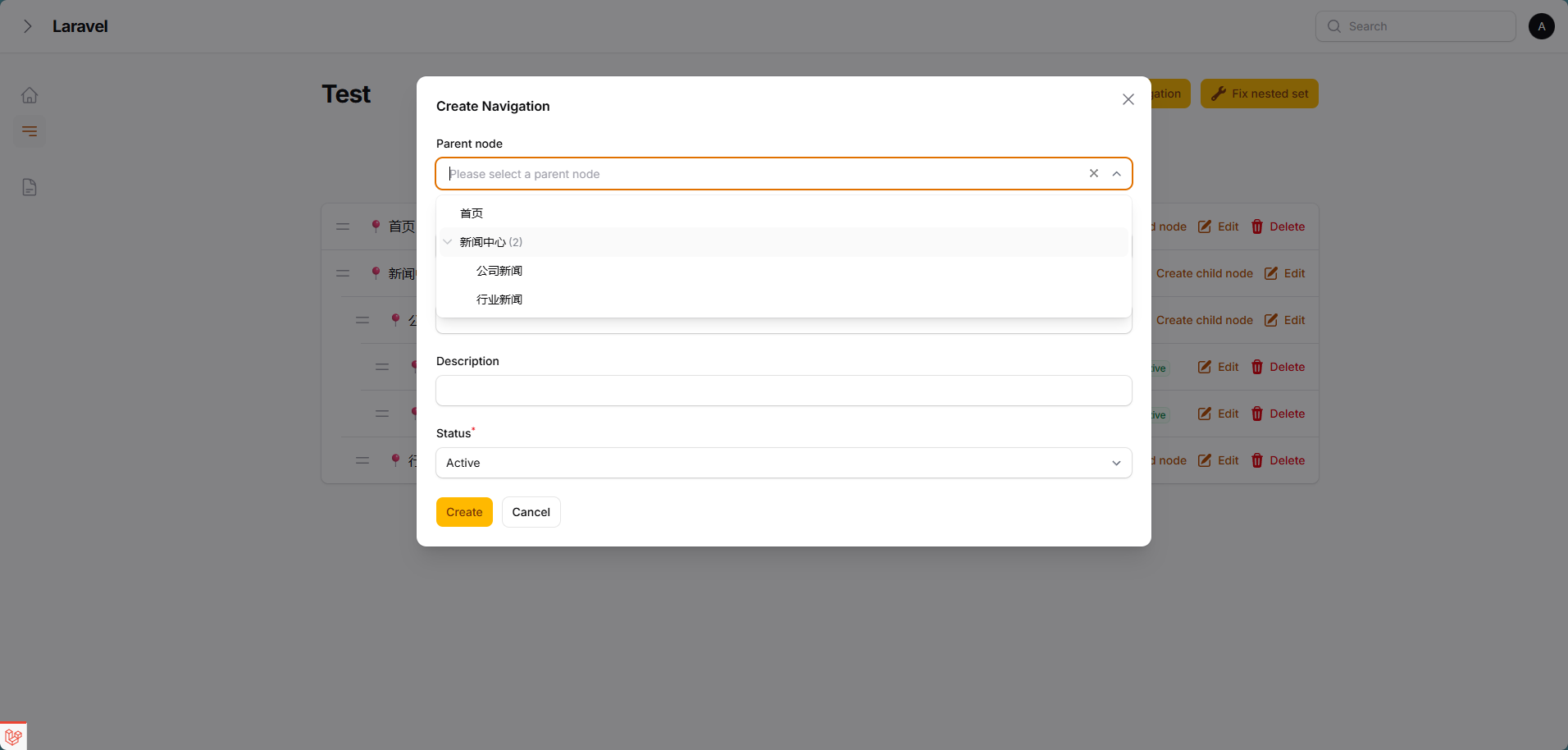
- ParentSelect field depends on codewithdennis/filament-select-tree
- Some features are borrowed from 15web/filament-tree
- Support multi-tenancy, you can easily create nestedset pages among multiple tenants
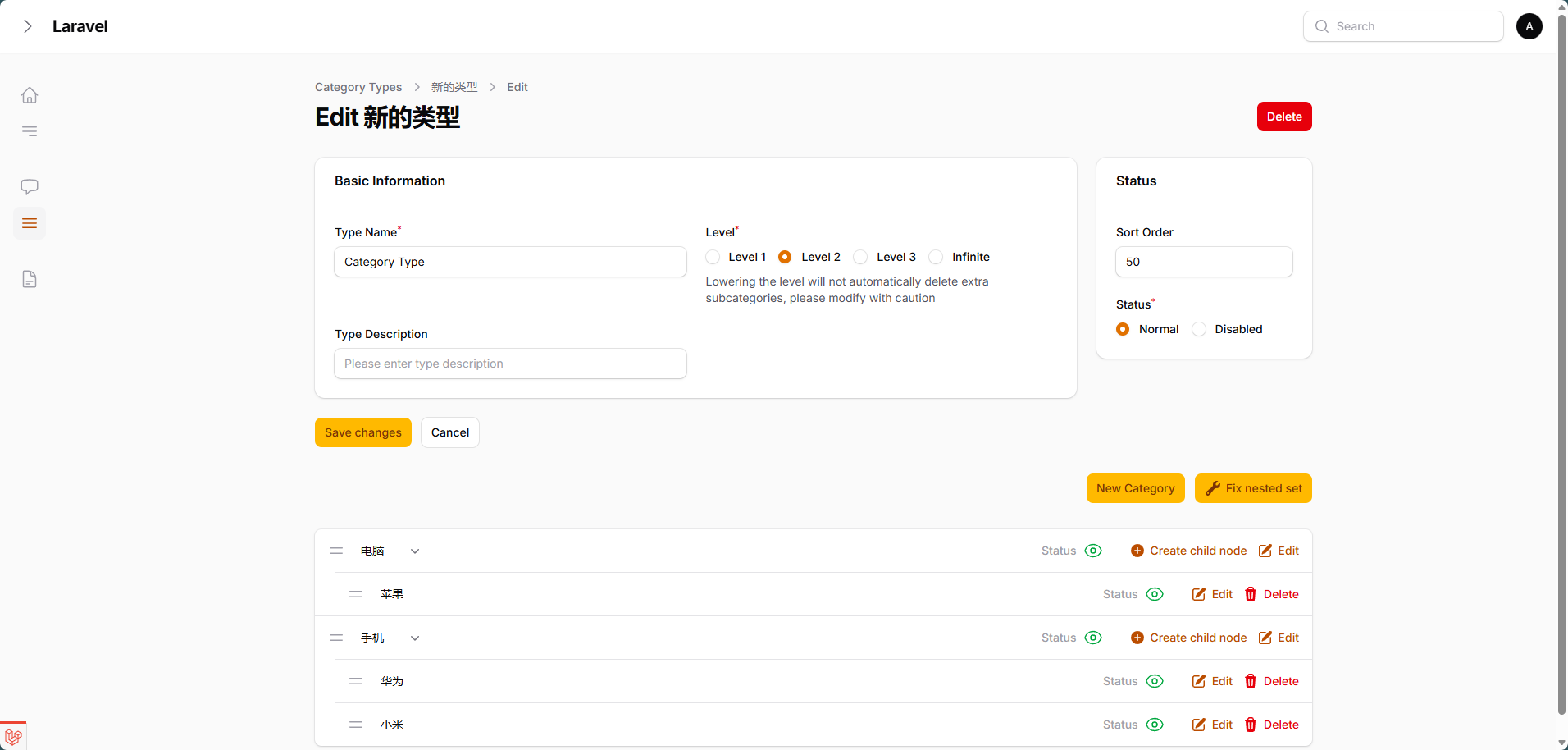
- Nestedset level is unlimited by default, but you can limit the nestedset levels if you wish
- Support tabs consistent with the Listing records of the filament panel. You can switch between different nestedset data through tabs on the current page
Architecture
The package uses a Page + Widget + Livewire Component architecture pattern:
- NestedsetPage (
Wsmallnews\FilamentNestedset\Filament\Pages\NestedsetPage) — Abstract Filament Page class. It owns static configuration, schema hooks, nestedset actions, scoped queries, and the default Filament page view. - Filament Panel Widget (
Wsmallnews\FilamentNestedset\Filament\Pages\Widgets\Nestedset) — Abstract Filament widget extendingFilament\Widgets\Widget. It uses the sameInteractsWithNestedsetbehavior and can be embedded in custom Filament pages. - Frontend Livewire Component (
Wsmallnews\FilamentNestedset\Livewire\Components\Nestedset) — Read-only tree display component extendingLivewire\Componentfor frontend pages.
The default NestedsetPage renders the tree from its own view and handles CRUD, drag sorting, delete guards, scoped queries, and repair actions through InteractsWithNestedset and HasNestedsetActions.
Nestedset classes
| Class | Namespace | Base Class | Purpose |
|---|---|---|---|
| Filament Page | Wsmallnews\FilamentNestedset\Filament\Pages\NestedsetPage |
Filament\Pages\Page |
Full CRUD management in Filament panel |
| Filament Panel Widget | Wsmallnews\FilamentNestedset\Filament\Pages\Widgets\Nestedset |
Filament\Widgets\Widget |
Embeddable Filament tree widget |
| Frontend Livewire Component | Wsmallnews\FilamentNestedset\Livewire\Components\Nestedset |
Livewire\Component |
Read-only tree display for frontend pages |
Screenshots
AI Guidelines
This package ships Laravel Boost AI Guidelines in resources/boost/guidelines/core.blade.php.
Install or enable Laravel Boost in your application, then refresh Boost resources so this package's guidelines are discovered and added to the project overview:
php artisan boost:update --discover
Boost updates the root boost.json and CLAUDE.md automatically. Check those files after running the command to confirm wsmallnews/filament-nestedset is included.
Installation
You can install the package via composer:
composer require wsmallnews/filament-nestedset:^3.0
The current release is compatible with both Filament v4 and v5.
You can publish the config file with:
php artisan vendor:publish --tag="sn-filament-nestedset-config"
Optionally, you can publish the views using
php artisan vendor:publish --tag="sn-filament-nestedset-views"
Multi language support, you can publish the language files using
php artisan vendor:publish --tag="sn-filament-nestedset-translations"
This is the contents of the published config file:
return [
    /**
     * Restrict deletion of nodes with children
     */
    'allow_delete_parent' => false,

    /*
     * Restrict deletion of root nodes, even if 'allow_delete_parent' is true, root nodes can be deleted.
     */
    'allow_delete_root' => false,

    /**
     * create action show parent select field
     */
    'create_action_modal_show_parent_select' => true,

    /**
     * Display the "Create Child Node" action in each row (if 'create_action_modal_show_parent_select' is false, This field should be set to true)
     */
    'show_create_child_node_action_in_row' => true,

    /**
     * By default, the CSS file will be automatically loaded globally. If you use a filament custom theme, you can disable the automatic loading of the CSS file
     */
    'autoload_assets' => true,
];
Prepare your model
<?php

namespace App\Models;

use Illuminate\Database\Eloquent\Model;
use Kalnoy\Nestedset\NodeTrait;
...

class YouModel extends Model
{
    use NodeTrait;

    ...
}
You should add fields to your model. replacing your_model_table with the name of your model table
Add fields in the new model
<?php

use Illuminate\Database\Migrations\Migration;
use Illuminate\Database\Schema\Blueprint;
use Illuminate\Support\Facades\Schema;

return new class extends Migration
{
    public function up(): void
    {
        Schema::create('your_model_table', function (Blueprint $table) {
            ...
            $table->nestedSet();
            ...
        });
    }
};
Add fields to an existing model
<?php

use Illuminate\Database\Migrations\Migration;
use Illuminate\Database\Schema\Blueprint;
use Illuminate\Support\Facades\Schema;

return new class extends Migration
{
    public function up(): void
    {
        Schema::table('your_model_table', function (Blueprint $table) {
            $table->nestedSet();
        });
    }
};
And run the migration
php artisan migrate
Usage
Create the nestedset page
php artisan make:filament-nestedset-page
Please define attribute name of the nodes in your tree, eg. title or name.
<?php

namespace App\Filament\Pages;

use Wsmallnews\FilamentNestedset\Filament\Pages\NestedsetPage;

class Test extends NestedsetPage
{
    ...

    protected static string $recordTitleAttribute = 'name';
    ...

}
By default, the plugin will use the recordTitleAttribute attribute to display the node name in the tree. If you want to use another attribute, you can define the getRecordLabel method, Support HtmlString.
<?php

namespace App\Filament\Pages;

use Illuminate\Database\Eloquent\Model;
use Illuminate\Support\HtmlString;
use Wsmallnews\FilamentNestedset\Filament\Pages\NestedsetPage;

class Test extends NestedsetPage
{
    ...

    public function getRecordLabel(Model $item): HtmlString | string
    {
        return $item->{static::getRecordTitleAttribute()} ?? ' ';
    }
    ...
}
Define form schema
If the schema for create and edit are the same, you can define the schema method.
<?php

namespace App\Filament\Pages;

use Wsmallnews\FilamentNestedset\Filament\Pages\NestedsetPage;

class Test extends NestedsetPage
{
    ...

    protected function schema(array $arguments): array
    {
        return [
            //
        ];
    }
    ...
}
If the schema for create and edit are different, you can define createSchema and editSchema methods separately.
<?php

namespace App\Filament\Pages;

use Wsmallnews\FilamentNestedset\Filament\Pages\NestedsetPage;

class Test extends NestedsetPage
{
    ...

    protected function createSchema(array $arguments): array
    {
        return [
            //
        ];
    }
    protected function editSchema(array $arguments): array
    {
        return [
            //
        ];
    }

    ...
}
Define the prompt text when the tree is empty
<?php

namespace App\Filament\Pages;

use Wsmallnews\FilamentNestedset\Filament\Pages\NestedsetPage;

class Test extends NestedsetPage
{
    ...

    protected static ?string $emptyLabel = 'no test data';

    protected static ?string $emptyTipLabel = 'no test data available';

    ...

}
Limit nestedset level
Nestedset level is unlimited by default, you can limit the nestedset levels by:
<?php

namespace App\Filament\Pages;

use Wsmallnews\FilamentNestedset\Filament\Pages\NestedsetPage;

class Test extends NestedsetPage
{
    ...

    protected static ?int $level = 3;

    // Alternatively, you may use the getLevel() to define a dynamic level

    public static function getLevel(): ?int
    {
        return static::$level;
    }

    ...

}
Other customizable properties
<?php

namespace App\Filament\Pages;

use Wsmallnews\FilamentNestedset\Filament\Pages\NestedsetPage;

class Test extends NestedsetPage
{
    ...

    protected static ?string $model = NavigationModel::class;

    protected static ?string $modelLabel = 'Test Management';

    protected static ?string $emptyLabel = 'no test data';

    protected static ?string $emptyTipLabel = 'no test data available';

    protected static ?string $title = 'Page Title';

    protected static ?string $navigationLabel = 'Test Navigation';

    protected static ?string $navigationGroup = 'Test Group';

    protected static ?string $slug = 'tests';

    protected static string $recordTitleAttribute = 'name';

    protected static ?string $pluralModelLabel = 'Test Management';

    protected static ?int $navigationSort = 1;

    ...
}
Display additional attributes
You can define additional attributes to display in each row through the infolistSchema method
<?php

namespace App\Filament\Pages;

use Wsmallnews\FilamentNestedset\Filament\Pages\NestedsetPage;

class Test extends NestedsetPage
{
    ...
    protected function infolistSchema(): array
    {
        return [];
    }
    ...
}
The infolist is shown or hidden by CSS container queries based on the actual width of the tree container (not the viewport), so it reacts correctly even when the panel sidebar or page layout shrinks the tree area. By default, the infolist is displayed when the tree container is at least the 3xl breakpoint (48rem) wide. You can change the display breakpoint by setting $infolistHiddenEndpoint.
Allowed values (Tailwind v4 container scale): 3xs 16rem, 2xs 18rem, xs 20rem, sm 24rem, md 28rem, lg 32rem, xl 36rem, 2xl 42rem, 3xl 48rem, 4xl 56rem, 5xl 64rem, 6xl 72rem, 7xl 80rem. See the Tailwind container size reference.
<?php

namespace App\Filament\Pages;

use Wsmallnews\FilamentNestedset\Filament\Pages\NestedsetPage;

class Test extends NestedsetPage
{
    ...
    protected static string $infolistHiddenEndpoint = 'xl';
    ...
}
By default, the infolist will be right-aligned. You can change the alignment by setting $infolistAlignment.
<?php

namespace App\Filament\Pages;

use Filament\Support\Enums\Alignment;
use Wsmallnews\FilamentNestedset\Filament\Pages\NestedsetPage;

class Test extends NestedsetPage
{
    ...
    protected static Alignment $infolistAlignment = Alignment::Left;
    ...
}
Row action labels
Each tree row ships inline actions (create child node, edit, delete). Their text labels are responsive: when the tree container is narrower than sm (24rem), only icons are shown (labels are visually hidden while screen readers can still read them).
If you prefer icon-only actions at any width, set show_row_action_labels to false in the package config:
// config/sn-filament-nestedset.php
'show_row_action_labels' => false,
When disabled, the actions are rendered at the Filament Action level with hiddenLabel() — no label markup at all, and the accessible name is preserved via aria-label.
Expand/collapse persistence
Each node's expand/collapse state is persisted in the browser (per record id), so the tree restores exactly how the user left it after a page refresh — collapsed nodes stay collapsed without any flicker, and expanded nodes replay a smooth expand animation on load.
Advanced features
Multi-tenancy support
Multi-tenancy features is supported by default. If your filament panel supports multi-tenancy, you need to add the getScopeAttributes method to your model and add the team_id field.
Multi-tenancy features is implemented based on kalnoy/nestedset scoped feature. You can view detailed documentation here
<?php

namespace App\Models;

use Illuminate\Database\Eloquent\Model;
...

class YouModel extends Model
{
    ...

    public function getScopeAttributes(): array
    {
        return ['team_id', ...];
    }

    ...
}
If your filament panel supports multi-tenancy, but the current page doesn't need to distinguish tenancy, just set $isScopedToTenant = false in the page.
<?php

namespace App\Filament\Pages;

use Wsmallnews\FilamentNestedset\Filament\Pages\NestedsetPage;

class Test extends NestedsetPage
{
    ...
    protected static bool $isScopedToTenant = false;
    ...
}
Tabs support
Tabs are implemented based on kalnoy/nestedset scoped feature. You can view detailed documentation here
Set the associated tab field name using tabFieldName. And setting tabs array, you don't need to add the current tab condition on the tab, as the tab condition will be automatically appended to kalnoy/nestedset scoping parameters.
<?php

namespace App\Filament\Pages;

use Filament\Schemas\Components\Tabs\Tab;
use Wsmallnews\FilamentNestedset\Filament\Pages\NestedsetPage;

class Test extends NestedsetPage
{
    ...

    protected static ?string $tabFieldName = 'type';

    public function getTabs(): array
    {
        return [
            'web' => Tab::make()->label('Website Navigation'),
            'shop' => Tab::make()->label('Shop Navigation')
        ];
    }

    ...
}
You need to add the getScopeAttributes method to your model and add the field set by tabFieldName (type in this case).
<?php

namespace App\Models;

use Illuminate\Database\Eloquent\Model;
...

class YouModel extends Model
{
    ...

    public function getScopeAttributes(): array
    {
        return ['type', ...];
    }

    ...
}
Additional scope parameters
If you need to set additional scope parameters for kalnoy/nestedset scoping
Define the nestedScoped method
<?php

namespace App\Filament\Pages;

use Wsmallnews\FilamentNestedset\Filament\Pages\NestedsetPage;

class Test extends NestedsetPage
{
    ...

    protected function nestedScoped()
    {
        return ['category_id' => 5];
    }
    ...
}
You need to add the getScopeAttributes method to your model and add the field set.
<?php

namespace App\Models;

use Illuminate\Database\Eloquent\Model;
...

class YouModel extends Model
{
    ...

    public function getScopeAttributes(): array
    {
        return ['category_id', ...];
    }

    ...
}
Add custom eloquent query conditions
<?php

namespace App\Filament\Pages;

use Wsmallnews\FilamentNestedset\Filament\Pages\NestedsetPage;

class Test extends NestedsetPage
{
    ...

    protected function getEloquentQuery($query)
    {
        return $query->where('status', 'normal');
    }
    ...
}
Filament Panel Page and Widget
NestedsetPage (Wsmallnews\FilamentNestedset\Filament\Pages\NestedsetPage) is the primary Filament panel entry point. It extends Filament\Pages\Page, uses InteractsWithNestedset, and renders sn-filament-nestedset::filament.pages.nestedset-page.
Wsmallnews\FilamentNestedset\Filament\Pages\Widgets\Nestedset is an abstract widget variant for custom Filament layouts. It extends Filament\Widgets\Widget, spans the full column, uses InteractsWithNestedset, and renders sn-filament-nestedset::filament.pages.widgets.nestedset.
Shared page/widget methods
// Get the nested level limit
public static function getLevel(): ?int

// Get empty state labels
public static function getEmptyLabel(): ?string
public static function getEmptyTipLabel(): ?string

// Customize labels, scopes and queries
protected function getRecordLabel(Model $record): HtmlString|string
protected function nestedScoped(): array
protected function getEloquentQuery($query)

// Get tree data and delete guards
protected function getNestedset()
protected function canBeDeleted(Model $record): bool
Events
| Event | Method | Description |
|---|---|---|
sn-filament-nestedset-updated |
refresh() |
Re-render the page or widget |
Actions (from HasNestedsetActions trait)
| Action | Type | Description |
|---|---|---|
createAction() |
CreateAction |
Create node (header action) |
createChildAction() |
CreateAction |
Create child node (inline) |
editAction() |
Action |
Edit node |
deleteAction() |
Action |
Delete node with config guards |
moveNodeAction() |
Action |
Drag-and-drop reorder confirmation |
fixNestedsetAction() |
Action |
Fix scoped tree structure |
Nestedset Livewire component
The Nestedset Livewire Component (Wsmallnews\FilamentNestedset\Livewire\Components\Nestedset) is a read-only tree display component for frontend pages. It extends Livewire\Component and provides customizable node labels, URLs, and active state.
Instance Properties (pass via Blade attributes)
| Property | Type | Default | Description |
|---|---|---|---|
$model |
?string |
null |
Nestedset model class name |
$recordTitleAttribute |
string |
'name' |
Node title attribute name |
$showLevel |
?string |
null |
Limit display to specific depth level |
$emptyLabel |
?string |
'' |
Empty state label text |
$view |
?string |
'sn-filament-nestedset::livewire.components.nestedset' |
Component view path |
$recordView |
?string |
'sn-filament-nestedset::components.nestedset-record' |
Record view path |
Methods
// Get the record title attribute
public function getRecordTitleAttribute(): string

// Custom node label (supports HtmlString)
public function getRecordLabel(Model $record): HtmlString|string

// Custom node URL (return null to use JavaScript:void)
public function getRecordUrl(Model $record): string|HtmlString|null

// Custom active state
public function getHasActive(Model $record): bool

// Get nestedset data (override to customize query)
public function getNestedset(): Collection

// Custom query conditions
protected function getQuery(): Builder

// Additional scope parameters
public function nestedScoped(): array

// Custom eloquent query conditions
public function getEloquentQuery(Builder $query): Builder
Events
| Event | Trigger |
|---|---|
sn-filament-nestedset-leaf-click |
Click on leaf node |
sn-filament-nestedset-node-click |
Click on non-leaf node |
Usage
<?php

namespace App\Livewire\Components;

use App\Models\Category;
use Illuminate\Database\Eloquent\Model;
use Illuminate\Support\HtmlString;
use Livewire\Attributes\On;
use Wsmallnews\FilamentNestedset\Livewire\Components\Nestedset;

use function Filament\Support\generate_href_html;

class Categories extends Nestedset
{
    public ?string $model = Category::class;

    public string $recordTitleAttribute = 'name_label';

    public function getRecordLabel(Model $record): HtmlString|string
    {
        return $record->name_label;
    }

    public function getHasActive(Model $record): bool
    {
        return $record->has_active;
    }

    #[On('sn-filament-nestedset-leaf-click')]
    public function clickCategory($recordId)
    {
        $this->categoryId = $recordId;
    }

    // ... or use getRecordUrl for navigation
    public function getRecordUrl(Model $record): string|HtmlString|null
    {
        return generate_href_html(route('categories.show', $record->id), false);
    }

    public function getNestedset(): Collection
    {
        return Category::normal()->defaultOrder()
            ->get()->toTree();
    }
}
Blade Usage
<livewire:sn-filament-nestedset-nestedset
    show-level="3"
    empty-label="No categories found"
/>
Custom theme
By default, the CSS file will be automatically loaded globally. If you use a filament custom theme, you can disable the automatic loading of the CSS file
Disable the automatic loading of the CSS file
<?php
return [
    ...

    'autoload_assets' => false,
];
You should add the following code to your custom theme file. If you custom theme file is /resources/css/filament/admin/theme.css
@import "../../../../vendor/wsmallnews/filament-nestedset/resources/css/index.css";
Namespace Quick Reference
| Category | Namespace |
|---|---|
| Page Base Class | Wsmallnews\FilamentNestedset\Filament\Pages\NestedsetPage |
| Filament Panel Widget | Wsmallnews\FilamentNestedset\Filament\Pages\Widgets\Nestedset |
| Frontend Livewire Component | Wsmallnews\FilamentNestedset\Livewire\Components\Nestedset |
| Form Field | Wsmallnews\FilamentNestedset\Forms\Fields\KalnoyNestedsetSelectTree |
| Artisan Command | Wsmallnews\FilamentNestedset\Commands\MakeNestedsetPageCommand |
| Exception | Wsmallnews\FilamentNestedset\Exceptions\NestedsetException |
| ServiceProvider | Wsmallnews\FilamentNestedset\FilamentNestedsetServiceProvider |
Changelog
Please see CHANGELOG for more information on what has changed recently.
Contributing
Please see CONTRIBUTING for details.
Security Vulnerabilities
Please review our security policy on how to report security vulnerabilities.
Credits
License
The MIT License (MIT). Please see License File for more information.
Related Packages
A nestable drag-and-drop tree component for Filament v4 and v5. Supports Eloquen...
Tree view for Filament resources - drop-in replacement for Table with drag-and-d...
Tree view for Filament resources - drop-in replacement for Table with drag-and-d...
A filament package to manage relationships that use the NestedSet model.
An enhanced tree layout plugin for Filament Admin with policy authorization and...
Version History
| Version | Released | PHP | License |
|---|---|---|---|
| v3.0.1 | ^8.2 | MIT | |
| v3.0.0 | ^8.2 | MIT | |
| v2.2.2 | ^8.2 | MIT | |
| v2.2.1 | ^8.2 | MIT | |
| v2.2.0 | ^8.2 | MIT | |
| v2.1.0 | ^8.2 | MIT | |
| v2.0.6 | ^8.2 | MIT | |
| v2.0.5 | ^8.2 | MIT | |
| v2.0.4 | ^8.2 | MIT | |
| v2.0.3 | ^8.2 | MIT | |
| v2.0.2 | ^8.2 | MIT | |
| v2.0.1 | ^8.2 | MIT | |
| v2.0.0 | ^8.2 | MIT | |
| v1.0.3 | ^8.1 | MIT | |
| v1.0.2 | ^8.1 | MIT | |
| v1.0.1 | ^8.1 | MIT | |
| v1.0.0 | ^8.1 | MIT |
Pre-releases (6)
| Version | Released | PHP | License |
|---|---|---|---|
| v3.0.0-beta.1 | ^8.2 | MIT | |
| v2.0.0-beta.2 | ^8.2 | MIT | |
| v2.0.0-beta.1 | ^8.2 | MIT | |
| v1.0.0-beta.3 | ^8.1 | MIT | |
| v1.0.0-beta.2 | ^8.1 | MIT | |
| v1.0.0-beta.1 | ^8.1 | MIT |