zofe/rapyd-admin
Rapyd Admin




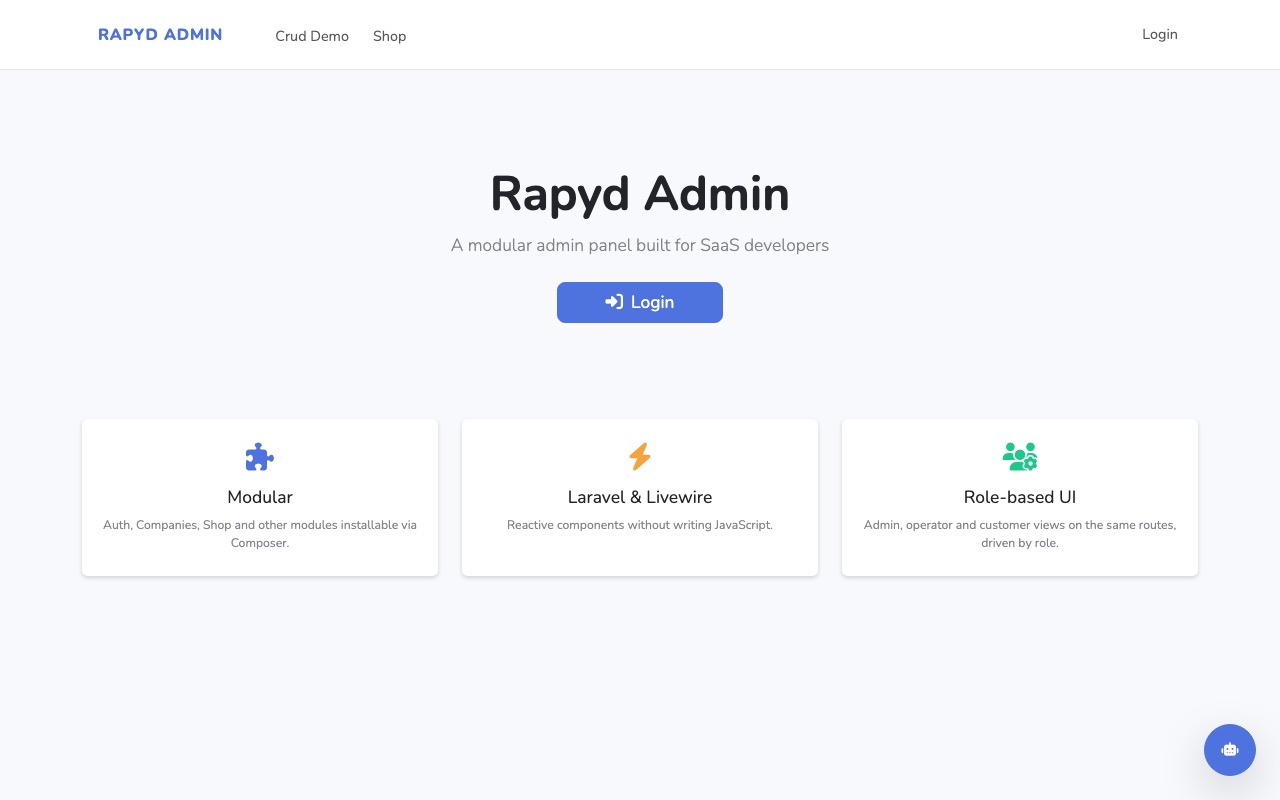
Rapyd Admin is an open-source admin panel for Laravel: a light alternative to Nova, Filament and Backpack for teams building SaaS products, and for development with AI agents. Plain Livewire + Blade files that live in your codebase, auth and multi-tenancy included, one command to start.
Why Rapyd Admin
- Plain code, no DSL. No resource classes to learn: the generators write ordinary Livewire components and Blade views into
app/Modules, yours to edit. A unifiedx-rpd::component set gives every table, form and detail page the same shape. - Built for SaaS. Login, registration, 2FA and Google sign-in (Fortify + Socialite), roles and permissions (Spatie), multi-tenant Companies with 1–3 tiers, activity log, workflows. All bundled, all optional.
- Agent-friendly. Flat, self-contained module folders with consistent naming,
php artisan rpd:contextto brief an agent, and a verification loop (tests, browser) an agent can run by itself.
Quick start
Requires PHP 8.2+, Laravel 12 or 13 and Livewire 4.
composer create-project laravel/laravel myapp && cd myapp
composer require zofe/rapyd-admin:^9
php artisan rpd:make:setup     # .env, database, configs, migrations, admin user, home page
php artisan serve
rpd:make:setup creates the first admin, admin@laravel, and prints a random password once: log in with it and
change it. Set RAPYD_ADMIN_PASSWORD in .env to choose it yourself. You get a sidebar with Users, Companies,
Roles & Permissions and Logs, a landing page, a dashboard with what is left to set up, and an app/Modules
folder ready for your own modules.
Working with an AI agent? With Laravel Boost, php artisan boost:install also
brings the Rapyd Admin guideline and skills to it (boost.json lists the package already); without Boost,
php artisan rpd:ai does the same. Details in docs/AI.md.
Not sure the installation is in order — after a composer update, say? php artisan rpd:doctor checks it and
says what to do.
Online in ten minutes
php artisan rpd:deploy           # Dockerfile, compose.yml, .dockerignore — yours to edit
docker compose up -d --build     # the app on :8080, with its queue worker, scheduler and database
One image does the three jobs (web, queue:work, schedule:work), on serversideup/php:
at start it migrates and caches config, routes and views. On Coolify, make an Application from the repository
with the Dockerfile build pack, add a database resource and the variables (APP_KEY, APP_URL, DB_*, MAIL_*);
the queue and the scheduler are the same image with their command. On Forge or any server with PHP 8.3 there is
no Docker to speak of: nginx on public/, composer install --no-dev, php artisan migrate --force, a queue
worker and the scheduler in cron. Either way, php artisan rpd:doctor first.
Google sign-in appears on the login page as soon as
GOOGLE_CLIENT_IDandGOOGLE_CLIENT_SECRETare set, see docs/AUTH.md.
What's included
| Module | What it gives you |
|---|---|
| Auth | Fortify login, registration, password reset, email verification, 2FA; Google sign-in; users, roles and permissions pages; impersonation |
| Companies | Multi-tenant company hierarchy (1–3 tiers), owner/member role, data scoping through Limit and Authorize |
| Addresses | Postal addresses attachable to any model, with an embeddable editor |
| Workflow | Symfony Workflow state machines on your models, with transition buttons and history embeds |
| Log | Application log viewer with error analysis by AI, and an activity log of what users do |
| Search | Global search box in the navbar across the models you configure |
| Layout | Bootstrap 5.3 admin shell (sidebar, topbar, dark mode), the reference theme |
Every module can be copied into your app with php artisan rpd:eject Module when you need to change it deeply.
Details in docs/MODULES.md.
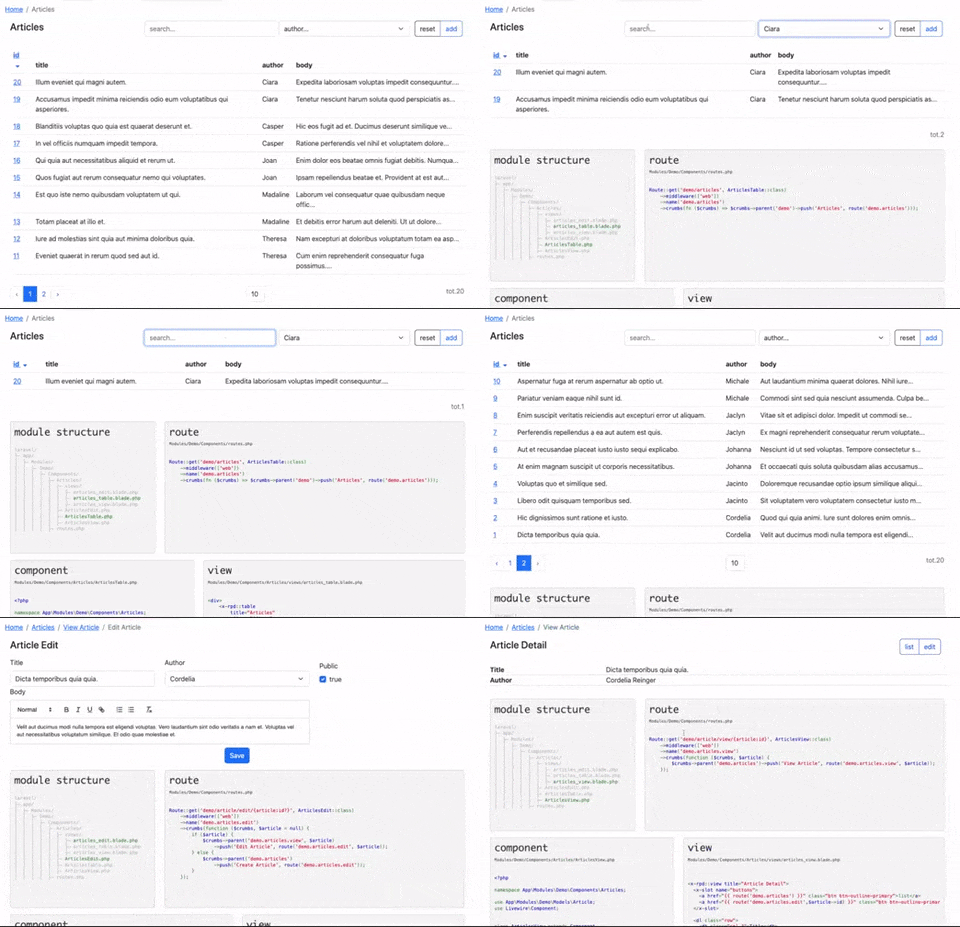
Your first module in two minutes
php artisan rpd:make Articles Article --module=Blog --fields="title,body:text,published_at:datetime" --seed --icon=newspaper
creates app/Modules/Blog with a table, a detail page and a form for Article, its routes and a sidebar entry (with
the icon you name, a circle otherwise);
when the model does not exist yet it is created with its migration from --fields (name:type, :nullable for an
optional column, category_id:belongsTo for a relation — foreign key, category() on the model, a dropdown in the
form, the category's name in the list), migrated, and — with --seed — filled with ten records from the generated
factory, so the table opens with something in it. The form's rules follow the columns: required or nullable,
email / url / date / integer / exists by type and name. No prompts:
app/Modules/Blog/
├── Livewire/ArticlesTable.php   ArticlesView.php   ArticlesEdit.php   (authorization and scoping built in)
├── Views/articles_table.blade.php   articles_view.blade.php   articles_edit.blade.php   menu.blade.php
├── Models/Article.php           uuid key, ShortId, HasFactory
├── Database/Migrations/…        Factories/ArticleFactory.php   Seeders/ArticleSeeder.php   values guessed from the columns
├── Authorizations/ArticleAuth.php   Limits/ArticleLimit.php   record check and data scoping, yours to restrict
├── config.php                   layout, menu entry, permissions (view / edit articles, given to operator)
└── routes.php                   behind auth
tests/Feature/Modules/Blog/ArticlesTest.php   the list behind auth, the form saves, operator in, plain user out
php artisan test runs that test straight away: an agent that changes the module has something to run before
it says it is done.
Add --company and the module is multi-tenant: company_id on the model, each user sees and opens the records of
their own company (and its children), a new record takes the user's company, and the generated test proves it with
two companies and an operator in each.
Run the same command again and it stops before touching anything: once generated, the components are yours.
rpd:make edit Article --module=Blog --force rewrites the form (component, view and test), and keeps the model,
the migration, the routes and the menu entry.
The views are short because the work is done by the components:
<x-rpd::table title="Articles" :items="$items">
    <x-slot name="filters">
        <x-rpd::input col="col-8" model="search" placeholder="search..." />
    </x-slot>
    <table class="table">
        <thead><tr><th><x-rpd::sort model="id" label="id" /></th><th>title</th></tr></thead>
        <tbody>
        @foreach ($items as $article)
            <tr><td>{{ $article->id }}</td><td>{{ $article->title }}</td></tr>
        @endforeach
        </tbody>
    </table>
</x-rpd::table>
<x-rpd::edit title="Article">
    <x-rpd::input model="article.title" label="Title" />
    <x-rpd::rich-text model="article.body" label="Body" />
</x-rpd::edit>
Tables, detail pages, forms, every field type and the navigation components are documented in docs/COMPONENTS.md.
Make it yours
Colours, from .env, no build step (quote the values: an unquoted # is a comment):
RAPYD_PRIMARY="#6a1c9a"        # buttons, links, active items
RAPYD_SIDEBAR_BG="#1e293b"     # optional: sidebar, topbar and content backgrounds
RAPYD_SIDEBAR_TEXT="#f8fafc"
Brand: RAPYD_BRAND, RAPYD_LOGO_SIDEBAR, RAPYD_LOGO_LOGIN, RAPYD_FAVICON, RAPYD_CUSTOM_CSS.
RAPYD_THEME=<name> activates an installed theme, RAPYD_THEME_SWITCH=true lets each visitor pick one from the navbar (see docs/THEMES.md).
RAPYD_REGISTRATION=true opens registration: closed by default, an admin panel adds its users itself; a SaaS that signs people up turns it on (the Register links appear with the route).
RAPYD_AUTH_LINKS=false hides the Login / Register links of the frontend navbar (the routes stay, e.g. a public site whose login is reached from /login).
A different look: the admin shell is a theme, a folder of Blade layouts plus compiled assets activated with
RAPYD_THEME. Start from any Bootstrap 5 template, follow the contract in docs/THEMES.md and check
it with php artisan rpd:theme:check. Ready to use: zofe/theme-tabler, the
Tabler template (composer require zofe/theme-tabler, then RAPYD_THEME=tabler).
A single view: publish it to resources/views/vendor/rpd (components) or resources/views/vendor/layout
(layouts) and edit the copy. A whole module: php artisan rpd:eject Auth.
Working with AI agents
php artisan rpd:context            # JSON brief: modules, routes, models, config, extension patterns
php artisan rpd:context --format=text --no-routes
Better: give your agents the package's own guideline and skills. With Laravel Boost
php artisan boost:install picks them up from the package; without Boost, php artisan rpd:ai writes them into
AGENTS.md / CLAUDE.md and .claude/skills. The guideline says how modules, x-rpd:: components and workflows are
meant to be used; the rapyd-module and rapyd-workflow skills are the procedures an agent follows to create a
module or a state machine.
The package itself is developed this way: see docs/AI.md for the agent brief, the AI error analysis in the log viewer and the browser verification loop.
Modules and marketplace
Anything beyond the bundle is a Composer package with the same structure as a bundled module: composer require,
php artisan migrate, done. Available today: zofe/shop-module, zofe/payments-module (Stripe, GoCardless, Paddle),
zofe/ai-module. Premium modules and themes will be distributed through a private Composer repository for subscribers.
How to write one: docs/MODULES.md.
Testing
vendor/bin/phpunit # in the package: PHPUnit + Orchestra Testbench, the same suite as CI
Documentation
- docs/COMPONENTS.md — tables, detail pages, forms, fields, navigation
- docs/MODULES.md — module structure, generators, config and menu, eject, Companies, Livewire 4 notes
- docs/AUTH.md — Fortify, Google sign-in, roles and permissions, impersonation
- docs/THEMES.md — the layout contract, design tokens, building a theme
- docs/LOCALIZATION.md — languages:
RAPYD_LOCALES, URL prefixes,Lang/{locale}.json,rpd:lang - docs/AI.md —
rpd:context, AI error analysis, verification loop - CHANGELOG.md
Credits
License
Related Packages
crud widgets for laravel 5.1, to make an admin in few lines of code
Version History
| Version | Released | PHP | Laravel | License |
|---|---|---|---|---|
| v9.22.0 | ^8.2 | ^12.0| | MIT | |
| v9.21.0 | ^8.2 | ^12.0| | MIT | |
| v9.20.2 | ^8.2 | ^12.0| | MIT | |
| v9.20.1 | ^8.2 | ^12.0| | MIT | |
| v9.20.0 | ^8.2 | ^12.0| | MIT | |
| v9.19.0 | ^8.2 | ^12.0| | MIT | |
| v9.18.0 | ^8.2 | ^12.0| | MIT | |
| v9.17.5 | ^8.2 | ^12.0| | MIT | |
| v9.17.4 | ^8.2 | ^12.0| | MIT | |
| v9.17.3 | ^8.2 | ^12.0| | MIT | |
| v9.17.2 | ^8.2 | ^12.0| | MIT | |
| v9.17.1 | ^8.2 | ^12.0| | MIT | |
| v9.17.0 | ^8.2 | ^12.0| | MIT | |
| v9.16.0 | ^8.2 | ^12.0| | MIT | |
| v9.15.1 | ^8.2 | ^12.0| | MIT | |
| v9.15.0 | ^8.2 | ^12.0| | MIT | |
| v9.14.0 | ^8.2 | ^12.0| | MIT | |
| v9.13.4 | ^8.2 | ^12.0| | MIT | |
| v9.13.3 | ^8.2 | ^12.0| | MIT | |
| v9.13.2 | ^8.2 | ^12.0| | MIT | |
| v9.13.1 | ^8.2 | ^12.0| | MIT | |
| v9.13.0 | ^8.2 | ^12.0| | MIT | |
| v9.12.1 | ^8.2 | ^12.0| | MIT | |
| v9.12.0 | ^8.2 | ^12.0| | MIT | |
| v9.11.2 | ^8.2 | ^12.0| | MIT | |
| v9.11.1 | ^8.2 | ^12.0| | MIT | |
| v9.11.0 | ^8.2 | ^12.0| | MIT | |
| v9.10.0 | ^8.2 | ^12.0| | MIT | |
| v9.9.1 | ^8.2 | ^12.0| | MIT | |
| v9.9.0 | ^8.2 | ^12.0| | MIT |
Showing the latest 30 of 278. See every release on Packagist