jeffersongoncalves/filament-whatsapp-widget
| Install | |
|---|---|
composer require jeffersongoncalves/filament-whatsapp-widget |
|
| Latest Version: | 3.1.0 |
| PHP: | ^8.2 |
| License: | MIT |
| Last Updated: | Sep 28, 2026 |
| Links: | GitHub · Packagist |
Filament Whatsapp Widget





This Filament package provides a simple yet customizable WhatsApp widget for your website. It allows you to easily add a clickable WhatsApp button or floating widget to connect visitors directly with your WhatsApp account. The widget is designed to be easily integrated into your Laravel application and is fully customizable to match your website's design.
Requirements
- PHP 8.2 or higher
- Laravel 11.0 or higher
- Filament 5.0
Installation
You can install the package via composer:
composer require jeffersongoncalves/filament-whatsapp-widget
Usage
This package is a Filament wrapper for jeffersongoncalves/laravel-whatsapp-widget.
Publish config file.
php artisan vendor:publish --tag=whatsapp-widget-config
php artisan vendor:publish --tag=filament-whatsapp-widget-config
Publish migration file.
php artisan vendor:publish --tag=whatsapp-widget-migrations
Publish assets file.
php artisan vendor:publish --tag=whatsapp-widget-assets
php artisan vendor:publish --tag=filament-phone-input-assets
Add in AdminPanelProvider.php
use JeffersonGoncalves\Filament\WhatsappWidget\WhatsappWidgetPlugin;

->plugins([
    WhatsappWidgetPlugin::make(),
])
Manual Usage (Optional)
If you want to use the widget on non-Filament pages, add the following templates to your layout:
Head Template
@include('whatsapp-widget::whatsapp-widget-head')
Body Template
@include('whatsapp-widget::whatsapp-widget-body')
Configuration
After publishing the configuration file, you can customize the widget by editing the config/whatsapp-widget.php file:
return [
    // Enable or disable audio notification
    'audio' => true,

    // Play audio notification once per day or on every page load
    'play_audio_daily' => true,

    // Filesystem disk for storing agent images
    'disk' => env('FILESYSTEM_DISK', 'local'),

    // Application URL (used for redirection)
    'url' => env('APP_URL', 'http://localhost'),

    // Application name (displayed in the widget)
    'name' => env('APP_NAME', 'Laravel App'),

    // WhatsApp API key (if needed)
    'key' => env('WHATSAPP_KEY'),

    // Widget position on the screen (left or right)
    'position' => 'right',
];
And config/filament-whatsapp-widget.php file:
use JeffersonGoncalves\WhatsappWidget\Models\WhatsappAgent;

return [
    'whatsapp_agent_resource' => [
        'cluster' => null,
        'model' => WhatsappAgent::class,
        'should_register_navigation' => true,
        'navigation_group' => true,
        'navigation_badge' => true,
        'navigation_sort' => -1,
        'navigation_icon' => 'heroicon-s-chat-bubble-left',
        'slug' => 'whatsapp/whatsapp-agent',
    ],
];
Customization
Translations
This package is translated into several languages:
- Arabic
- Czech
- German
- English
- Spanish
- Persian
- French
- Hebrew
- Indonesian
- Italian
- Japanese
- Dutch
- Polish
- Portuguese
- Portuguese (Brazil)
- Portuguese (Portugal)
- Slovak
- Turkish
You can customize the widget's text by editing the translation files in resources/lang/vendor/filament-whatsapp-widget/.
Position
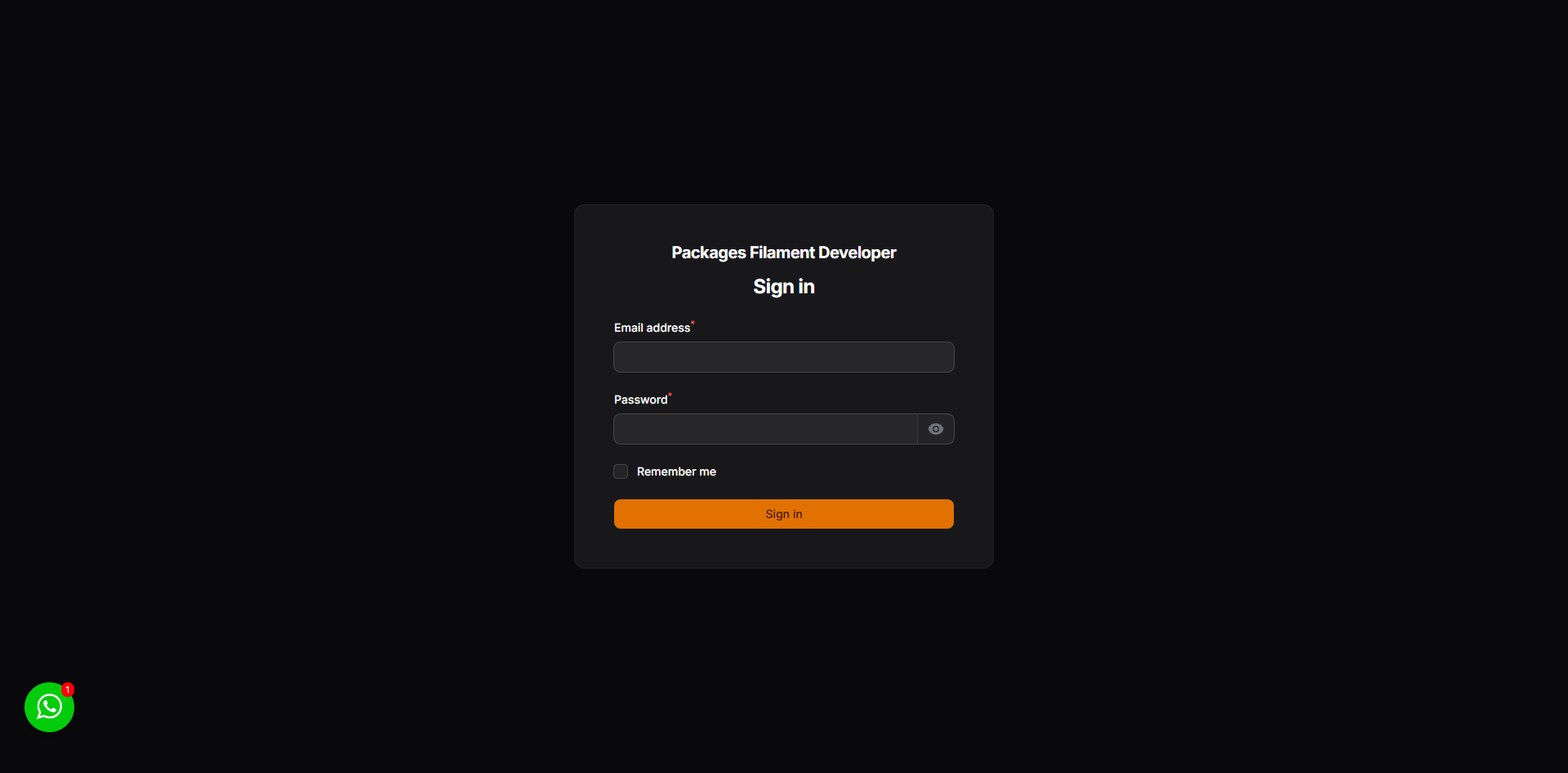
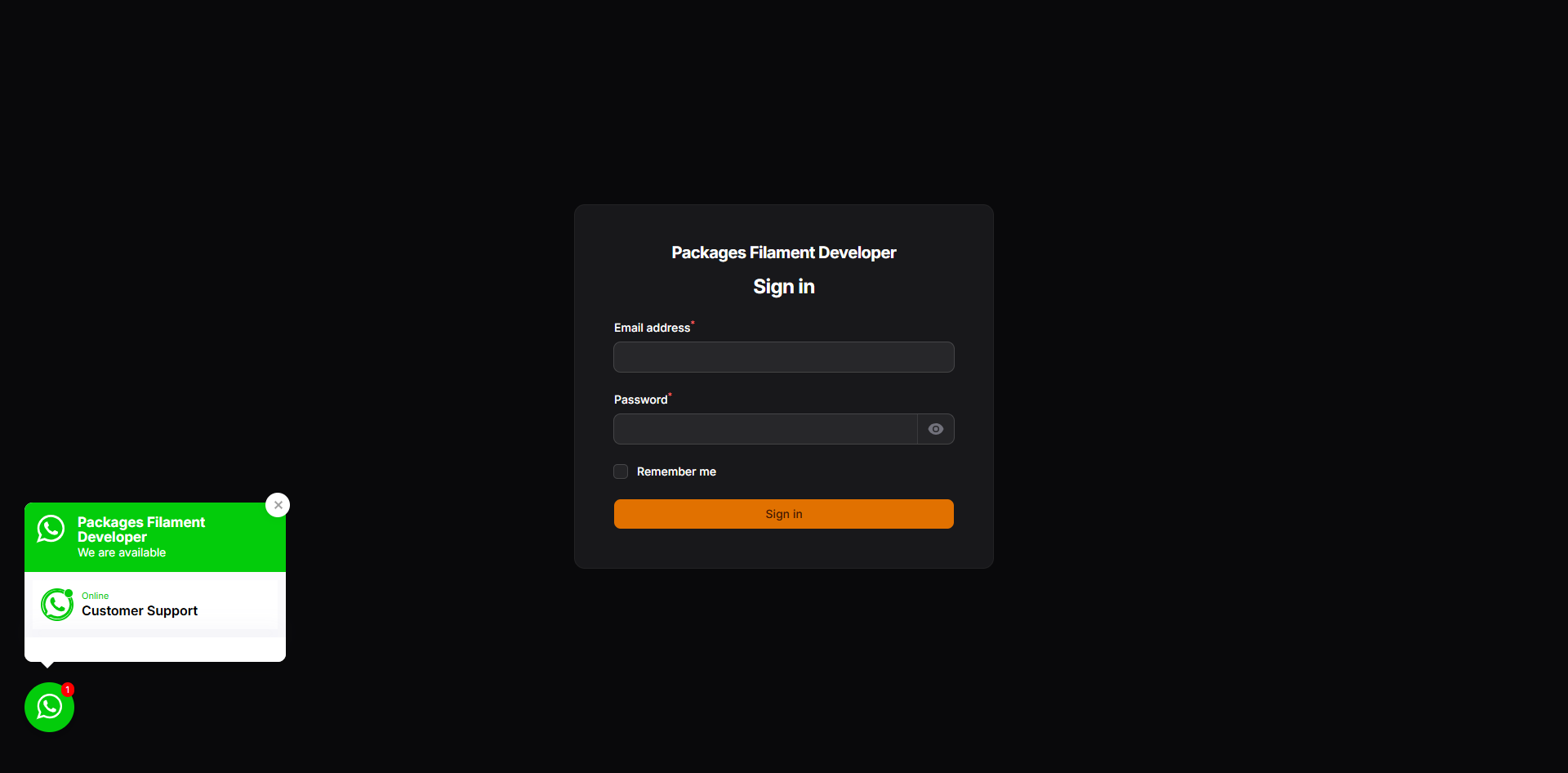
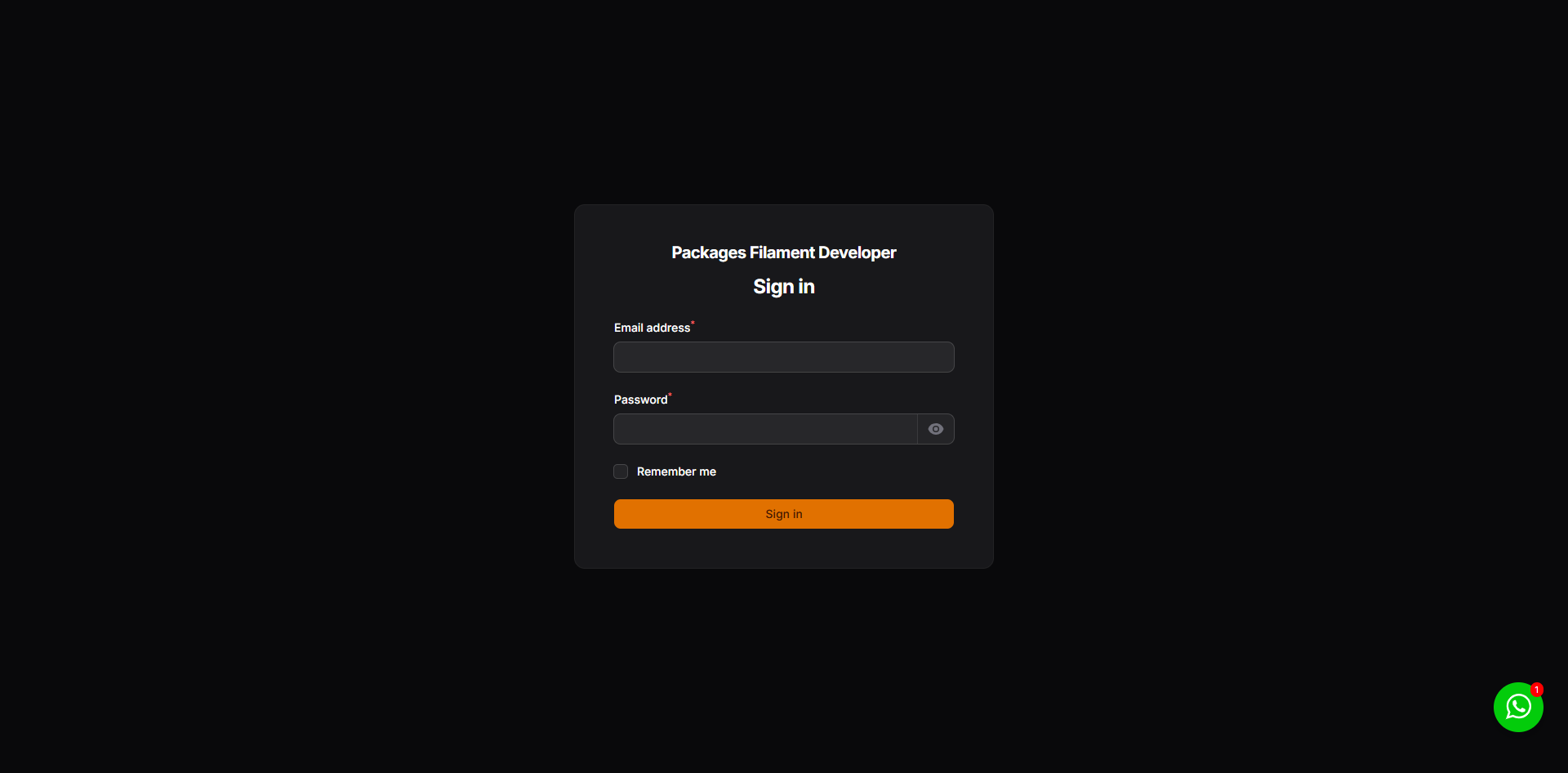
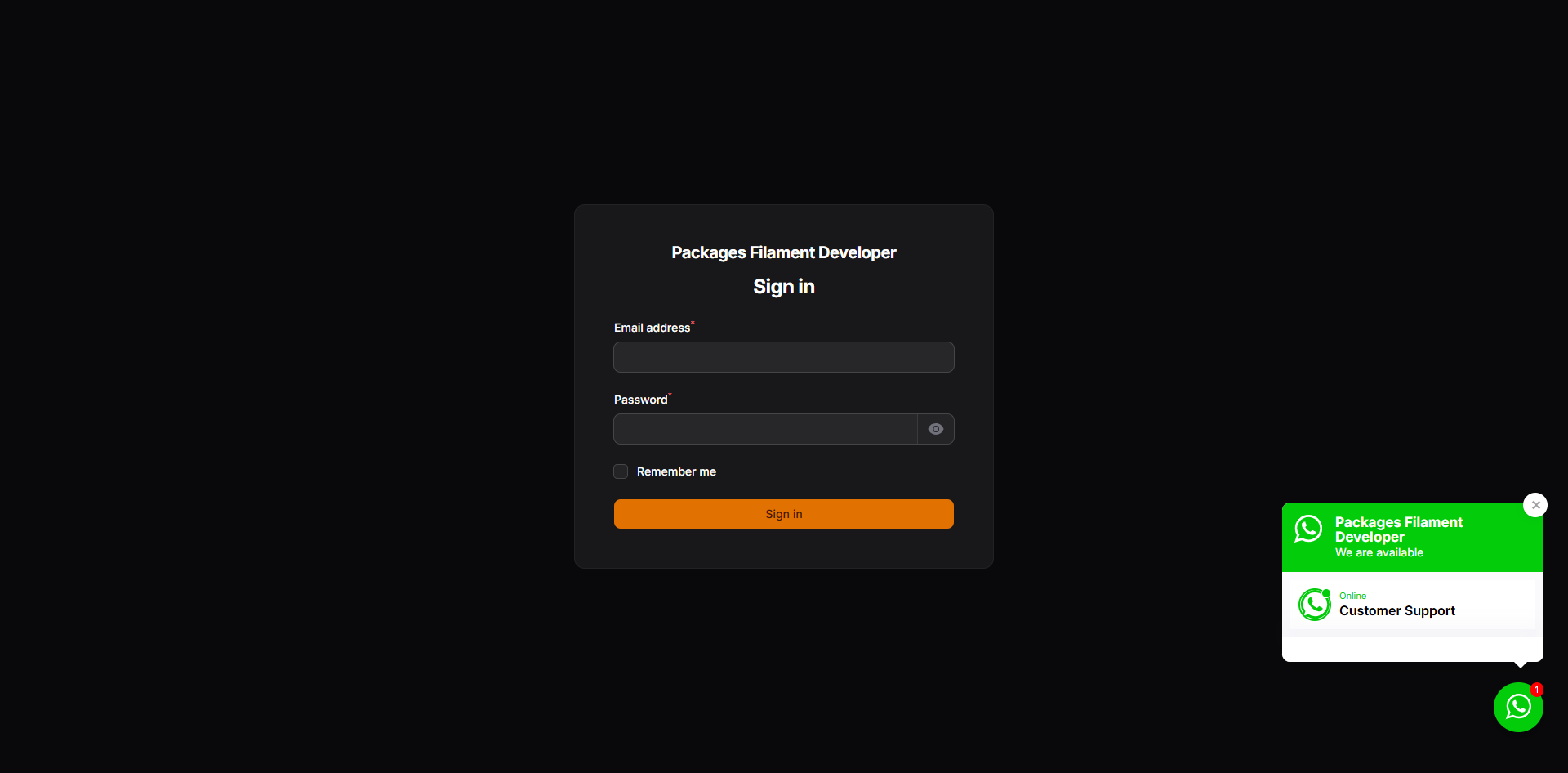
By default, the widget appears in the bottom-right corner of the page. You can change this by modifying the position value in the config/whatsapp-widget.php file.
Example for left position:
'position' => 'left',
| Default | Open |
|---|---|
 |
 |
Example for right position:
'position' => 'right',
| Default | Open |
|---|---|
 |
 |
Redirect Page
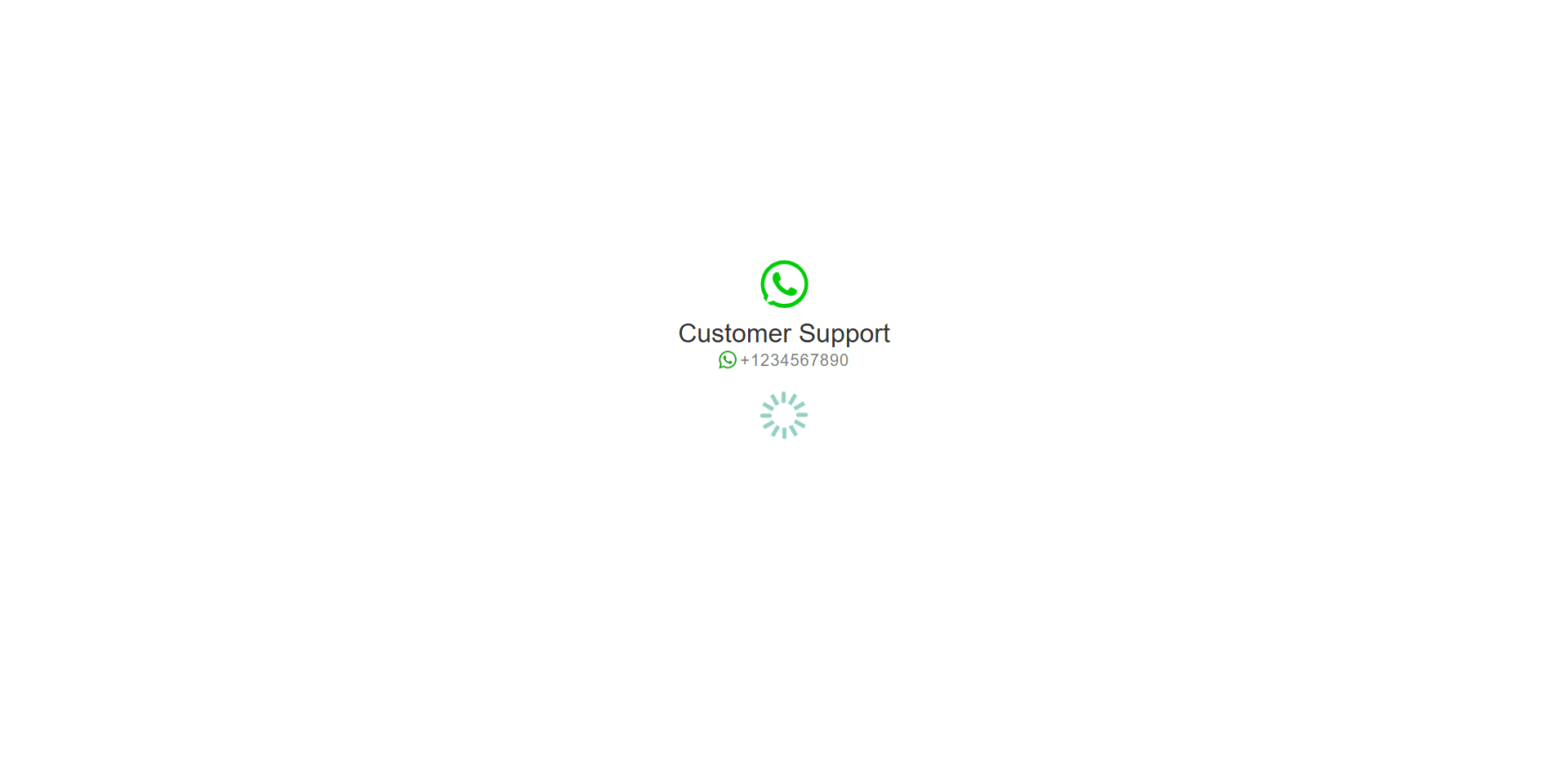
When a user clicks on an agent, they are redirected to a temporary page before being sent to WhatsApp. This page can be customized by publishing the package views.
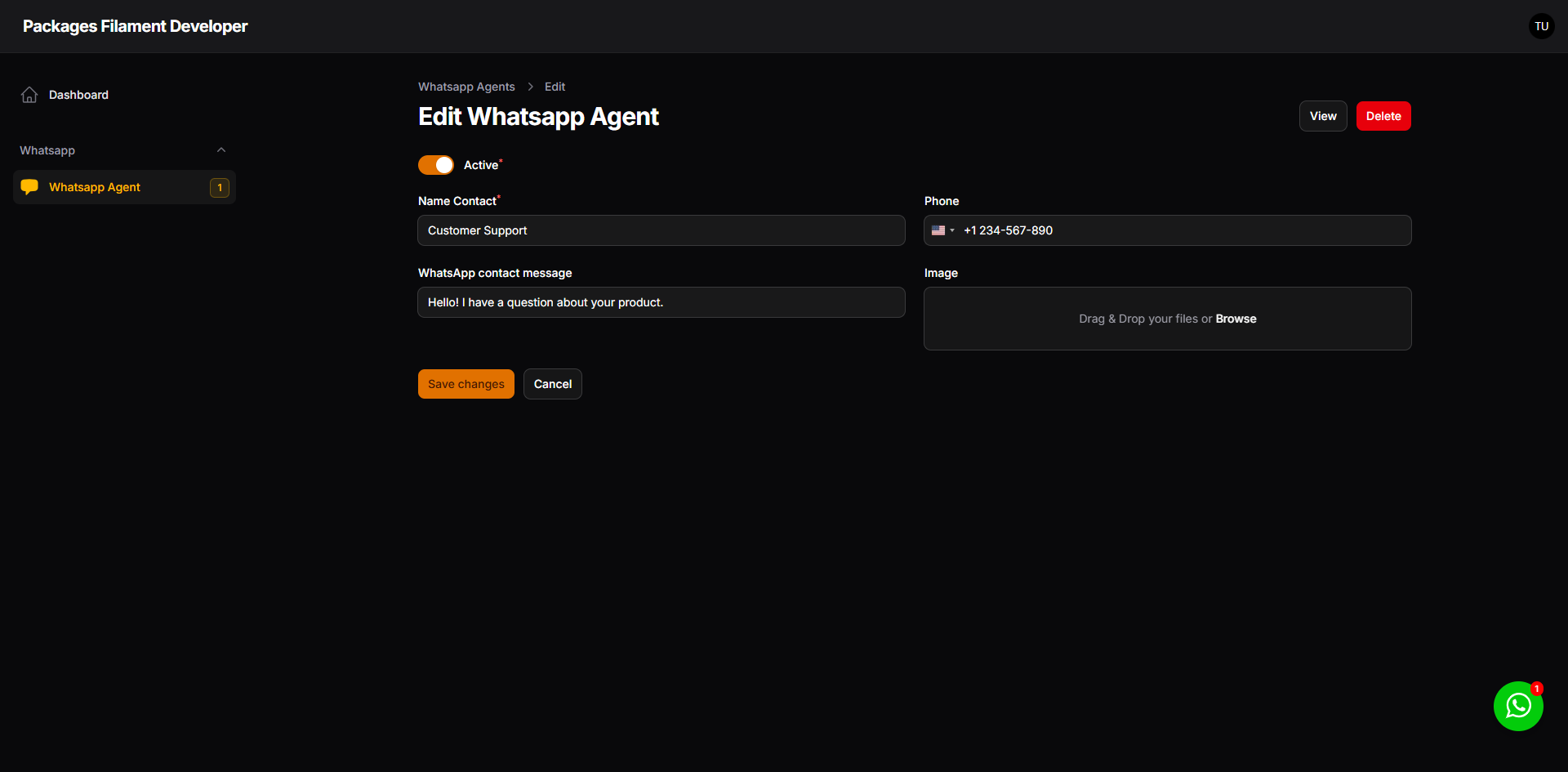
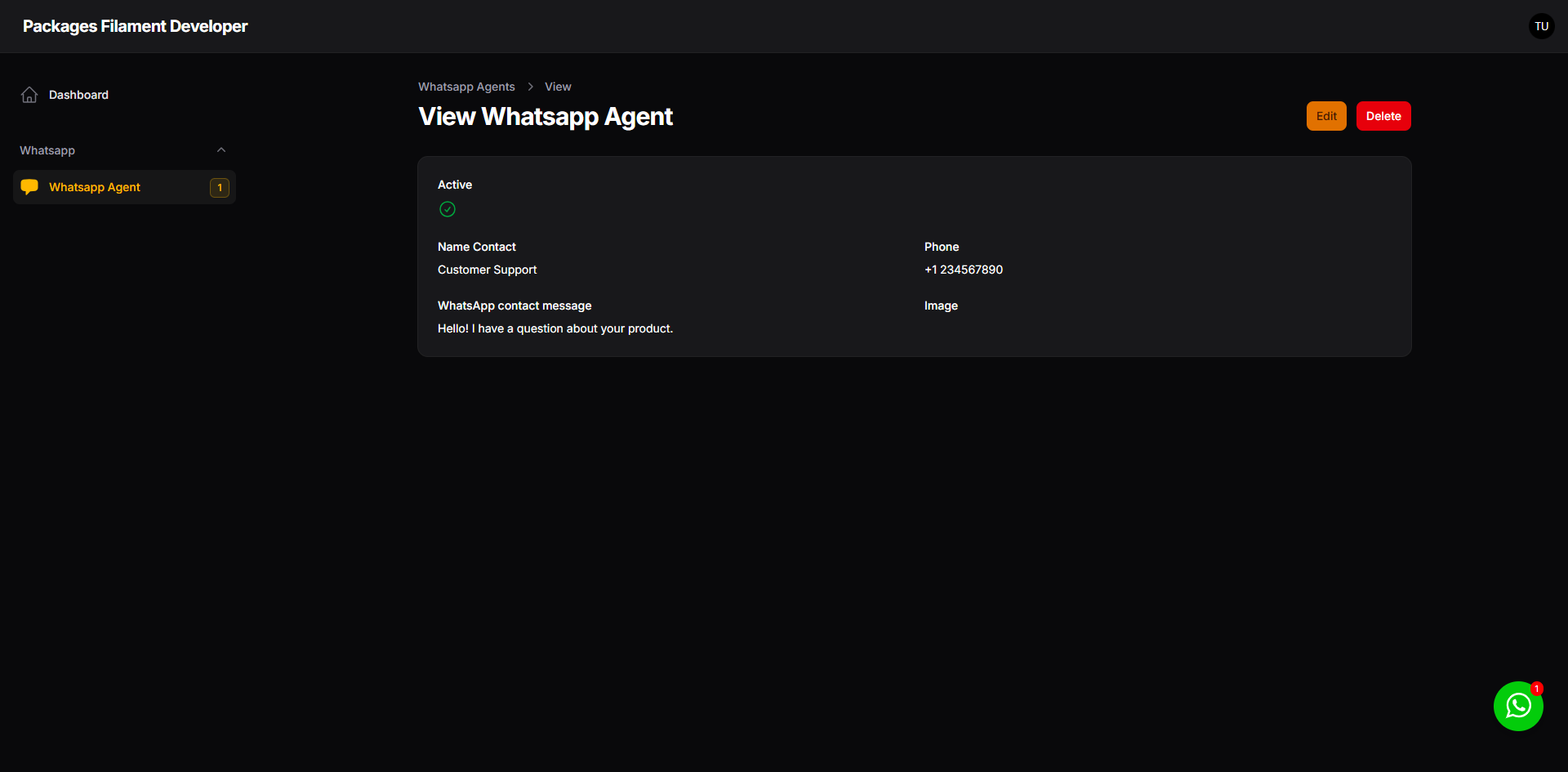
Filament Resource
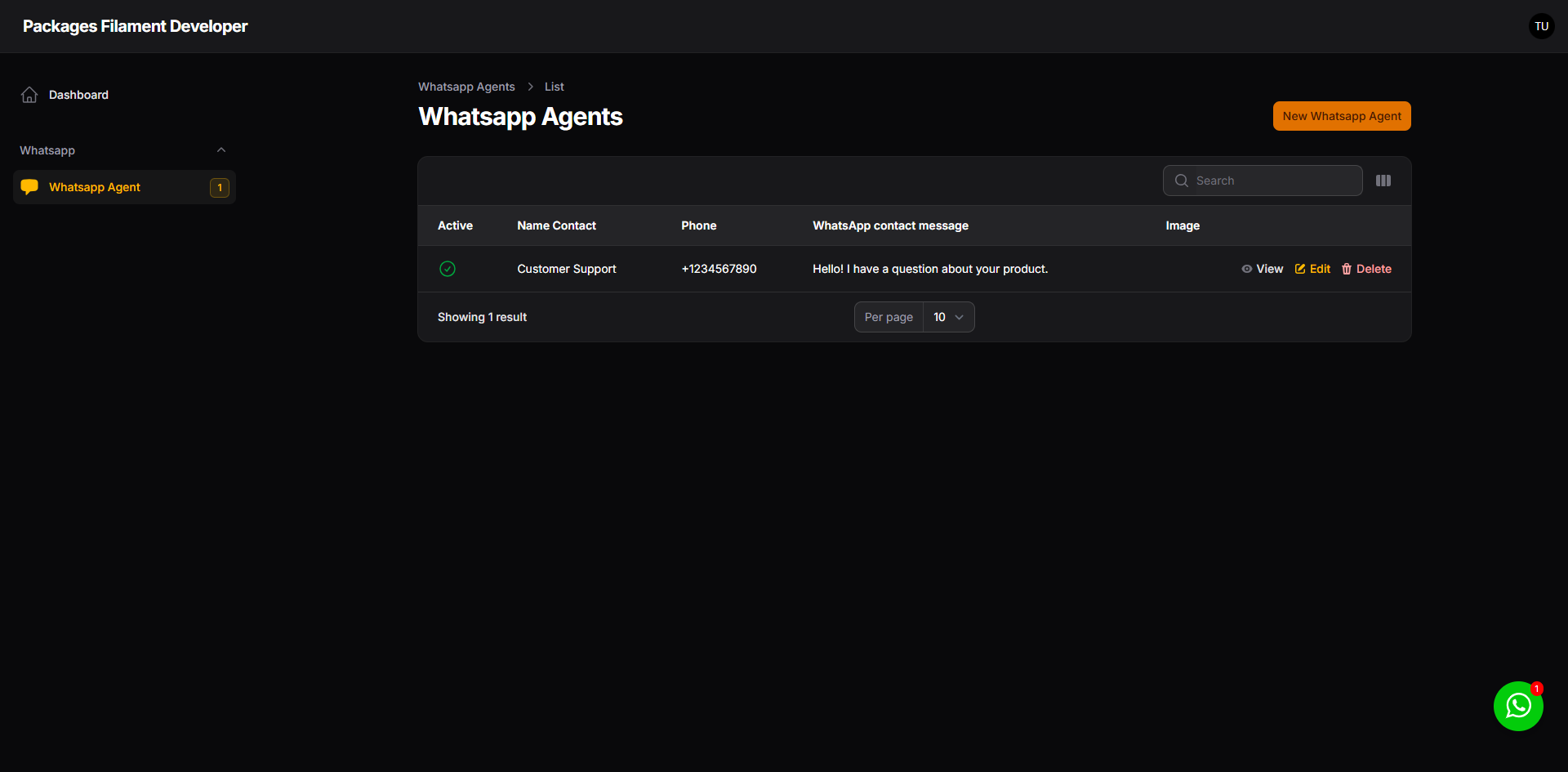
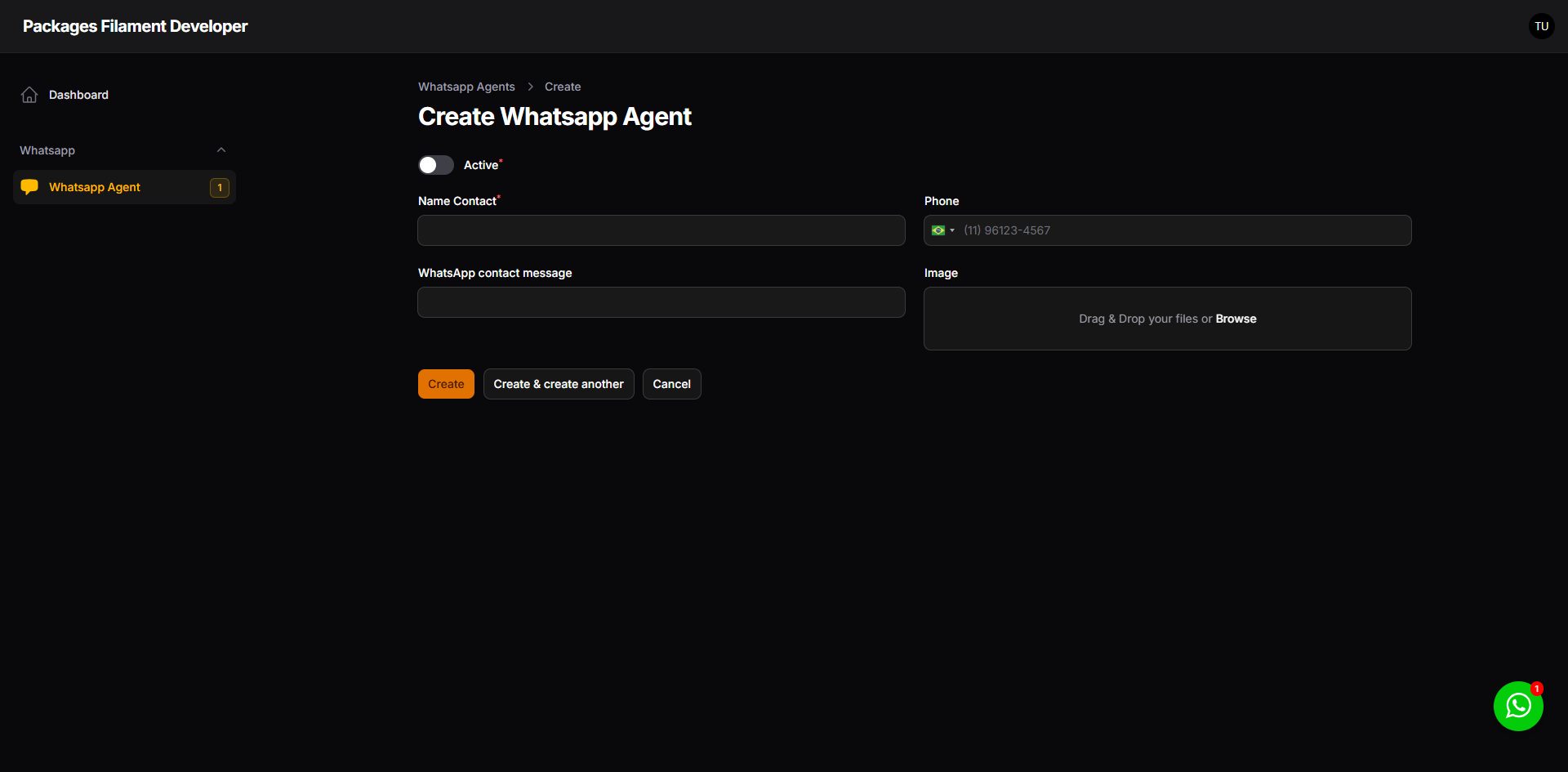
You can manage your WhatsApp agents using the Filament resource provided by this package.
| List | Create |
|---|---|
 |
 |
| Edit | View |
|---|---|
 |
 |
Testing
composer test
Changelog
Please see CHANGELOG for more information on what has changed recently.
Contributing
Please see CONTRIBUTING for details.
Security Vulnerabilities
Please review our security policy on how to report security vulnerabilities.
Credits
License
The MIT License (MIT). Please see License File for more information.
Related Packages
A simple yet effective Filament plugin that automatically adds the Filament logo...
This Filament package provides a simple and elegant way to implement cookie cons...
The Filament CEP Field is a custom input component designed specifically for Bra...
A Laravel Filament v5 field that integrates the Ace code editor into your forms,...
Automatically refresh the Filament sidebar navigation when certain events occur,...
Version History
| Version | Released | PHP | Laravel | License |
|---|---|---|---|---|
| 3.1.0 | ^8.2 | MIT | ||
| v3.0.2 | ^8.2 | MIT | ||
| v3.0.1 | ^8.2 | ^11.0| | MIT | |
| v3.0.0 | ^8.2 | ^11.0| | MIT | |
| 2.3.0 | ^8.2| | ^11.0| | MIT | |
| v2.2.1 | ^8.2| | ^11.0| | MIT | |
| v2.2.0 | ^8.2| | ^11.0| | MIT | |
| v2.1.0 | ^8.2| | ^11.0| | MIT | |
| v2.0.0 | ^8.2| | ^11.0| | MIT | |
| 1.4.0 | ^8.2| | ^11.0| | MIT | |
| v1.3.0 | ^8.2| | ^11.0| | MIT | |
| v1.2.3 | ^8.2| | ^11.0| | MIT | |
| v1.2.2 | ^8.2| | ^11.0| | MIT | |
| v1.2.1 | ^8.2| | ^11.0| | MIT | |
| v1.2.0 | ^8.2| | ^11.0| | MIT | |
| v1.1.0 | ^8.2| | ^11.0| | MIT | |
| v1.0.0 | ^8.2| | ^11.0| | MIT |