solution-forest/ai-kit-ui-livewire
| Install | |
|---|---|
composer require solution-forest/ai-kit-ui-livewire |
|
| Latest Version: | v0.2.0 |
| PHP: | ^8.3 |
| Laravel: | 12 · 13 |
| License: | MIT |
| Last Updated: | Jul 22, 2026 |
| Links: | GitHub · Packagist |
ai-kit-ui-livewire




The Livewire chat UI for the ai-kit suite — a drop-in <livewire:ai-kit.chat /> component with streaming RAG answers, markdown, source citations, and conversation history. No build step required.
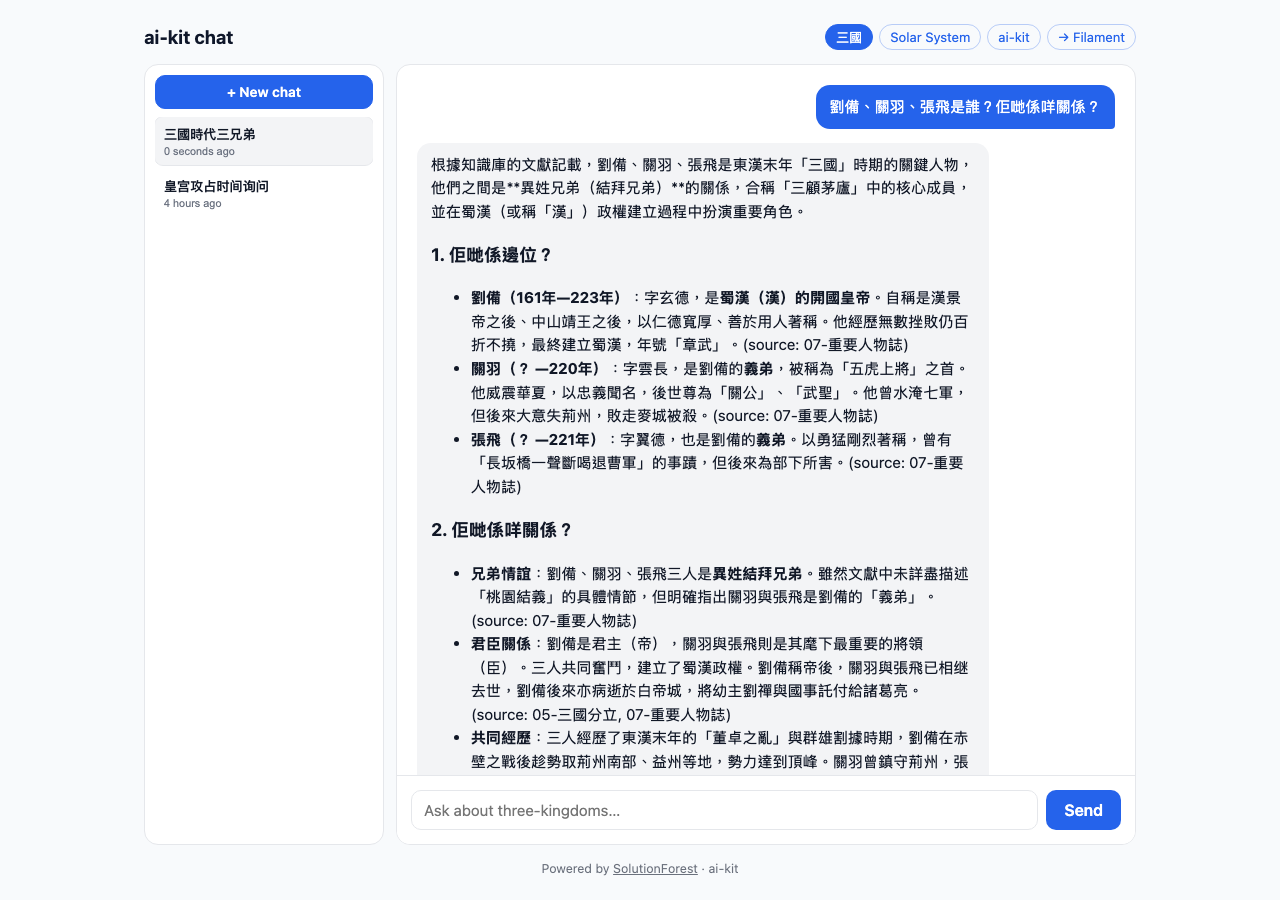
Why this package?
You have a knowledge base indexed with ai-kit-core
and want to let users chat with it — with streaming answers and clickable source
citations — without building a chat UI from scratch or setting up a JS build
pipeline. Drop in one Livewire tag and you're done. It talks to core's
ChatService, so the answers match your CLI, API, and MCP surfaces exactly.
Requirements
- PHP 8.3+, Laravel 12 or 13
- Livewire 4
Depends on
solution-forest/ai-kit-core— the RAG engine (ingestion, retrieval, agents). It is a hard dependency and is installed automatically with this package; you configure your knowledge bases and AI provider there. This package is only the chat UI.
Install
composer require solution-forest/ai-kit-ui-livewire
Auto-discovered. Views are publishable if you want to customise them:
php artisan vendor:publish --tag=ai-kit-ui-views
Usage
Drop it into any Blade view:
<livewire:ai-kit.chat collection="handbook" />
Props
| Prop | Type | Default | Description |
|---|---|---|---|
collection |
string |
config default | Knowledge-base slug to search |
agent |
string (class) |
config agent | Agent class override (must extend RagAgent) |
placeholder |
string |
"Ask a question…" | Input placeholder |
history |
bool |
config('ai-kit.ui.history') (false) |
Show the conversation-history sidebar (needs an authenticated user) |
citations |
bool |
config('ai-kit.ui.citations') (true) |
Show source citation chips + popups (set false to hide, and skip retrieval for them) |
streaming |
bool |
config('ai-kit.chat.streaming') (true) |
Stream the answer token-by-token over SSE (else non-streamed) |
Every boolean prop falls back to its config default when omitted, so you can set
an app-wide default in config/ai-kit.php and override per instance:
<livewire:ai-kit.chat collection="handbook" :citations="false" :streaming="false" />
<livewire:ai-kit.chat
    collection="handbook"
    :agent="\App\Ai\SupportAgent::class"
    :history="true"
    placeholder="Ask about the handbook…" />
Features
- Streaming — token-by-token over SSE (route
ai-kit.stream), controlled byconfig('ai-kit.chat.streaming'), with a non-streamed fallback that runs entirely inside Livewire. - Citations — every answer shows source chips (document title · chunk · relevance %). Click a chip to expand the source passage inline with a relevance meter.
- History — with
:history="true"and a signed-in user, a sidebar lists past conversations; click to reload, or start a New chat. Scoped to the current user. - Empty state — when the collection is missing or has no embedded content, the component prompts you to create a knowledge base first.
- Markdown — assistant responses render GitHub-flavored markdown (HTML escaped).
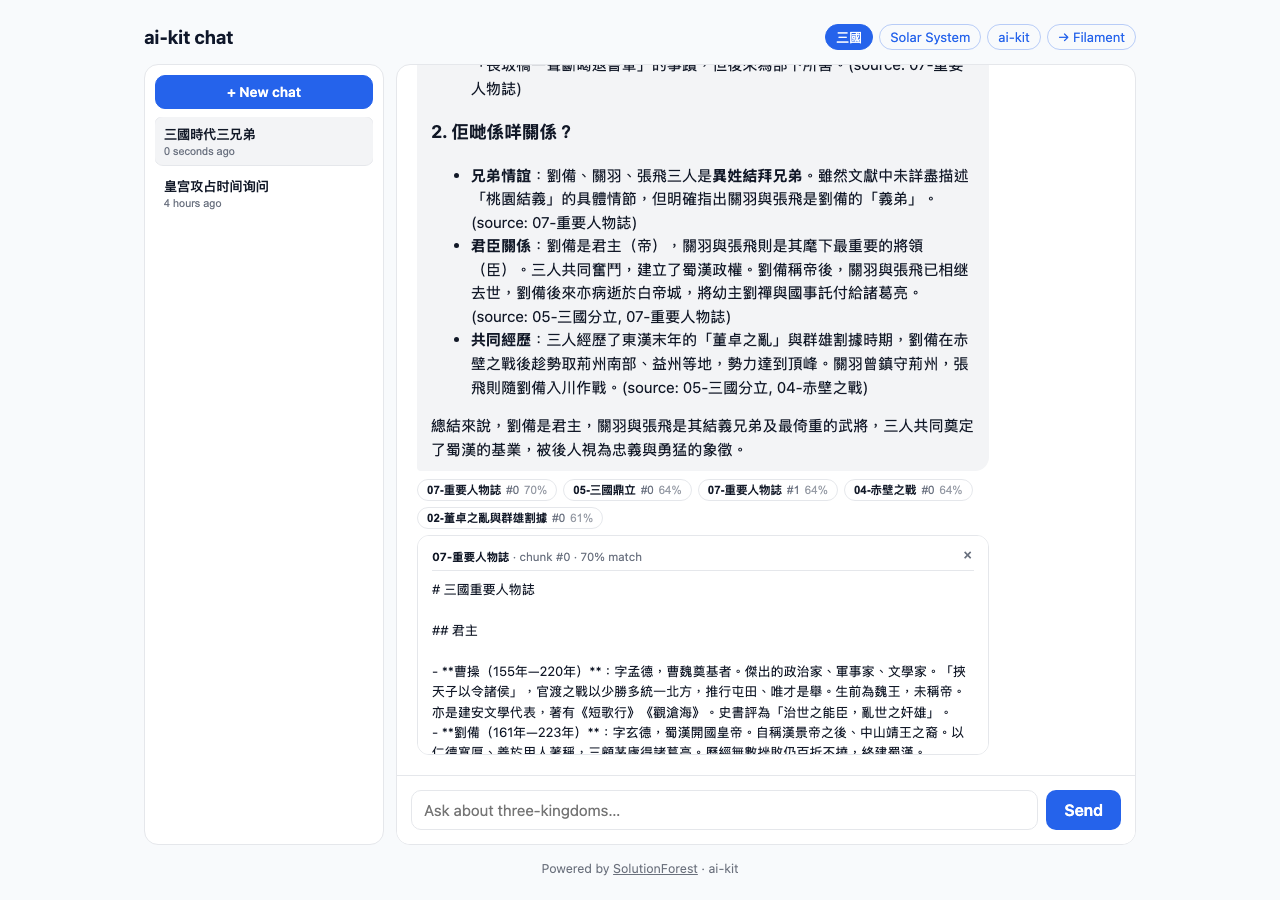
Standalone (non-Filament) page
The component needs Livewire assets + a CSRF meta tag. Minimal host page:
<!DOCTYPE html>
<html>
<head>
    <meta name="csrf-token" content="{{ csrf_token() }}">
    @livewireStyles
</head>
<body>
    <livewire:ai-kit.chat collection="handbook" :history="true" />
    @livewireScripts
</body>
</html>
Conversation history + token logging require an authenticated user (the conversation participant). On a public page without auth, chat still works but nothing is persisted.
Theming
The component ships compiled, scoped CSS using CSS variables — override them in your own stylesheet:
.ck-root {
    --ck-accent: #16a34a;      /* buttons, links, active states */
    --ck-user: #16a34a;        /* user bubble */
    --ck-radius: 12px;
    /* --ck-bg, --ck-fg, --ck-muted, --ck-border, --ck-assistant, --ck-user-fg */
}
Dark mode is handled automatically via prefers-color-scheme.
How streaming works
On send, the component dispatches a browser event; JS opens an EventSource to ai-kit.stream (StreamController), which streams the answer and emits delta frames, then a done frame carrying the final text + conversation id. The route middleware is configurable via config('ai-kit.ui.stream_middleware') (default ['web']).
Architecture
The component is a thin view over the core ChatService. Both the non-streamed
path and the SSE StreamController delegate to
SolutionForest\AiKit\Services\ChatService, so RAG mode (tool/inject),
conversation persistence, citations, and token usage are handled once in core
and shared with the CLI, HTTP API, and MCP server.
The ai-kit suite
| Package | Purpose |
|---|---|
| solution-forest/ai-kit-core | Ingestion, retrieval, agents + CLI, HTTP API, MCP |
| solution-forest/ai-kit-ui-livewire (this) | Livewire 4 chat component |
| solution-forest/ai-kit-filament | Filament v5 admin panel |
Prefer a headless UI? The same chat is available as an HTTP API or MCP server in
ai-kit-core — no Livewire required.
Continuous integration
.github/workflows/tests.yml runs the suite on a GitHub release (and manual
dispatch) — not on every push. Because this package has a local path dependency
on ai-kit-core, CI clones that (public) sibling repo first. Once ai-kit-core
is on Packagist, drop the clone step and let Composer resolve it.
License
MIT © SolutionForest
Related Packages
A component kit (turn/event data model + Livewire chat UI) for laravel/ai agents...
A beautiful AI chat widget plugin for Filament v3 with OpenAI integration
Agent Orchestration in your web app. Bring Claude Code into your Laravel app — n...
Version History
| Version | Released | PHP | Laravel | License |
|---|---|---|---|---|
| v0.2.0 | ^8.3 | ^12.0| | MIT |